
Send requests to your clients (to Review, to Sign, to Sign e-file Authorization, and Document Requests)
When you send a request for your client to upload, sign, or review a document, it is called a
Requested Item
and appears in the Requested Items section of your client’s Documents page. note
You can upload fillable PDFs and password-protected PDFs and those features will be preserved.
Not all states have adopted the IRS eSignature guidelines. DE, MD, NY, and WV require an e-file authorization form similar to IRS Form 8879, but they don’t allow eSignature. All other states either allow eSignature on their e-file authorization form or don’t require a separate e-file authorization form.
Documents that were digitally signed or reviewed by a client are stamped on the 1st page of the document. The IRS requires e-signed records to be tamper-proof once they’ve been signed and reviewed. To ensure a document is legally binding, SurePrep will secure the document in read-only mode. This is a cautionary measure to ensure that digitally signed/reviewed documents can't be tampered with or additional pages are not attached to the signed/reviewed document later. These signed/reviewed documents can still be viewed in read-only mode.
Send document requests to your clients
Follow these steps to add a request to a client’s profile:
- Sign in to TaxCaddy.
- On theOverviewscreen, select a client tile to view the client profile.
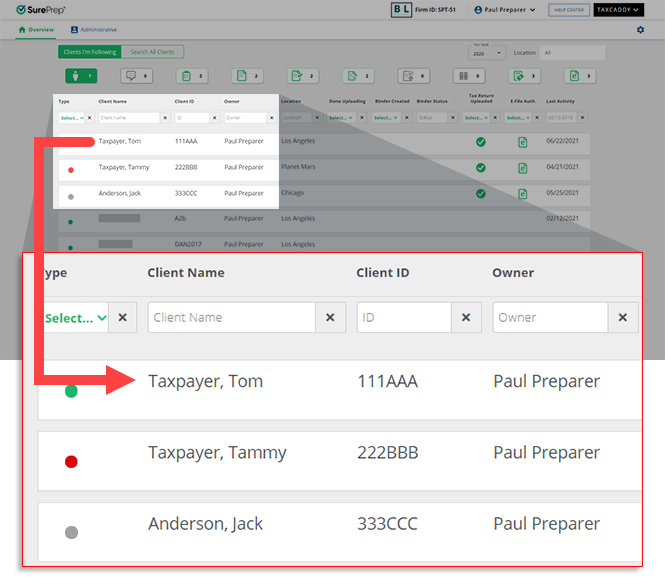
- SelectDocuments, then selectRequested Items.

- Select theTax Year.
 If you've created a 1041 tax return profile for this client, select the relevant tax return from theTAX RETURNdropdown menu.noteWhen sending 1041 requests to clients, the available request types are limited to Signature and Spousal Signaure requests.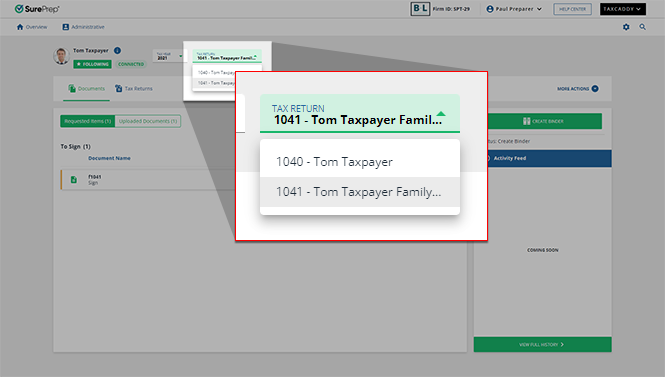
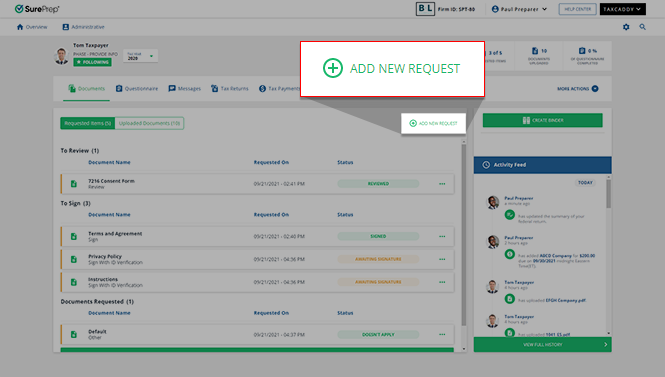
- SelectADD NEW REQUEST.
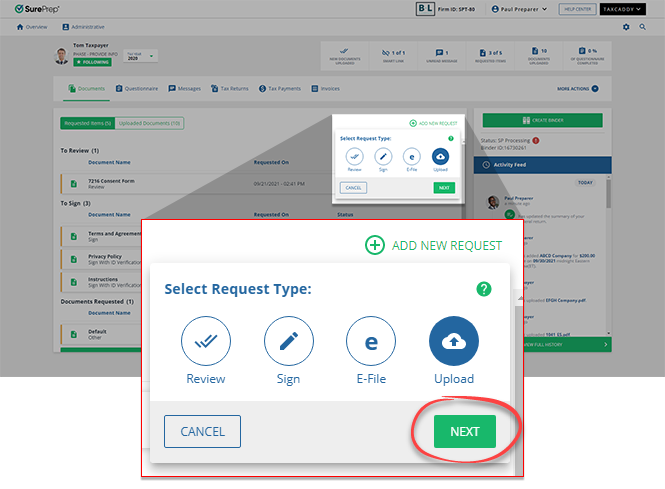
- Select eitherReview,Sign,E-file, orUpload.
 Select request typeDescriptionReviewClient marks the document as reviewed using theMark Reviewedbutton.Available for the 1040 tax return type.SignThe client or their spouse marks the document as signed using theSign & Acceptbutton, then enters their first name as a signature. Regular signed documents are not compliant with IRS for e-file authorization. Use theE-Fileoption to e-file a document.Available for 1040 and 1041 tax return types.E-file AuthorizationSimilar to theSignrequest, except the client must confirm their identity using KBA (Knowledge-Based Authentication).The client marks the document as signed using theSign, thenAcceptbutton. Enter their first name as a signature, then provide information to confirm their identity using KBA.If you have specified that the document requires the spouse's signature, the spouse is prompted to verify their identity using the same KBA process and may complete their signature process at the same time as the taxpayer. If either the taxpayer or spouse fails the identity verification, both will be required to sign the document manually.Your client is only prompted to complete KBA verification once per session, so they can sign other documents requiring it without completing the KBA process again. With e-file authorization, signed documents are IRS compliant for e-file.Available for the 1040 tax return typeUploadYou can use this to request that your client uploads a document. A new item appears in the client'sRequested Itemstab underDocument Requests. Clients upload the requested document to fulfill the request.Available for the 1040 tax return type.noteFor certain categories, your clients can also fulfill a document request by filling out a PDF form.Select signature typeIf you selected either theSign(either 1040 and 1041 tax return types) orE-File(only available for 1040 tax return types) option from the available request types, there are 3 different types of signature requests that you can issue to your clients:
- Taxpayer Only: Only require the signature of your client (the main account holder) to complete this request.
- Spouse Only: Only require the signature of your client's spouse to complete this request.
- Taxpayer (and Spouse if applicable): Require the signature of both your client and their spouse to complete this request.
Select the type of signature request that you would like to send to your client's account from theSelect Signature Typedropdown menu.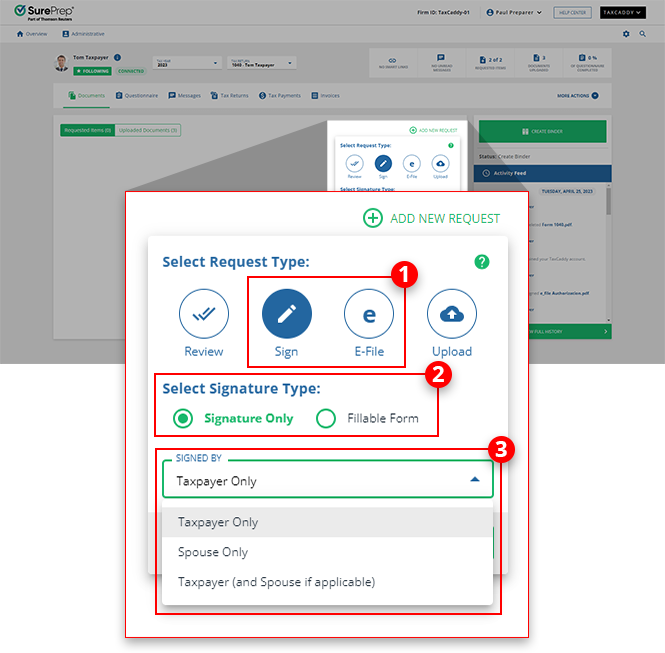 Once you've made your selection for this request, selectNEXT.
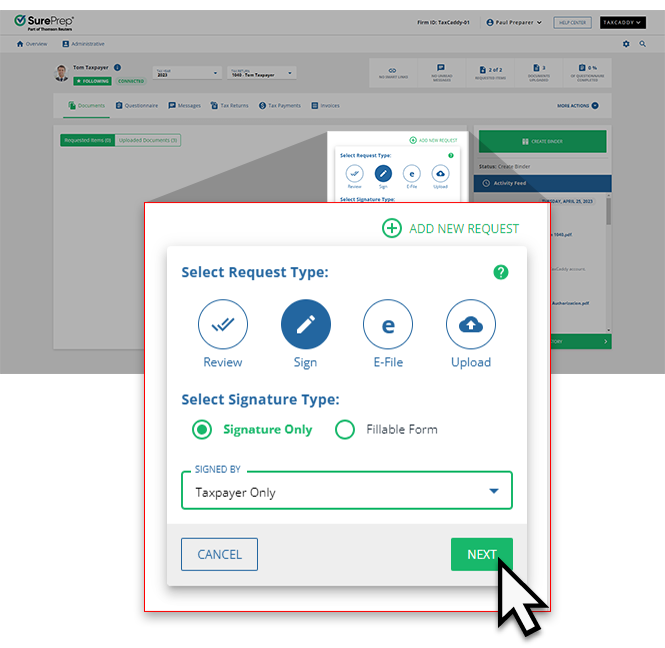 Fillable FormIf you selectRevieworSign, you can make the Review/Signature form be fillable. SelectFillable Formto mark the uploaded PDF as a fillable form.
- SelectNEXTto continue. SelectCANCELto close without making a request.
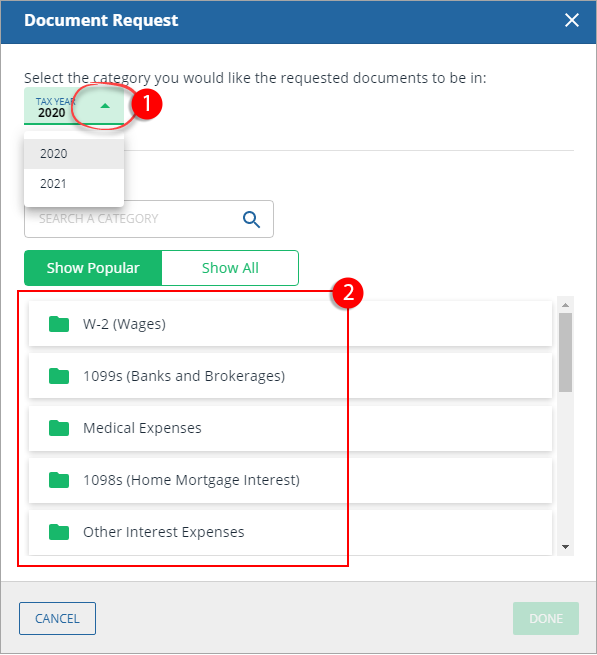
- You'll see theDocument Requestwindow if you selectedUpload, select a year and category for the document. Once the taxpayer uploads a document, it'll appear in this category.noteYou can switch toShow Allto view all available categories. You can also use the search bar to search for a category.
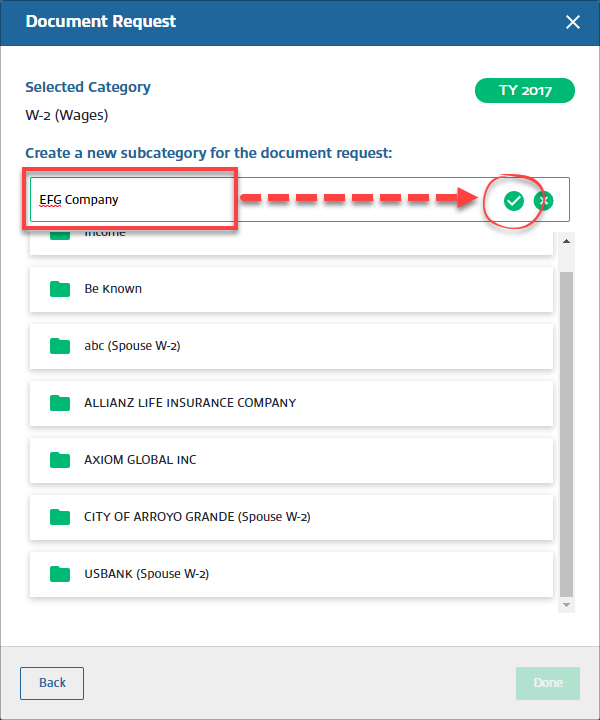
- After selecting a category, selectAdd Newto create a new subcategory.

- Select theSave
 icon to save the subcategory name.
 Once you have selected a subcategory, selectDone.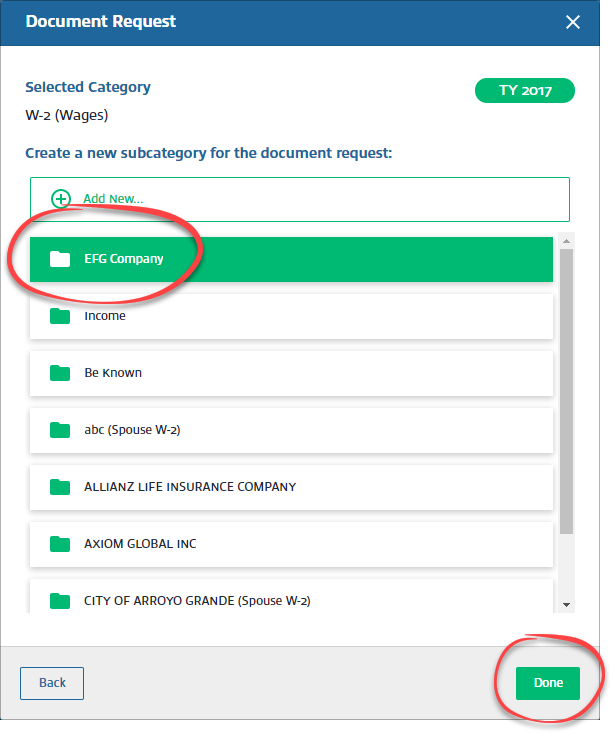
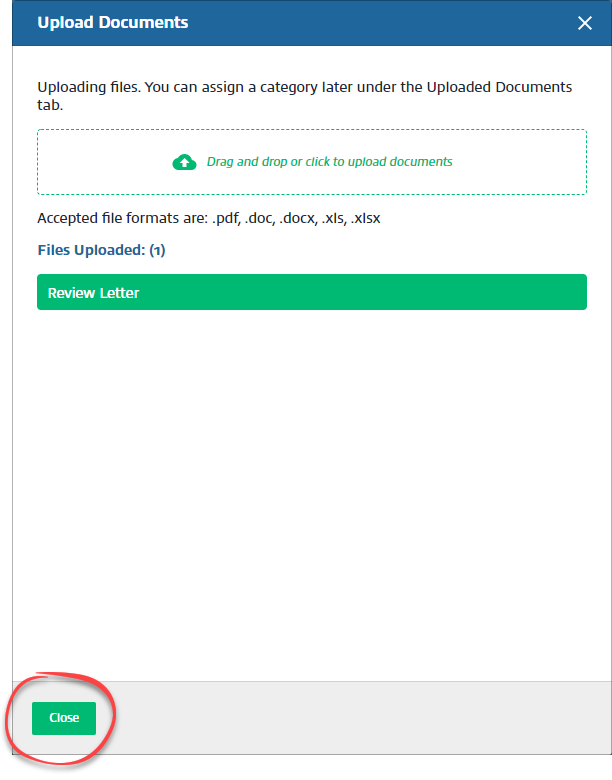
- If uploading a document for your client toReview,Sign, orSign E-file Authorization, select a file to upload from your device.noteThe only accepted file format is PDF. You can upload fillable PDFs and password-protected PDFs and those features will be preserved.

- In the upload window, selectClose.
- Requests will appear underTo Review,To Sign, orDocuments Requesteddepending on the type of request. Your client receives a notification when they receive new requested items from you.

- When a client receives a document to sign or review, they can mark it as reviewed or sign it depending on what type of request you sent. If it has fillable fields, they can fill out the form as well. When they select or tap out of the field, the form will automatically be saved.

 There are multiple ways your clients can address a document request.- Upload requested items.Mark the request asALREADY PROVIDED.Mark the request asDOESN'T APPLY.Reply with an amount(s).Complete a fillable PDF Form.
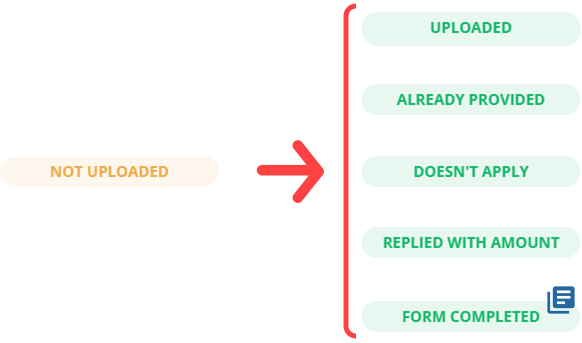 You can send your clients an option to complete an upload request by filling a PDF form.
Send request from client profile vs client management
Sending documents from the client profile can be useful when you need to request a specific item from that client only. However, if you have a generic document template that needs to be reviewed or signed by multiple clients then it is beneficial to send those documents in bulk at once rather than uploading them individually in each client profile.
On the
Client Management
screen, you can also auto-generate a document request list (DRL) for a client by using the proforma data in the tax application. Notes
- Your client's spouse can sign the documents using your client's TaxCaddy account. Alternatively, your client can add their spouse as an additional user, then the spouse user will sign documents from their own TaxCaddy account.
- When a client completes anE-Filerequest, only 1 digital stamp is applied to each PDF. If you use a single PDF for both federal and state e-file Authorizations, only a single stamp will be applied.

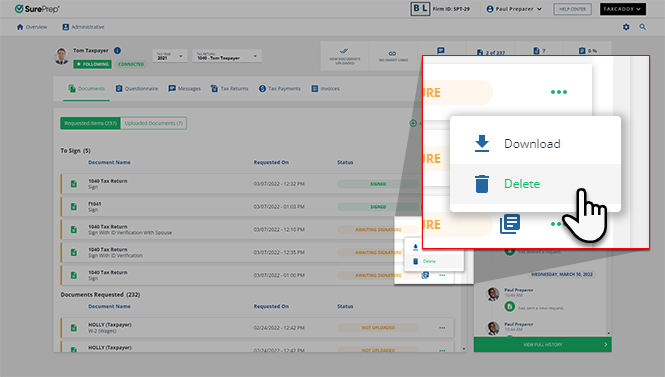
- You can delete a signature request if it is incomplete (for example, not signed by the taxpayer or their spouse). SelectDeletefrom the document's menu.
Related Content
-
Reply with amount
Format: Article

