
Disconnect from clients
- SelectAdministrative, thenClient Management.

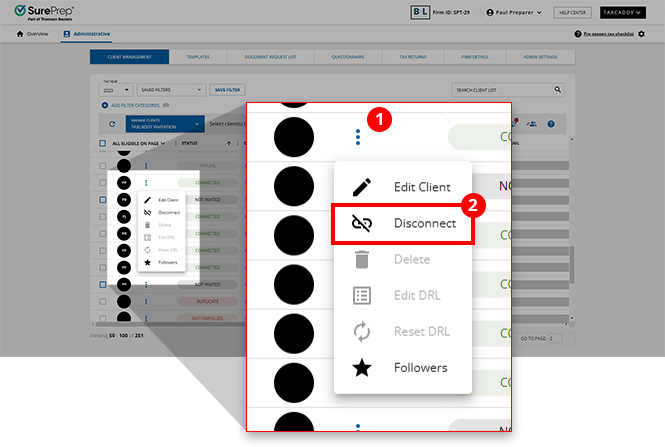
- To disconnect a client, select theMenuicon, then selectDisconnect.
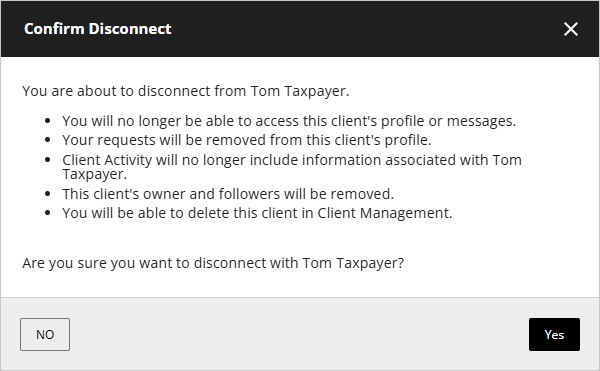
- On theConfirm Disconnectwindow, selectYes.
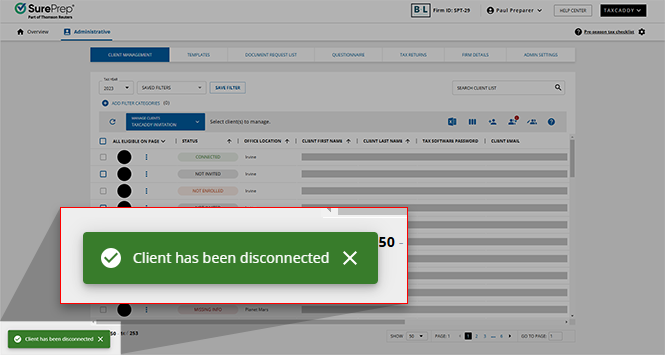
- You will see a confirmation message that the client has been disconnected. The client's Invite Status will change toNot Connected. Your client will receive a disconnection email.
 Your client will receive a disconnection email.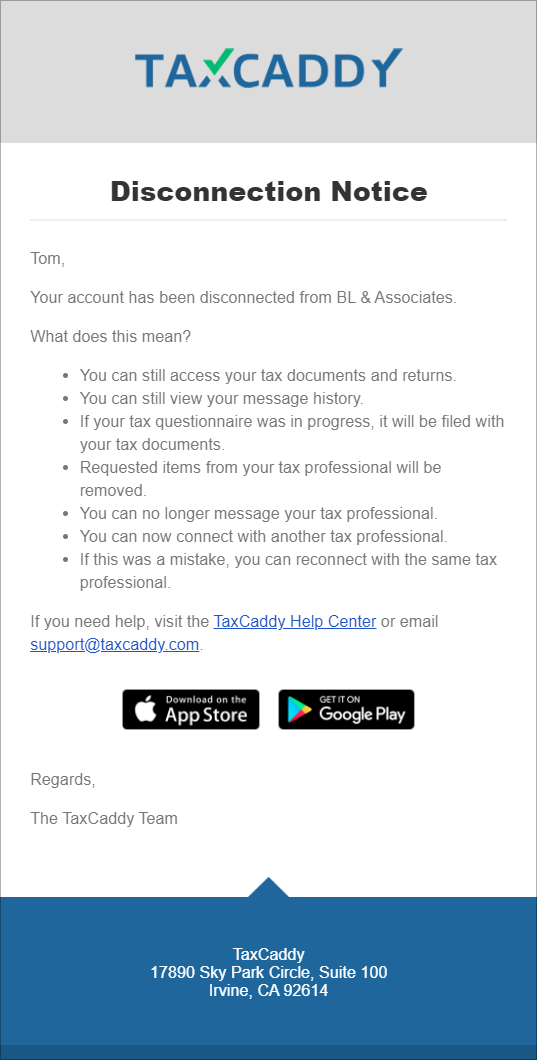
What records will be retained in the client's account after disconnection?
There may come a time when a client must disconnect from one firm and connect to a new tax professional at another firm. When this happens, their account content will no longer be available to their former tax professional, and the potential new tax professional will have the following access:
Client profile content | Will your firm retain this information? | Will the client retain this information? | Will the newly connected firm retain this information? |
|---|---|---|---|
Uploaded documents | No | Yes | Yes |
Sign/Review/Upload requests | No | Yes | Yes |
Questionnaire | No | No | No |
Personal information | No | No | No |
Tax return documents | No | Yes | Yes |
Tax payments | No | Yes | Yes |
Invoices | No | No | No |
Message threads | No | Yes | No |
Related Content
-
Add a new client
Format: Article

