
Search clients (Overview screen only)
You can search for Offline and Standard (online) clients by name using the search feature on the
Overview
screen.On the
Overview
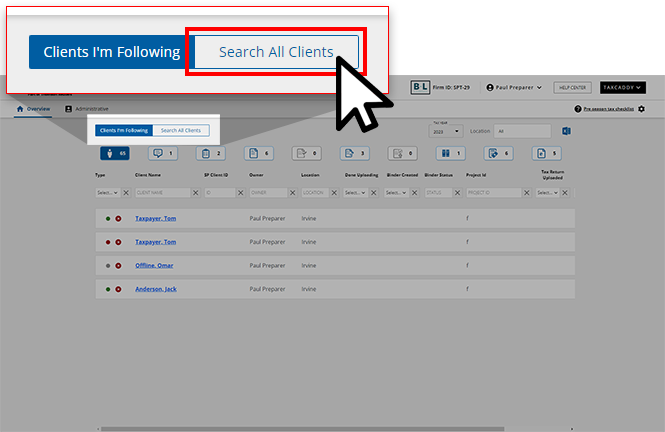
screen, select Search All Clients
.
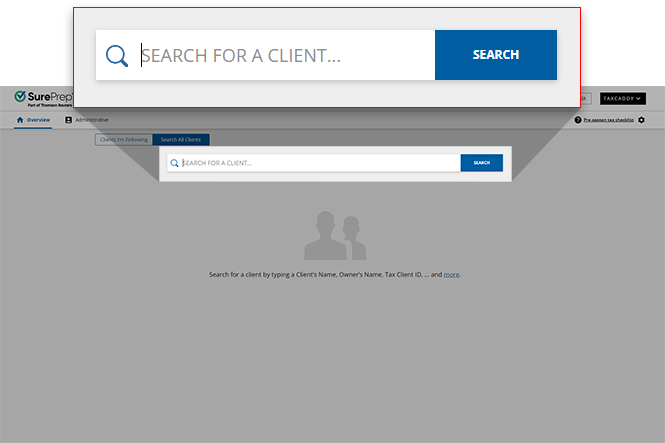
Use the search bar to search for clients.
note
Your client can't have the
CONNECTED ELSEWHERE
status in Client Management
or they won’t appear in the search results. To view the client's status, go to Administrative
, then Client Management
.You can search for clients using any of the following fields:
- Client first name
- Client last name
- Client full name
- Client email address
- SP Client ID
- Tax Client ID
- Binder ID
- Owner first name
- Owner last name
- Owner full name
- Office Location
- Custom field
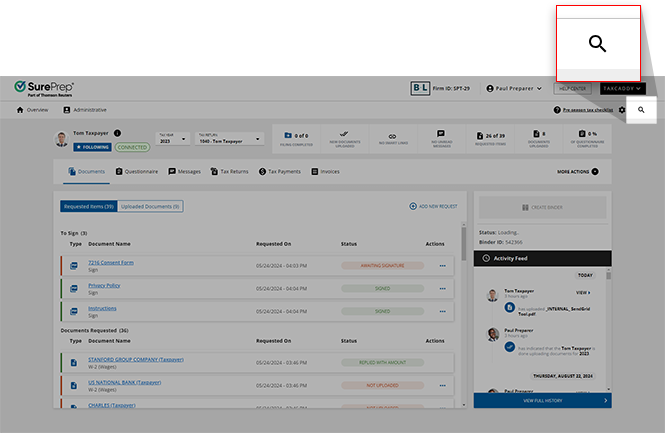
While viewing client profiles, the search field appears on the navigation bar. You can also use this to search for other clients by name.
Related Content
-
Export clients I'm following (Overview screen)
Format: Article
-
Export clients I'm following (Overview screen)
Format:
Article

