
Troubleshooting: Unable to access client profile
Access to a client's binder or client profile could be restricted due to the following reasons:
- Owner
- 7216 Consent
- Assign Members
- Office Location
note
For firms using
Assign Members
restriction and Office Location
restriction, users can have access to the client as long as they are able to qualify for one of those 2 requirements. The user either belongs to the same office location or is added as assigned members.Owner
When the user is not an Owner or an assigned member, the firm has enabled
Assigned Team Members
restrictions that restricts binder and Client Profile (in TaxCaddy) access to Owners and assigned members only.Even if the
Assigned Team Members
restriction is not enabled on the firm level, assigning one or more members will restrict access to a binder and the associated Client Profile in TaxCaddy. Any users following the clients in TaxCaddy will be unfollowed if they are not an assigned member.Solution
:You can contact the Owner, Firm Administrator, or an existing member with assign permission to add you as an assigned member or a new Owner.
If the
Assigned Team Member
restriction is turned off on the firm but was enabled when an assigned member was added, then you have 2 options:- Remove all assigned members.
- Request the Owner, Firm Administrator, or existing members with assign permission to add you as an assigned member.
7216 consent
When a binder is created without 7216 consent, any user with 7216 access restrictions assigned to them will be restricted from accessing binders and TaxCaddy Client Profile if 7216 Consent hasn’t been set as received. 7216 Consent restriction set by the firm ensures that offshore (restricted) users can't access client information without consent. Additionally, a restricted user won’t see the client on the
Overview
, then Clients I'm Following
and Administrative
, then Client Management
tab when the 7216 Consent expires from Client Profile.You can also assign 7216 Consent restrictions to a user group.
Solution
:- A Firm Administrator or users with access to the restricted Client Profiles will need to update the 7216 Consent asReceivedto give 7216 restricted users’ access.
Assign members
When access to Client is restricted to team members that are assigned to the client, you can assign restrictions globally at the firm level or individually for each Client Profile/Binder.
You can add or remove assigned members from TaxCaddy. However, even if the
Assigned Team Members
restriction is not enabled on the firm level, assigning one or more members individually will restrict access to a binder and the associated Client Profile in TaxCaddy. 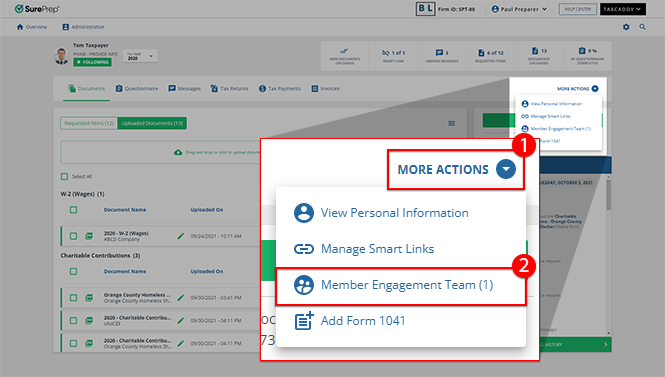
note
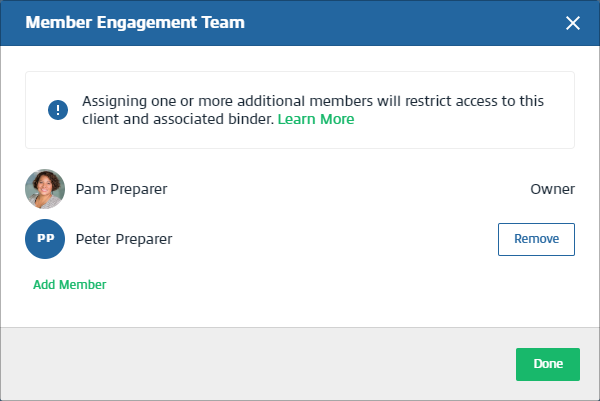
Once an assigned member is added, TaxCaddy Client Profile and binder will be restricted to assigned members only. Any user following the client will be unfollowed if they are not an assigned member.
Solution
:You can contact the Owner, Firm Administrator, or an existing member with assign permission to add you as an assigned member or a new Owner.
If the
Assigned Team Member
restriction is turned off on the firm but was enabled when an assigned member was added, then you have 2 options:- Remove all assigned members.
- Request the Owner, Firm Administrator, or existing members with assign permission to add you as an assigned member.
Office location restriction
When Office Restriction is enabled, users from 1 office location can't access Client Profiles of clients who belong to another office location.
Example
: If binder restriction is enabled, then tax professionals from the California office won’t be able to access Client Profiles and Binders for clients who are assigned to the New York office.You can assign office location restrictions globally at the firm level or individually for each Client Profile/Binder. In TaxCaddy, office location restrictions will restrict Client Profile access to users from the same office location.
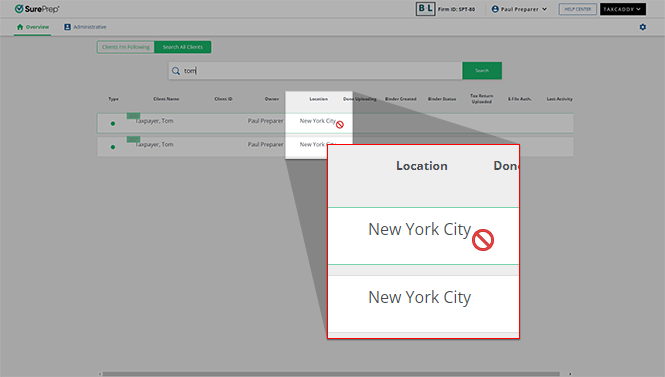
In FileRoom, office location restriction will restrict binder access to users from the same office location. You will see a window that shows
You don't have permission to access this binder
if you are restricted from accessing the binder due to any of the reasons listed in this article.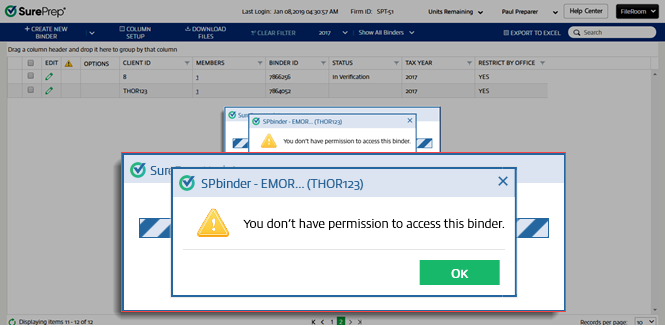
To turn on or off the Office Restriction for your firm's domain, go to
FileRoom
, Admin
, Enterprise Features
, Manage Restrictions
then select the Office Locations
checkbox.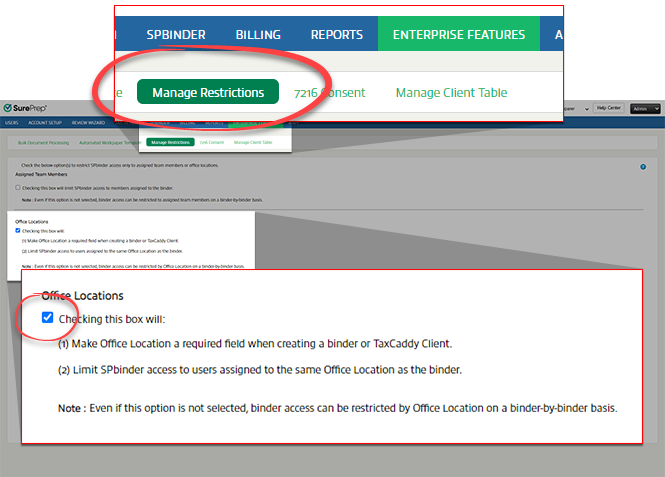
You can also individually enable Office Restriction for individual clients from
Client Management
when you add or edit a client. Select YES/NO
on LOCATION RESTRICTION
to enable this feature when you add or edit a client.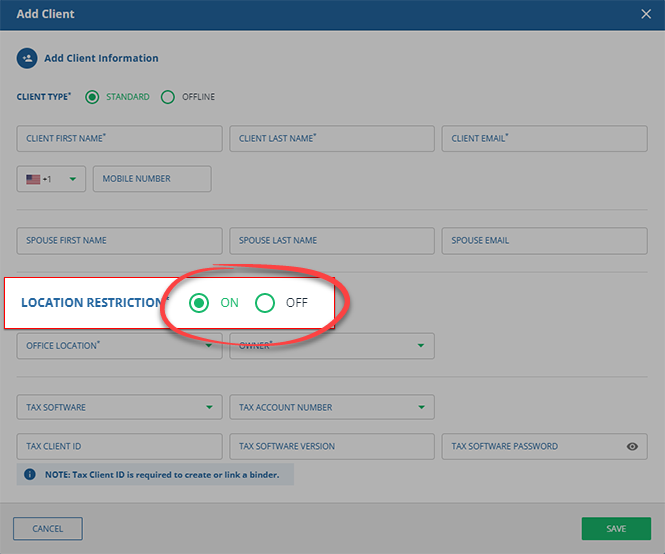
Related Content
-
View client profiles
Format: Article

