
Deleting a State Tax Summary
Follow these steps to delete a State Tax Summary.
- Log in to TaxCaddy.
- On theOverviewscreen, select a client tile to view the client profile.

- SelectTax Returns.

- SelectEDITin theTax Summarypanel.

- SelectDELETEnext to the state you want to delete.
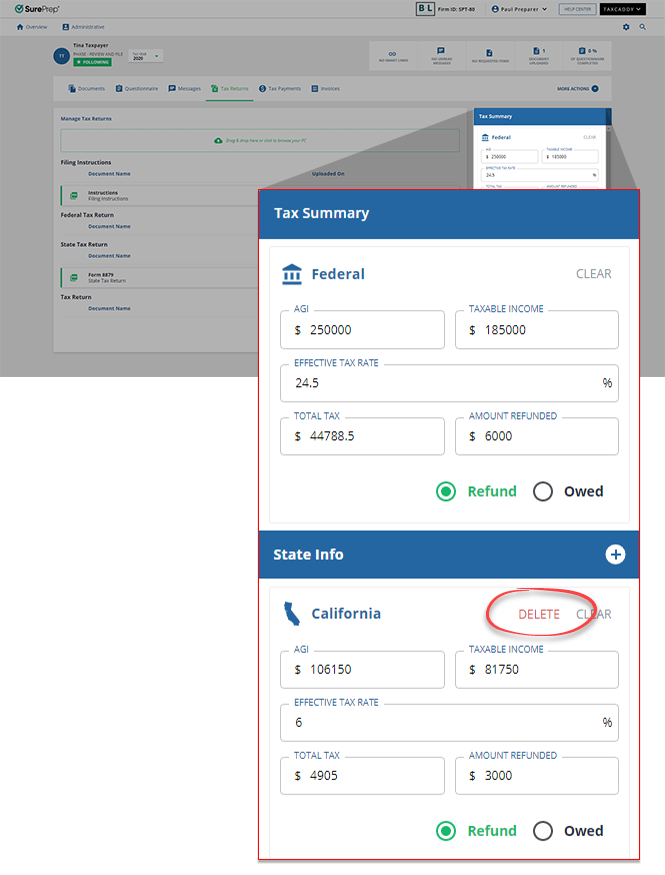
- SelectYESin the confirmation.

Related Content
-
Creating or editing a Federal Tax Summary
Format: Article

