
Message your client about their tax payment voucher
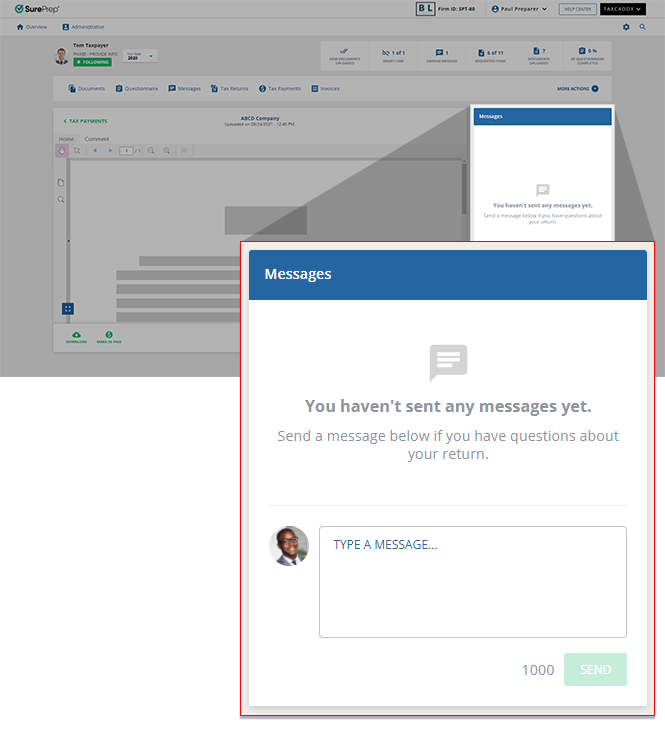
When viewing a tax payment voucher, you can discuss the tax payment voucher with your clients by sending them a message from the message panel.
- On theOverviewscreen, select a client tile to view the client profile. You can also search for a client and select the client tile from the result.

- SelectTax Payments.

- Select theTAX YEARandTAX RETURNwhere the tax payment voucher is located.
 If you are having trouble finding a specific tax payment, you can use the search bar to help you locate it.
- Select whether you want to viewPAIDorUNPAIDtax payments.

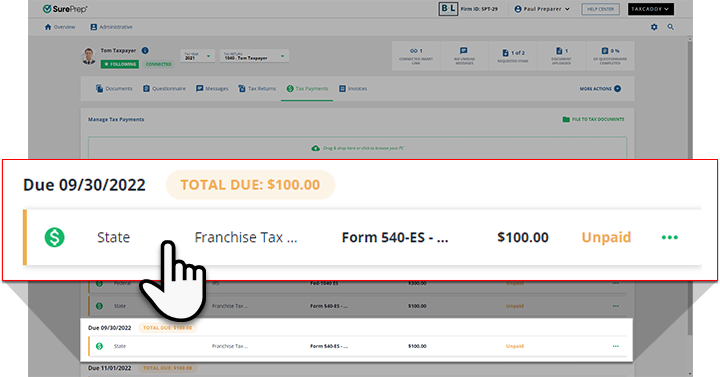
- Select the tax payment voucher to view it in the Document Viewer panel.
- On theMessagespanel, enter your message into the field, then selectSEND. Your client's reply appears in the thread on this panel, and the thread is also accessible inMessagesthrough the navigation bar.
Related Content
-
Upload a tax payment
Format: Article

