
Deleting a client's tax return
Follow these steps to delete a client's tax return.
- Log in to TaxCaddy.
- On theOverviewscreen, select a client tile to view the client profile.

- SelectTax Returns.
 If you've created a 1041 tax return profile, select the correct profile from theTAX RETURNmenu.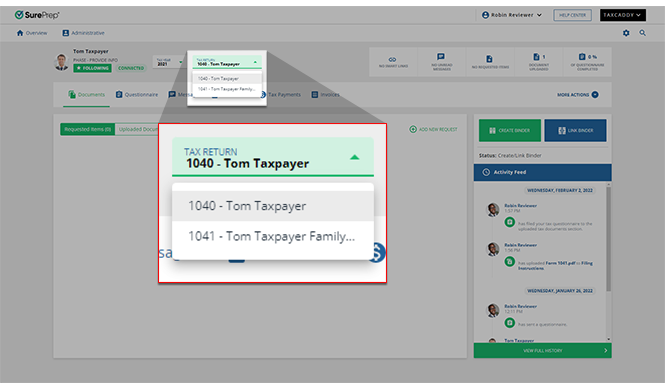
- Point to a return and select theMenu
 button.
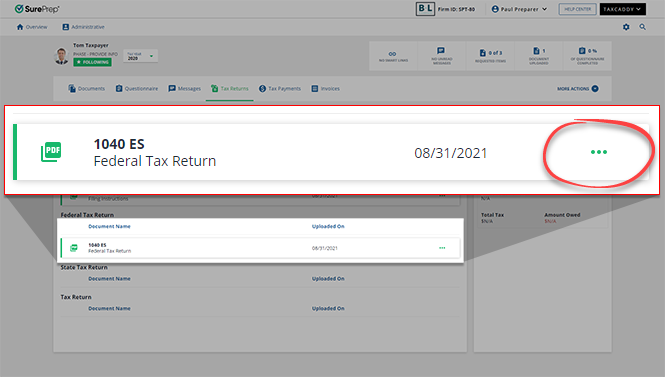
- SelectDelete.

- SelectYESin the confirmation.

Related Content
-
Upload a client's tax return
Format: Article

