
Create Binder and Link Binder conditions
Client profiles with an uploaded document will see
Create Binder
and Link Binder
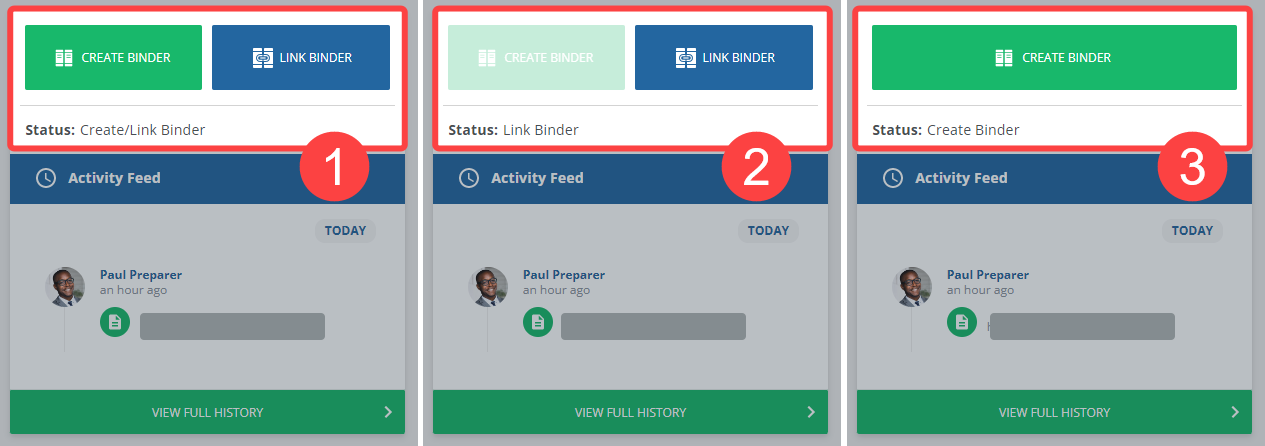
disabled or enabled depending on the Tax Client ID saved to a client's record in Client Management.- No Tax Client ID:Create BinderandLink Binderare both enabled.
- Tax Client ID matches an existing binder in FileRoom: OnlyLink Binderenabled.
- Tax Client ID doesn't match an existing binder in FileRoom: OnlyCreate Binderenabled.
note
Create Binder
isn't available if there are no documents uploaded to the client profile.Related Content
-
Create a binder using client's TaxCaddy documents
Format: Article

