
Manage Done Uploading status for the client
Done Uploading
status for the clientThe
Done Uploading
status lets your clients indicate when they feel they’ve completed the document upload process, letting you confidently proceed to the next steps of their filing process.A client's profile also lets you manage your client's
Done Uploading
status. You can indicate whether they've completed uploading documents for the current tax year, or revert their Done Uploading
status to Not Done Uploading
if they indicated otherwise in error.Your clients can use
Done Uploading
once per tax year to alert you when they are done uploading. Reverting the status lets taxpayers reuse Done Uploading
again when they are ready to update you.Updating a client's uploading status
When a client has completed their document upload process for the relevant tax year, or if their
Done Uploading
status in TaxCaddy is incorrect, you can update this status from their profile to reflect their document upload status correctly.Follow these steps to update a client's Done Uploading status:
- Sign in to TaxCaddy.
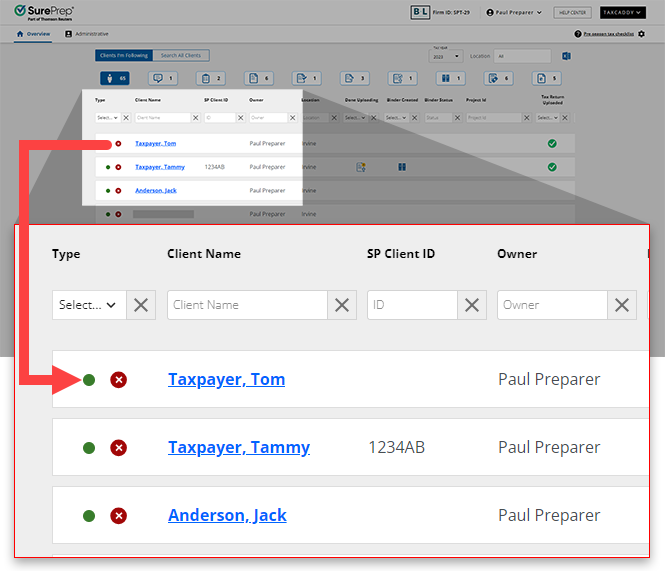
- Select a client tile from theOverviewscreen.
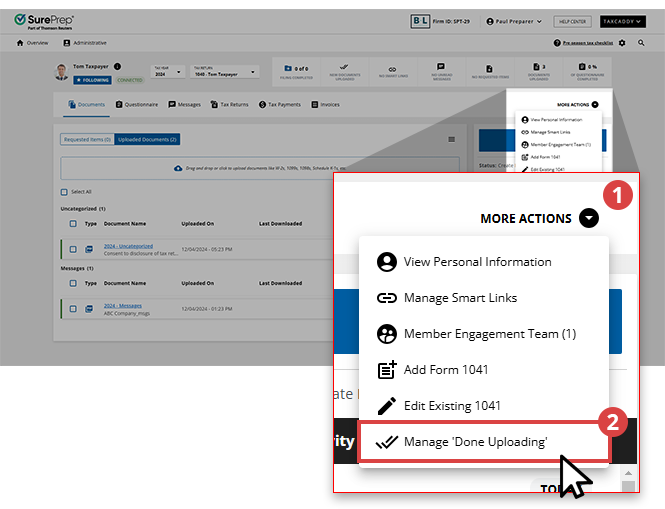
- On the navigation bar, selectMORE ACTIONS, thenManage 'Done Uploading'.
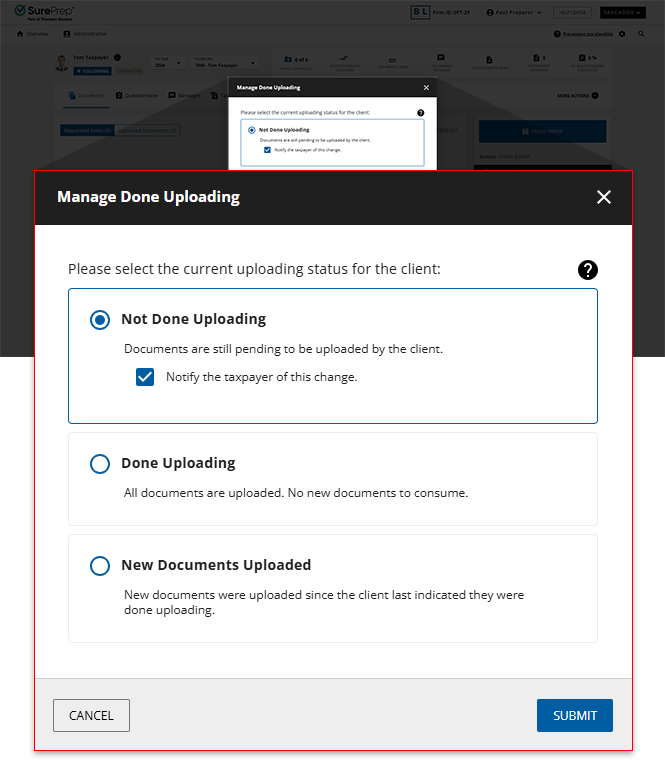
- TheManage Done Uploadingwindow will appear with 3 options you can update a client's status to:Status nameDescriptionNot Done UploadingThis indicates that the client needs to upload additional documents.Your clients can only useDone Uploadingonce per tax year. Changing the status toNot Done Uploadinglets your clients useDone Uploadingagain after they upload the remaining documents.Done UploadingThis indicates that the client has completed uploading their tax documents.Your clients can use theDone Uploadingfeature to alert you that they are done uploading or you can update their client profile on their behalf.noteClients will still be able to upload additional documents irrespective of theDone Uploadingstatus.New Documents UploadedUpdate a client's status toNew Documents Uploadedto indicate that a client's tax professional has uploaded additional documents to their account. Do this after indicating that they are done uploading documents.
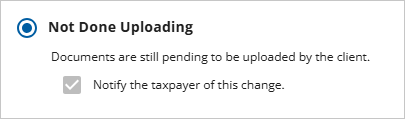
- If you are updating a client's status toNot Done Uploading, select theNotify the taxpayer of this changecheckbox to notify your client that you've updated their document upload status.noteYou will only be able to select theNotify the taxpayer of this changecheckbox when updating a client's status from eitherDone UploadingorNew Documents. Otherwise, this checkbox will be grayed out.
- Any updates you make to a client's uploading status will be recorded in theActivity Feedand you will see a toast notification indicating the change.
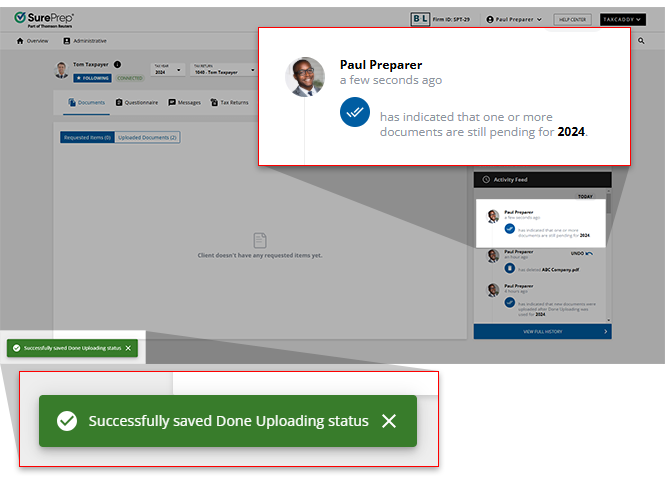 noteAn update to a client's Done Uploading status will be included in their summary email.
Viewing a client's upload status
You can view a client's current Done Uploading status from either the
Overview
screen, or within the client's profile itself. In the client profile, the DONE UPLOADING
and NEW DOCUMENTS UPLOADED
statuses will be added to a client's summary panel to reflect the current status of the account.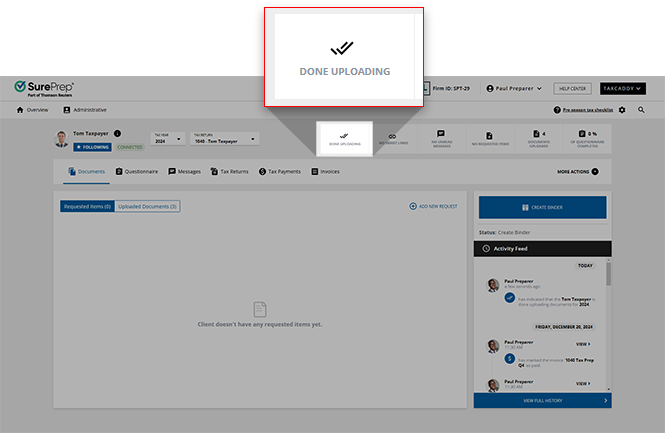
From the
Overview
screen, client's with either the Done Uploading
or New Documents Uploaded
status will be noted with Done Uploading
.note
On the
Overview
screen, the Done Uploading
status can help you quickly filter and view which of your clients have finished uploading their documents. 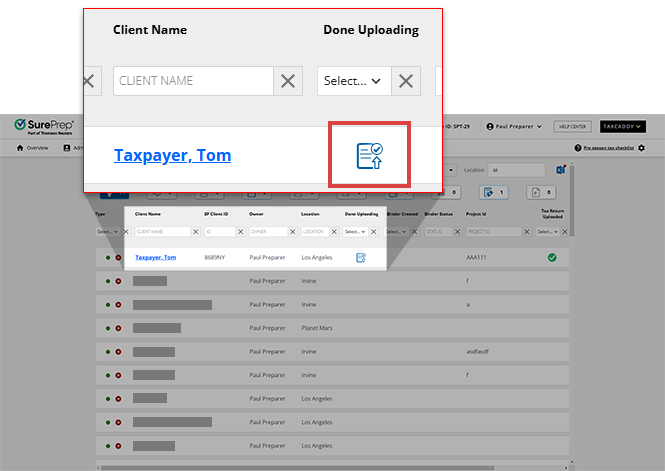
Done Uploading doesn't appear in these scenarios
Done Uploading
doesn't appear in these scenariosDone Uploading
doesn't appear if the:Reason | Description |
|---|---|
The client already used Done Uploading . | Your clients can only use Done Uploading once per tax year. Changing the status to Not Done Uploading lets your clients use Done Uploading again after they upload the remaining documents. Select here to learn more about updating a client's uploading status |
The client is looking at the current calendar year instead of the tax year. | This happens only when a new tax year is released and it still matches the current calendar year. |
Client hasn't uploaded any documents. | Your client needs to have at least 1 document uploaded to their client profile to see Done Uploading . |
Related Content
-
Upload files to client's Uploaded Documents
Format: Article
-
Upload files to client's Uploaded Documents
Format:
Article
-
Document Viewer (PDF Viewer)
Format:
Article
-
Rename documents
Format:
Article
-
Switch between tax documents
Format:
Article

