
Sign documents as a taxpayer user
Show all hidden content
When your tax professional needs you to sign a document, their request appears in the list of your requested items. Signing a document through TaxCaddy can help organize documents that signing, eliminating the need to sign and deliver documents to your tax professional manually. Documents that require your spouse's signature can also be signed using TaxCaddy.
TaxCaddy.com on PC, Mac, or tablet
Follow these steps to sign a document using TaxCaddy.com on your PC, Mac, or tablet.
- Sign in to TaxCaddy.com.
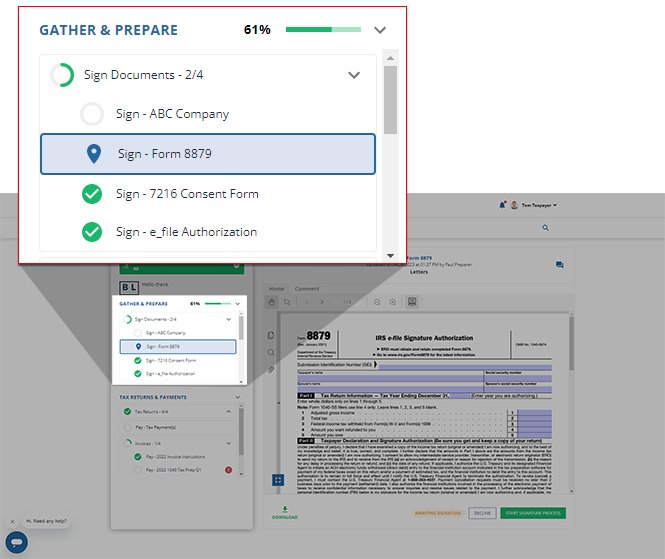
- On theOverviewscreen, you will see aTask List, with yourSignrequests listed underSign Documents.noteYour progress in completing yourSigntasks will be denoted with theProgressicon. Once you've completed all your tasks, you will see theCompletedicon.
 If your tax professional has enabled 1041 tax return profiles on your account for trust/estate, selectSWITCH TAX RETURNto select the correct tax return profile.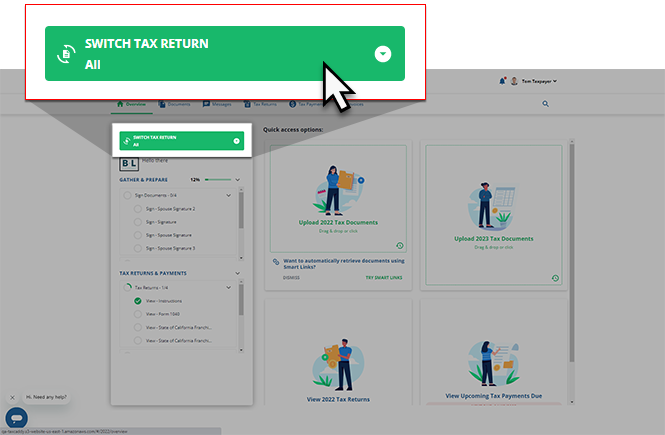
- Select a tile to view theSignrequest.
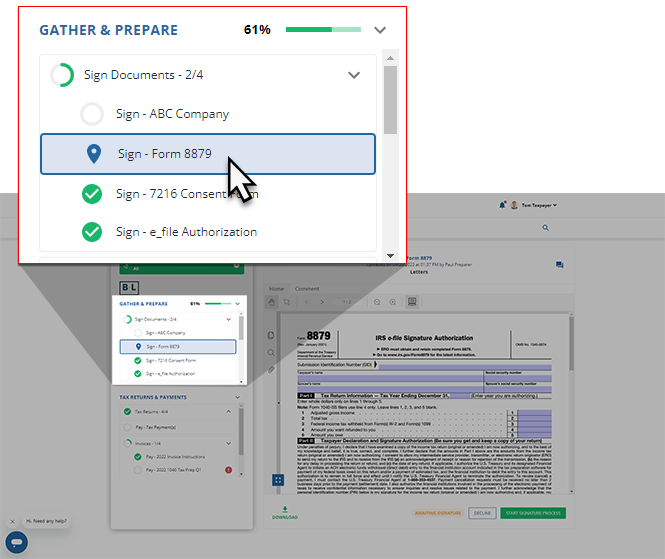
- YourSignrequest will appear in theOverviewscreen's document viewer.
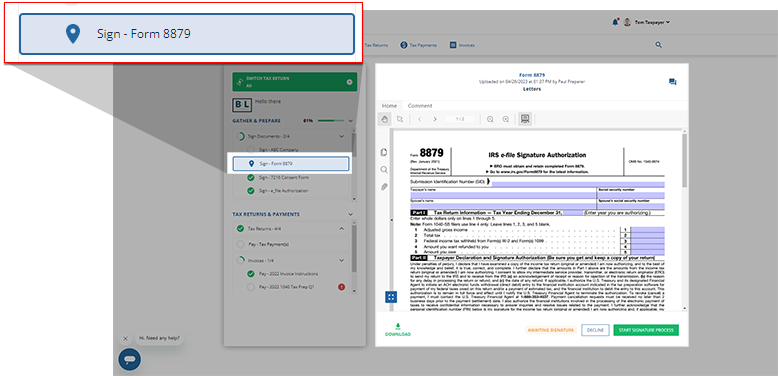 noteYou can message your tax professional regarding this document using theMessageicon.
 If the document uploaded by your tax professional is password-protected, you'll need to enter the password. Contact your tax professional if you don’t have the password.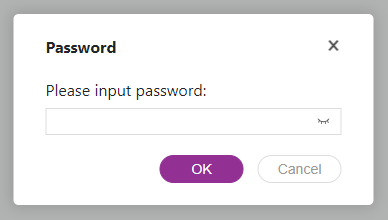
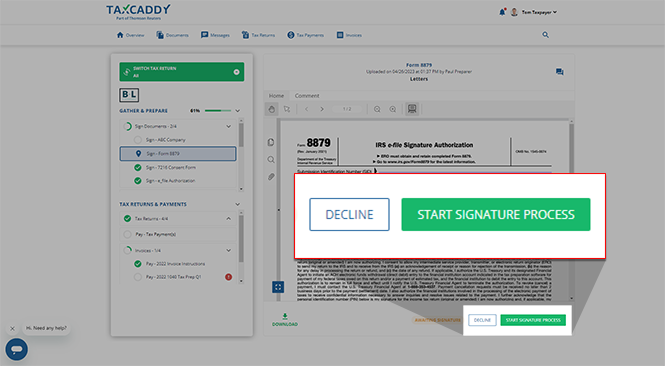
- You will seeSTART SIGNATURE PROCESS,SIGN & ACCEPT, orLET MY SPOUSE SIGNas options to fulfill this signature request. To sign the document, select whichever option you see.noteIf the document you are signing has incorrect information, you and your spouse can selectDeclineto remove the signature request. You can also use theMessagespanel to send your tax professional a question regarding the document.START SIGNATURE PROCESSTheSTART SIGNATURE PROCESSbutton only appears under the following conditions:
- The document requires your spouse’s signature.
- You haven’t added a spouse as an additional user or selectedI don't have a spouse.
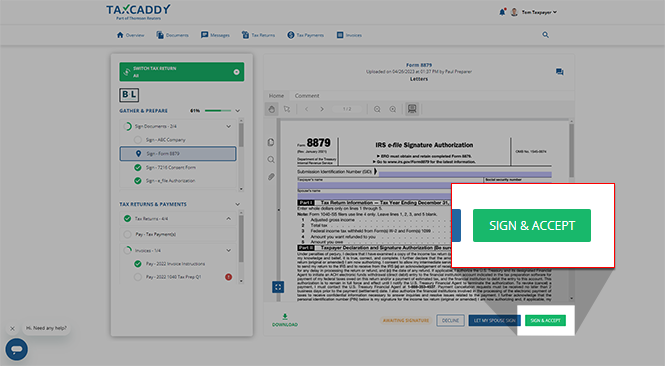
 SIGN & ACCEPTTheSIGN & ACCEPTbutton only appears under the following conditions:
- The document hasn’t been signed
- TheStart Signature Processbutton is not visible
 LET MY SPOUSE SIGNIf your tax professional has indicated that only your spouse is required to sign this document, then your spousal signature request will be opened next to yourTask List.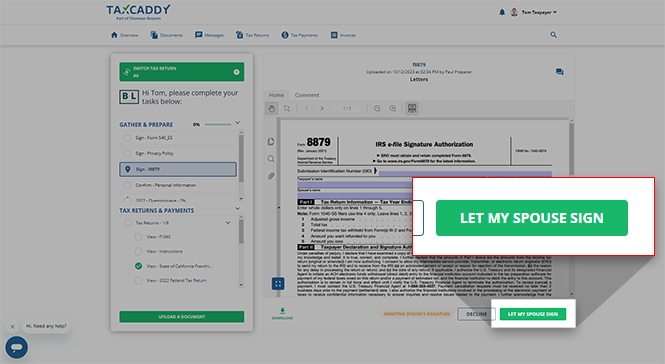
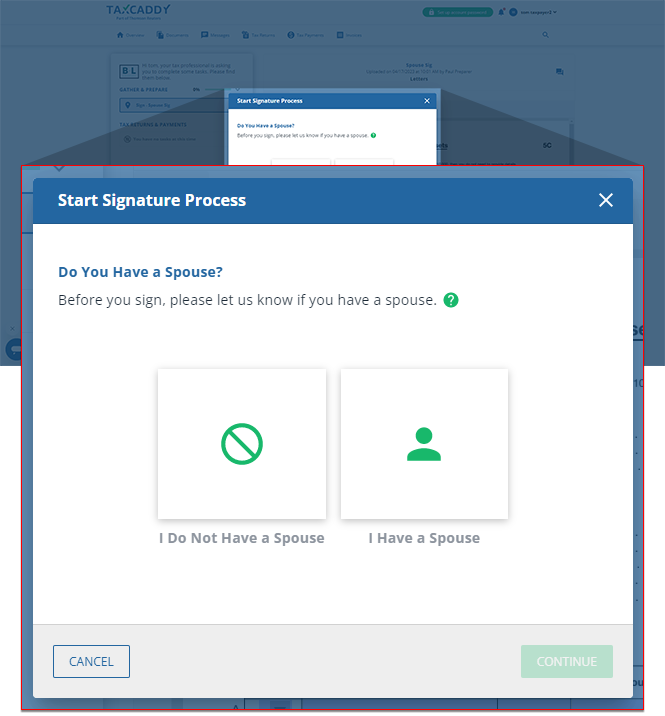
- If you selectSTART SIGNATURE PROCESSdue to your marital status being unknown, select 1 of 2 options to confirm whether or not you have a spouse:
- SelectI Do Not Have a Spouseif you are single.
- SelectI Have a Spouseif you are married.
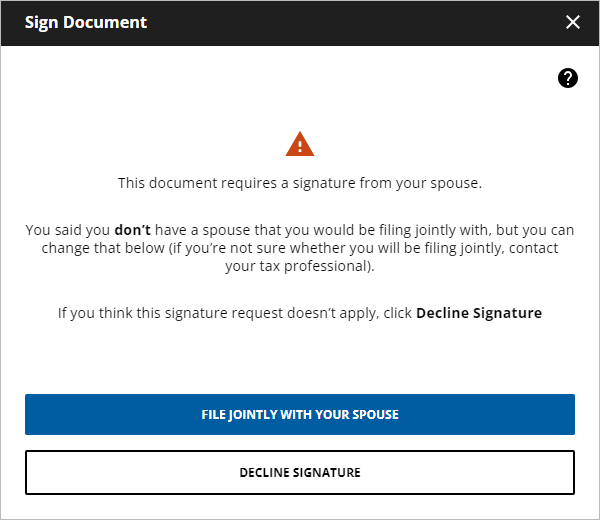
 If you've previously indicated that you don’t have a spouse, theSign Documentwindow will appear after you selectSTART SIGNATURE PROCESS. Here, you have the option to either:
- SelectFILE JOINTLY WITH YOUR SPOUSEto update your marital status and give your spouse the option to sign the request.
- SelectDECLINE SIGNATUREto fulfill the signature request by marking it asDECLINED.
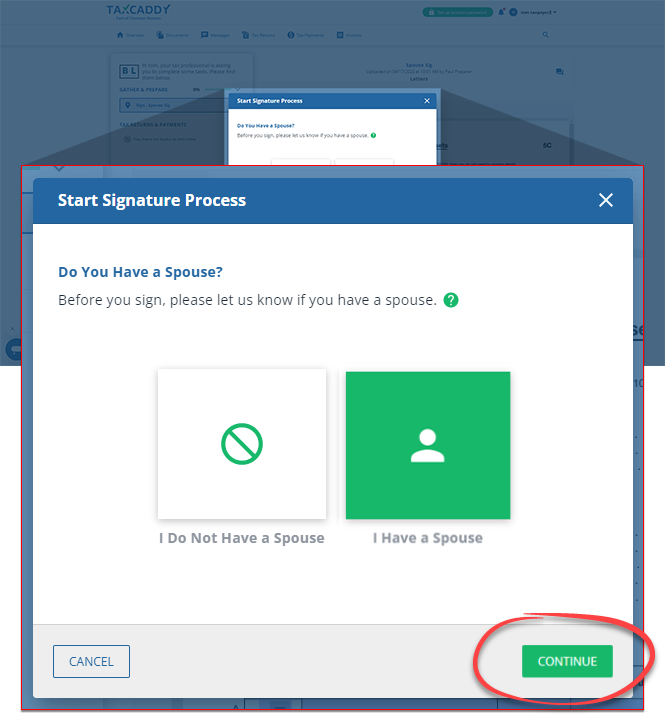
- SelectCONTINUE.
 If you selectedI Do Not Have a Spousefor a spouse-only signature request, theSign Documentwindow will indicate that there are no actions left for this request. SelectDECLINE SIGNATUREto mark the request asDECLINEDand fulfill this request.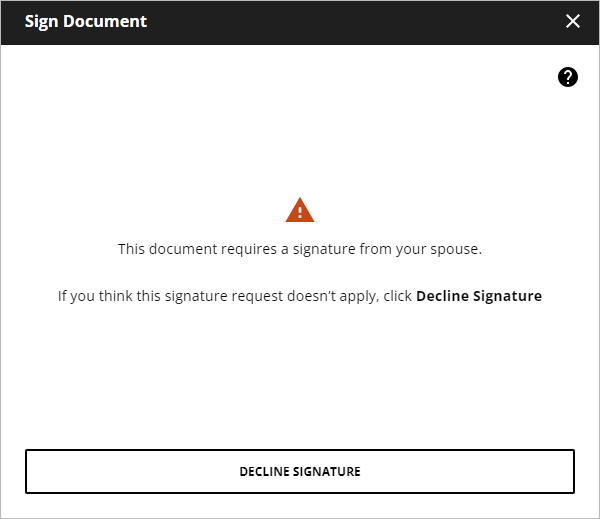
- Enter your first name as it appears on your profile page then selectSubmit.noteYou can update your user information fromSettings.
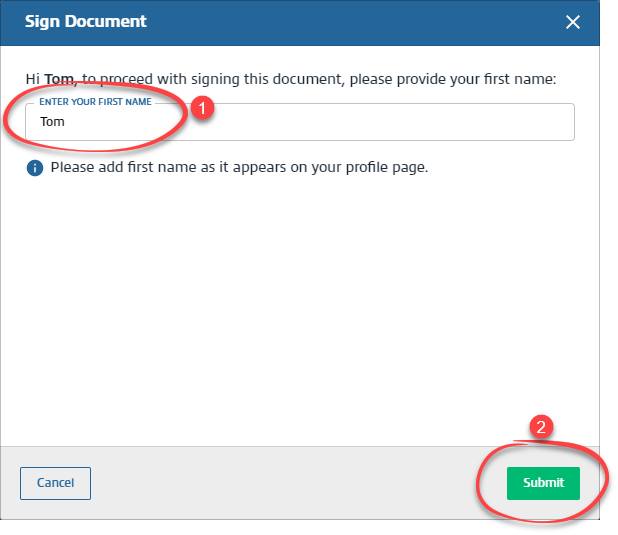 If the document has fillable fields, mark the checkbox to confirm you have verified those fields. You will no longer be able to edit them.
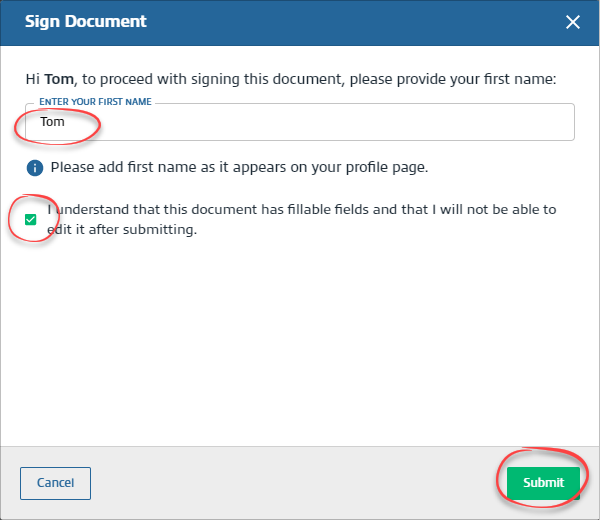 SelectSUBMITto sign the document. SelectCANCELto close without saving.
 - TheKnowledge-Based Authenticationwindow appears if you are required to verify your identity at the time of signing the document. Enter the required information then selectSubmit.noteIf the document requires your spouse's signature, your spouse needs to sign the document by verifying their identity using their own TaxCaddy account or using the taxpayer's account. If either the taxpayer or spouse fails the identity verification, both will need to sign the document manually.
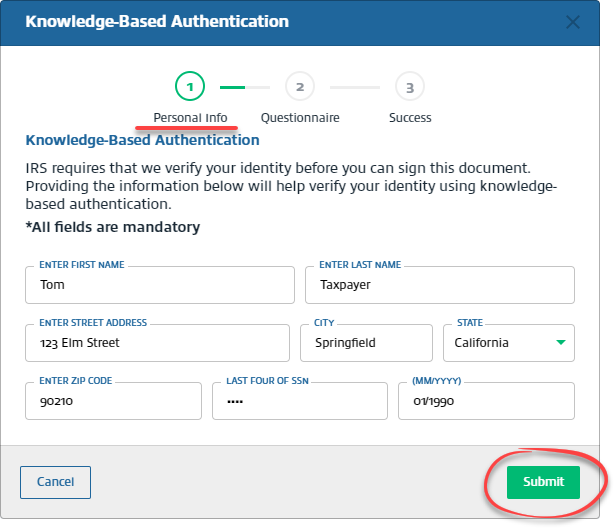 importantIf we can't locate an identity record associated with your information (in this case, you will see the following error message), you should download the document and sign it manually.
 - On the questionnaire step, select the correct answer, thenNext. Repeat this step until you have answered all 4 knowledge-based authentication questions.
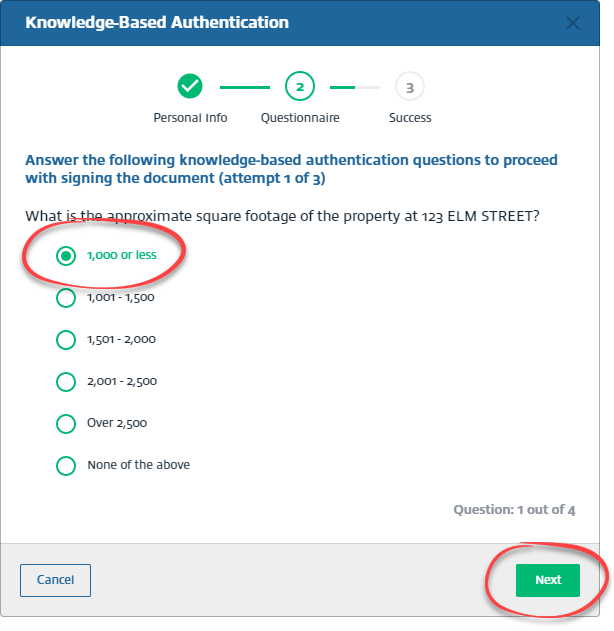
- You have 3 attempts to answer a set of 4 questions correctly, after which the document is moved to theUploaded Documentstab and the status is updated toManual Signature Required.
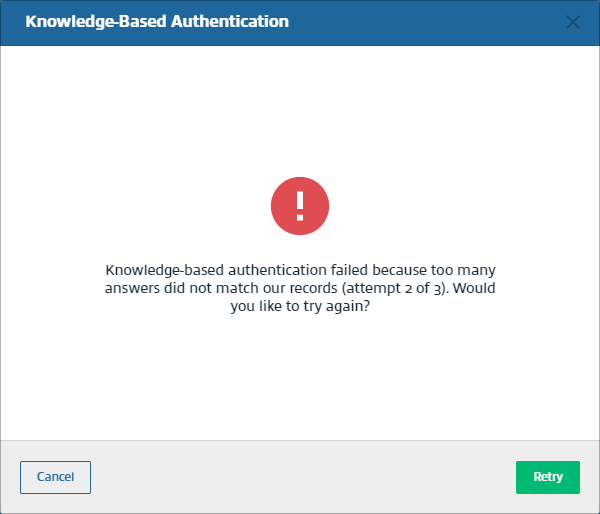 To resolve this, you can download the document and sign it manually. You can upload the signed document by taking a photo using the TaxCaddy mobile app, or upload it from your PC.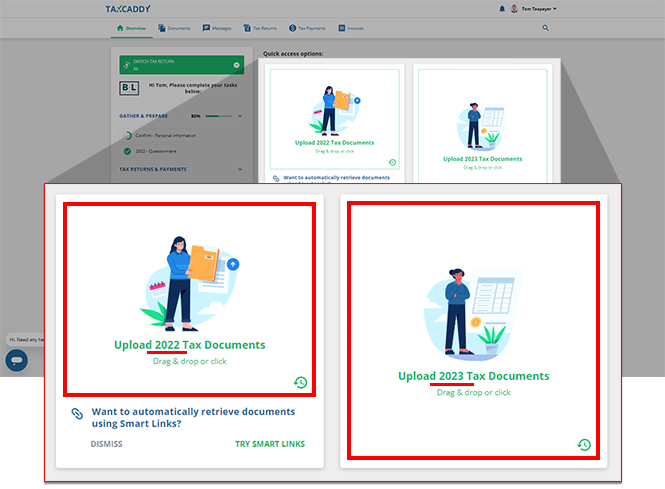
- Once TaxCaddy confirms you signed the document, selectDoneto return to your Task List where you can go to a new request to fulfill.
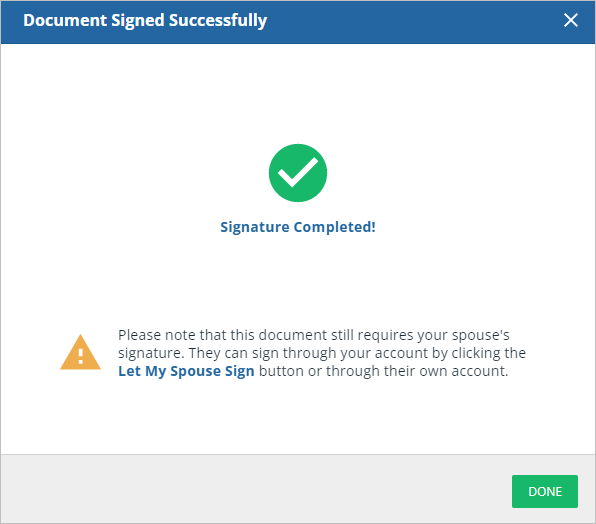
- After you've finished completing the signature requests required of you but there are still pending spousal signature requests, theSign Documentwindow will appear providing you with options on completing these spousal requests.If the document requires your spouse's signature, your spouse can sign the document using your sign in session or sign using their TaxCaddy account.
- MY SPOUSE WILL SIGN NOW- This option lets your spouse sign a document in this session from your device without creating an account.
- MY SPOUSE WILL SIGN LATER- This option lets you send your spouse an invite to join TaxCaddy. Once they join TaxCaddy, they can sign the document after logging into their account on their own device.
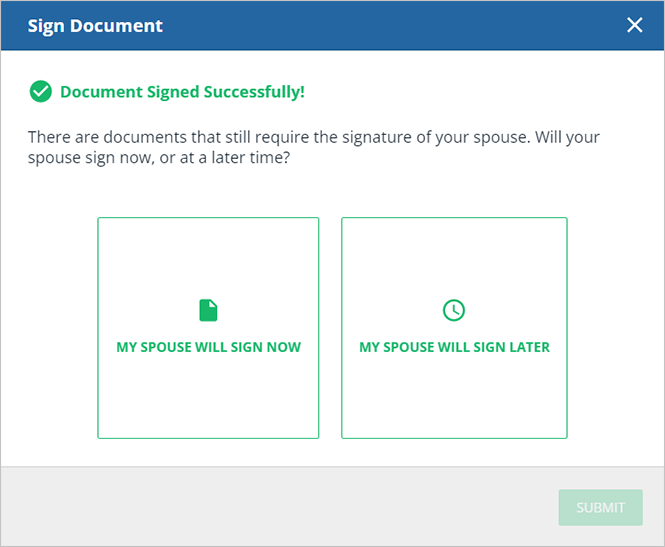 MY SPOUSE WILL SIGN NOWIf you selectMY SPOUSE WILL SIGN NOW, enter your spouse's verification details, then selectSEND VERIFICATION CODE. Your spouse's phone number must be different than your phone number.noteYou will only see theSpouse's Phone Numberwindow if your spouse doesn’t have a TaxCaddy account and this is your first time entering your spouse's information. If your spouse already has a TaxCaddy account, make sure your spouse is connected to you as a spouse and not as an additional user.
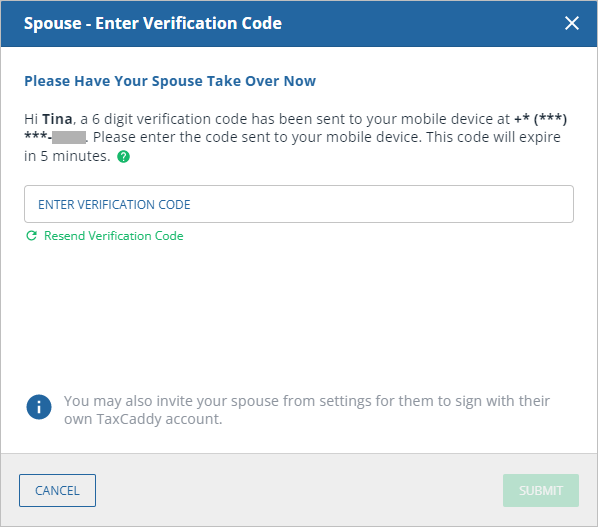
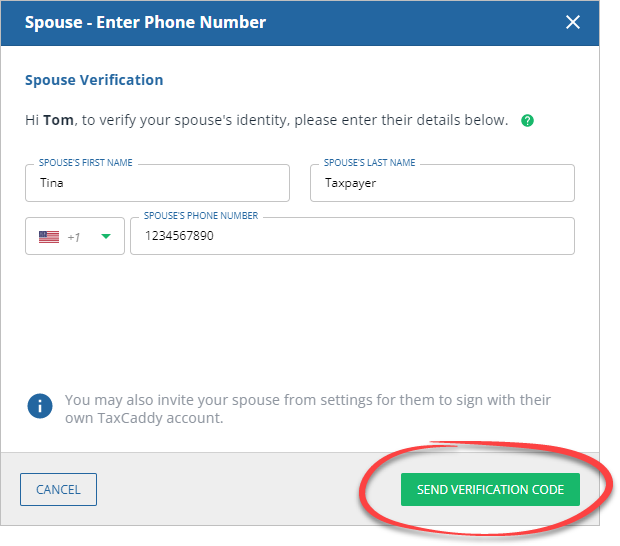 If your spouse already has a TaxCaddy account, or their spouse information was already entered previously, then your spouse will automatically receive a text verification code on their device when signing from your TaxCaddy account.This will only be required of your spouse once per session. Once this account is logged out, they’ll be required to verify their mobile number once again.
 MY SPOUSE WILL SIGN LATERIf you previously selectedMY SPOUSE WILL SIGN LATER, you'll need to enter your spouse's account information, letting you send your spouse an invite to join TaxCaddy. Once they join TaxCaddy, they can sign the document by signing into their account.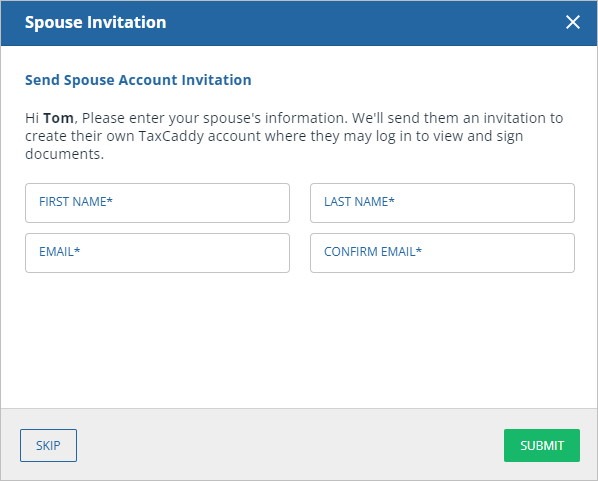
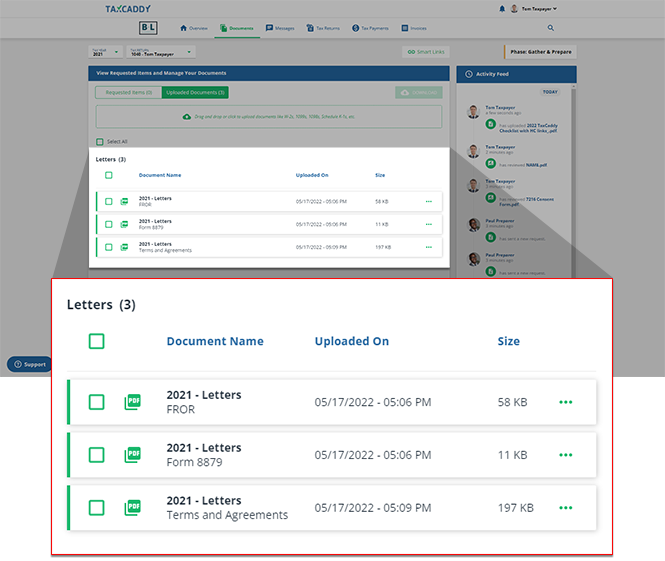
- The signed document is moved toUploaded Documentstab in theLetterscategory and your tax professional is notified that you have signed the document.
- Sign other documents that require ID verification in the same sign-in session to skip the knowledge-based authentication steps.noteOnce your spouse completes the ID verification process once, their ID verification will continue to be valid for the remainder of the session.
iOS mobile app
Follow these steps to sign a document using the iPhone mobile phone app.
- Sign in to the TaxCaddy mobile app.
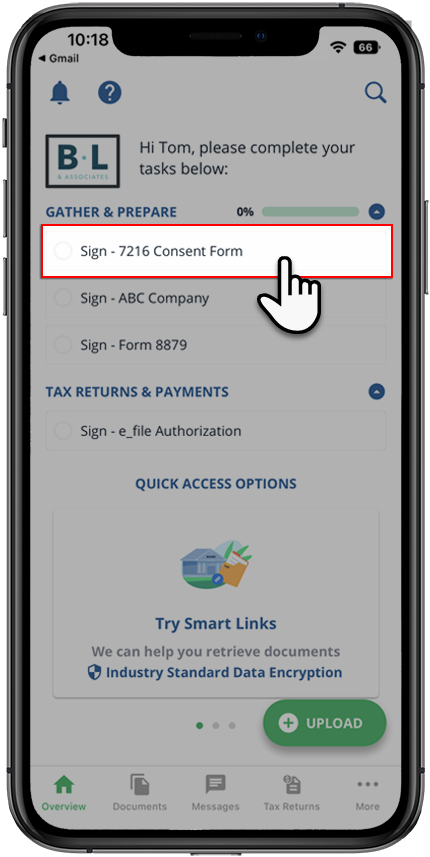
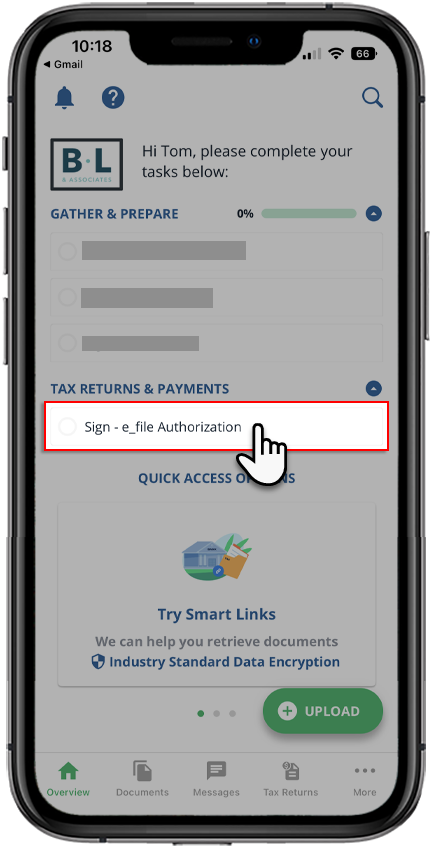
- Signature requests that your tax professional has uploaded to your account will appear on theOverviewscreen. select theSignrequest you'd like to fulfill to view it.noteYour progress in completing yourSigntasks will be denoted with theProgressicon. Once you've completed all your tasks, you will see theCompletedicon.
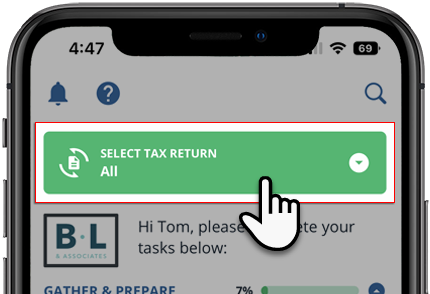
 If your tax professional has enabled 1041 tax return profiles on your account, you can select theSELECT TAX RETURNSdropdown to view your available tax return profiles.
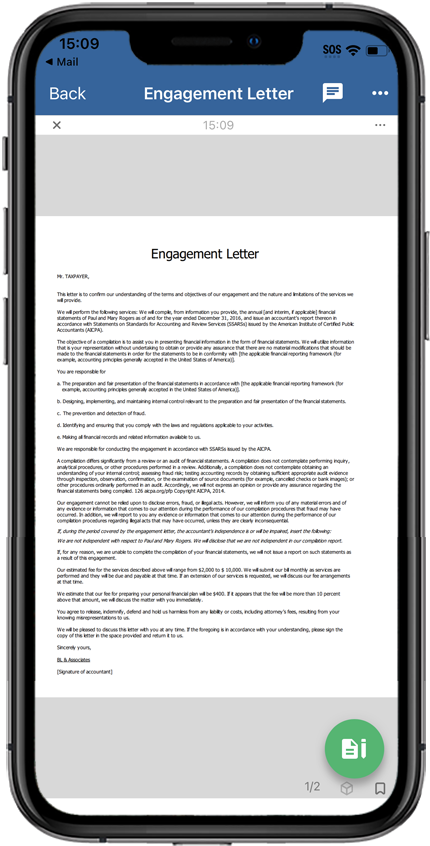
 If the document uploaded by your tax professional is password-protected, you'll need to enter the password. Contact your tax professional if you don’t have the password.
 - The document opens in theDocument Viewer. If the document has fillable forms, select a field and enter data. As soon as you select out of the field, the document will automatically save your data.noteYou can message your tax professional regarding this document using the message panel.
 If you'd like to download this signature request document, select theMenuicon then,Download.noteYou can access the downloaded file from theFilesapp on your device.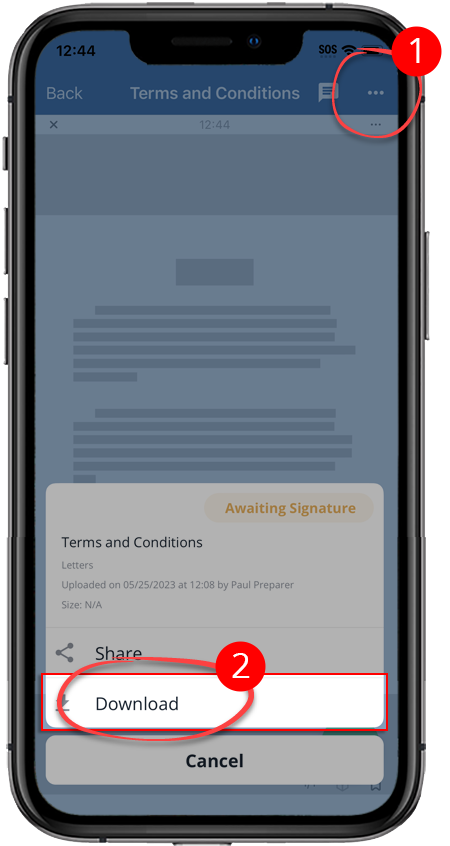
- Select theSignicon to open the signature menu.noteOnce you've fulfilled a signature request, you will no longer be able to modify the contents of the signed document. Review the information before providing your signature.
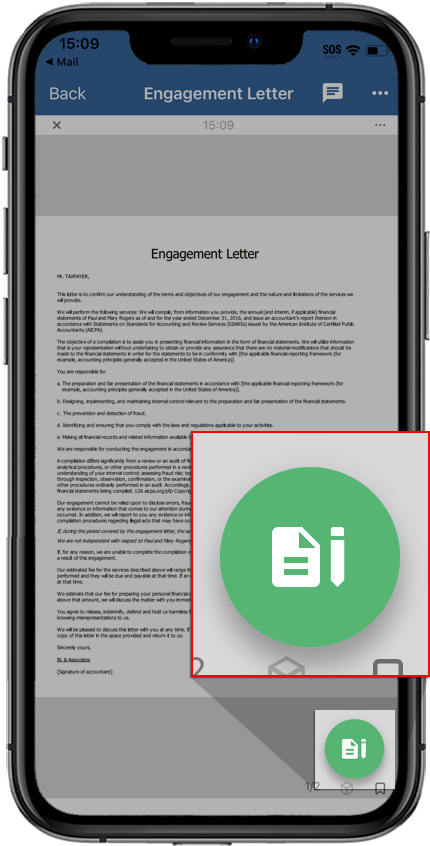
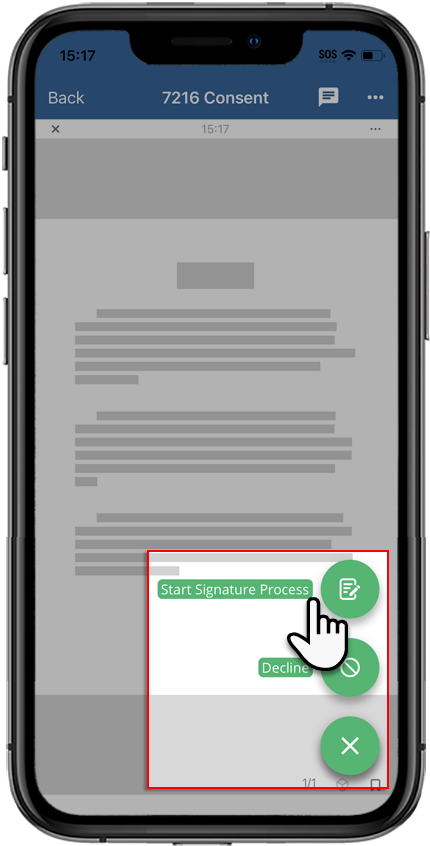
- To sign the document, selectStart Signature ProcessorSign & Accept.noteYou will either see theStart Signature Processbutton or theSign & Acceptbutton.Start Signature Process: This button only appears under the following conditions:
- The document requires your spouse’s signature.
- You haven’t added a spouse as an additional user or selectedI don't have a spouse
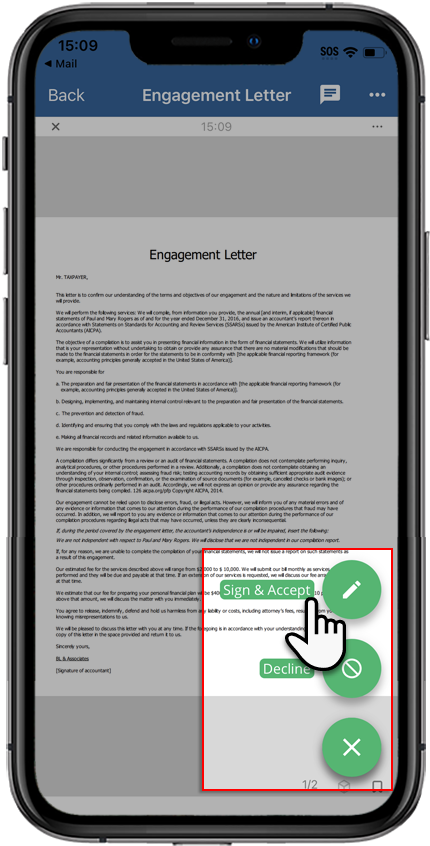
 Sign & Accept: This button only appears under the following conditions:
- The document hasn’t been signed
- TheStart Signature Processbutton is not visible
 noteIf the document you are signing has incorrect information, you and your spouse can selectDeclineto remove the signature request. You can also use theMessagespanel to send your tax professional a question regarding the document.You will see aSign Documentwindow if the document is password-protected. Enter the password in theDocument Passwordfield and selectSubmit. If you don’t have the document password, contact your tax professional to request the document password.
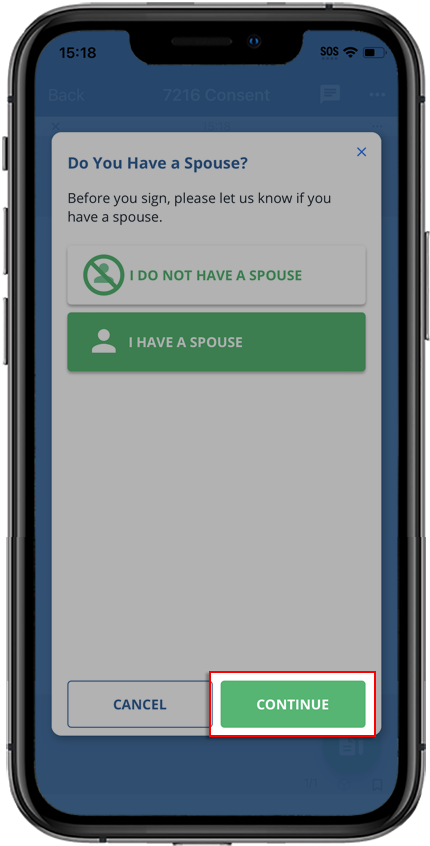
 - If you see theDo You Have a Spousewindow, select one of 2 options:
- SelectI DO NOT HAVE A SPOUSEif you are single.
- SelectI HAVE A SPOUSEif you are married.
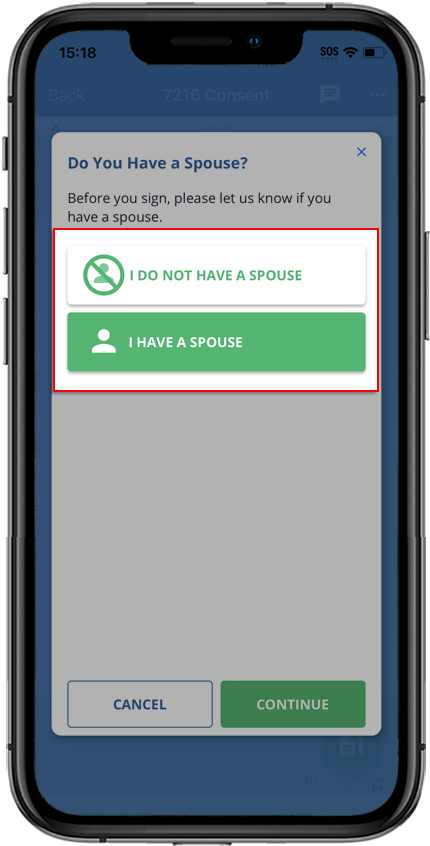
- After you've made your selection, selectCONTINUE.
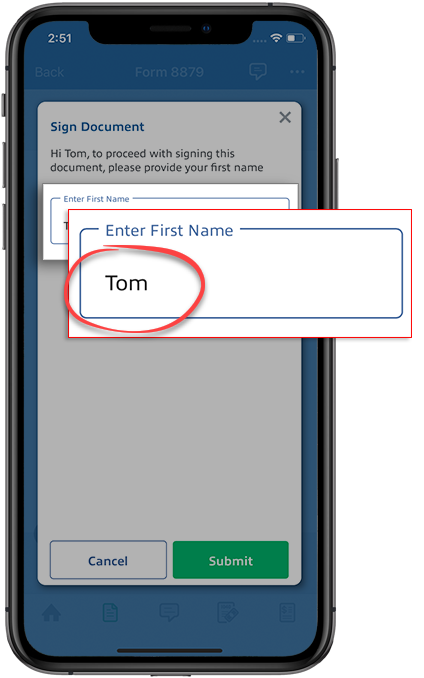
- Enter your first name as it appears on your profile page and selectSubmit.
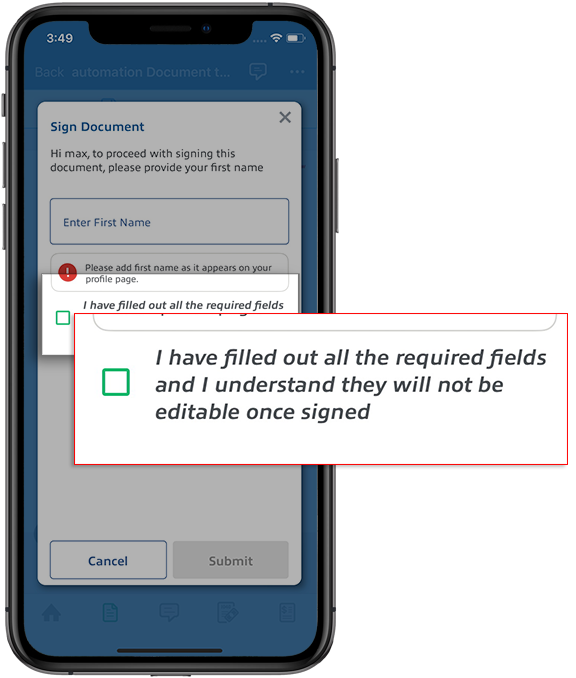
 If the document has fillable fields, mark the checkbox to confirm you have verified those fields. You'll no longer be able to edit them.
 SelectSubmitto sign the document. SelectCancelto close without saving.
 - Thewindow appears if you are required to verify your identity at the time of signing the document. Enter the required information and selectKnowledge-Based AuthenticationSubmit.noteIf the document requires your spouse's signature, your spouse will need to sign the document by verifying their identity using their own TaxCaddy account or the taxpayer's account. If either the taxpayer or spouse fails the identity verification, both will need to sign the document manually.
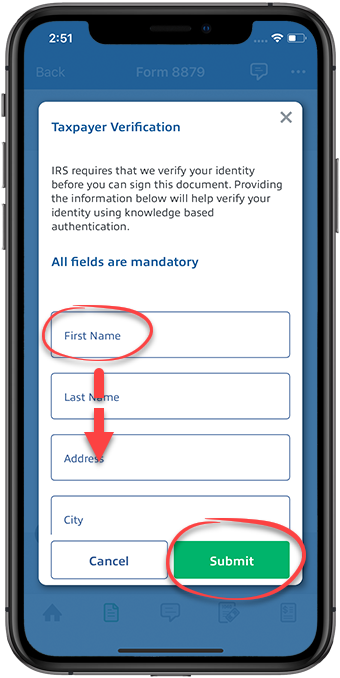 noteIf you or your tax professional have previously provided your personal information to TaxCaddy, we will automatically populate your records with the information we have on file. Take a moment to review the information and make any corrections.If we can't locate an identity record associated with your information (in this case, you will see the following error message), you should download the document and sign it manually.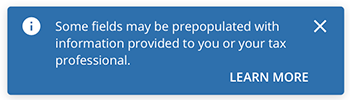
- If aKnowledge-Based Authenticationquestion appears next, select the correct answer thenNext. Repeat this step until you have answered all 4 knowledge-based authentication questions.
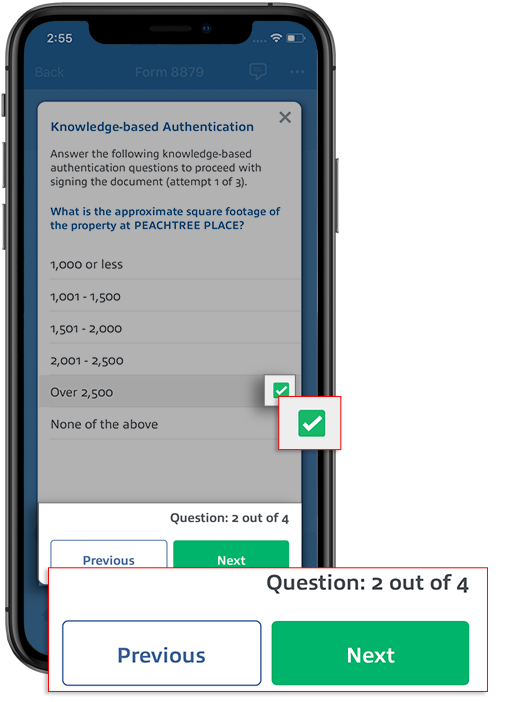
- You may skip this step if you have signed the document successfully. You have 3 attempts to answer a set of 4 questions correctly, after which the document is moved to theUploaded Documentstab and the status is updated toManual Signature Required.
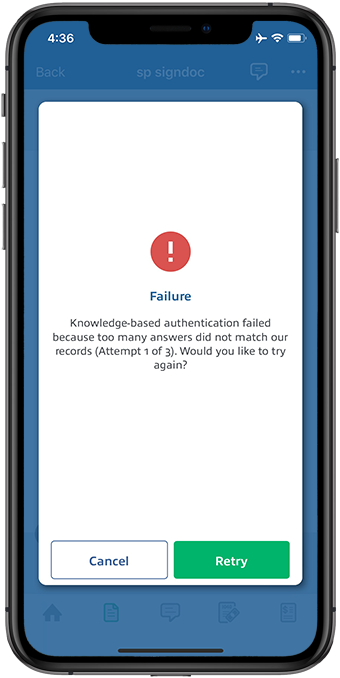 To resolve this, you can download the document and sign it manually. Once you have signed the document, you can upload the document by taking a photo or uploading the file.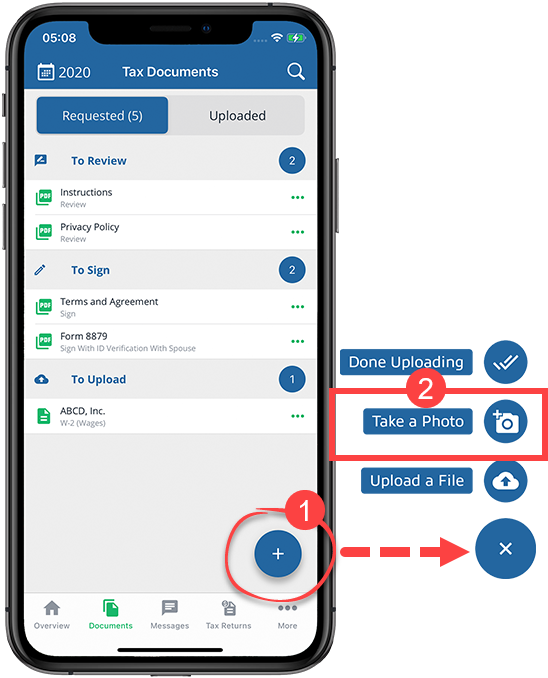
- Once TaxCaddy confirms you signed the document, selectDone.
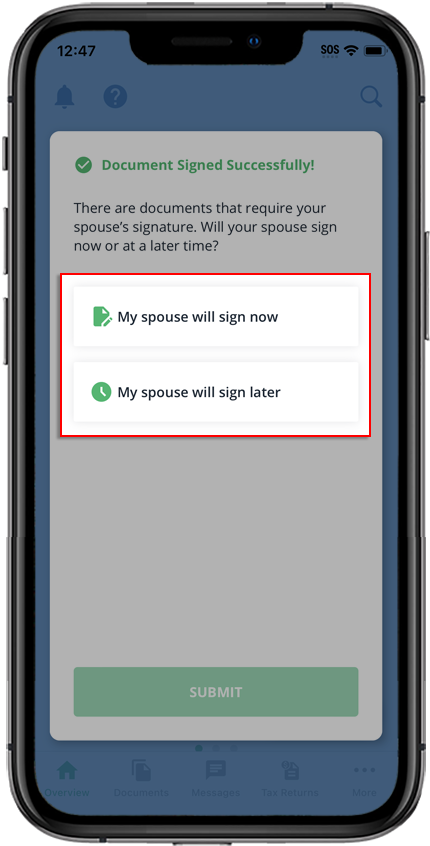
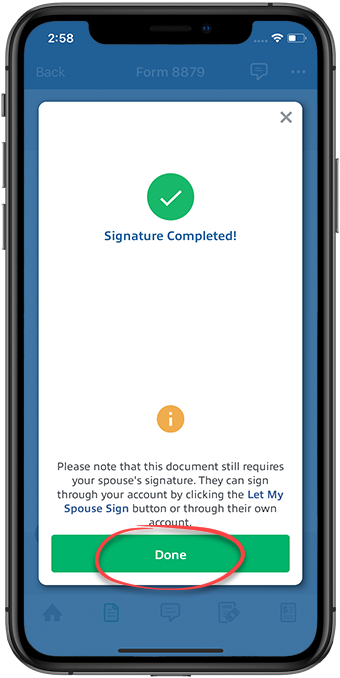 After you've finished completing the signature requests, but there are still pending spousal signature requests, theDocument Signed Successfullywindow will appear with options for completing these spousal requests.noteTaxCaddy will finish collecting the taxpayer's signatures before prompting your spouse to complete their signature requests.If there are signature requests requiring your spouse's signature, your spouse can sign the document using your current sign in session, or their own TaxCaddy account.
- My spouse will sign later- This option lets you send your spouse an invite to join TaxCaddy. Once they join TaxCaddy, they can sign the document after singing in to their account on their own device.
- My spouse will sign now- This option lets your spouse sign a document in this session from your device without creating an account.
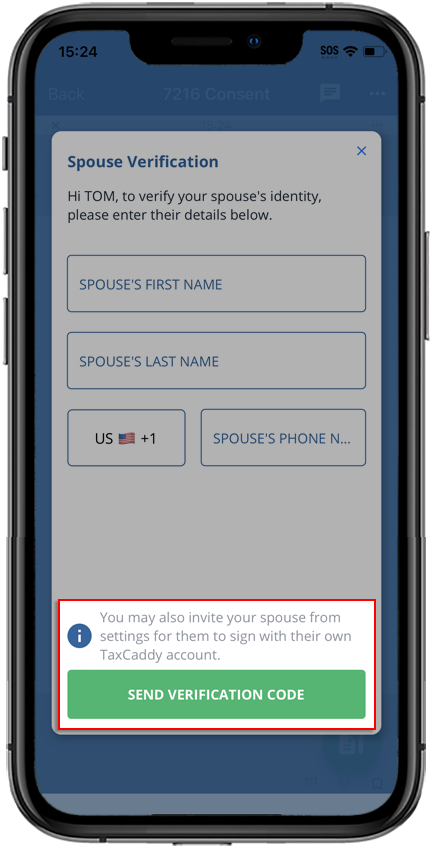
 If you selectedMy spouse will sign now, you will need to enter your spouse's verification details and selectSEND VERIFICATION CODE. Your spouse's phone number must be different than your phone number.noteYou will only enter your spouse's details if your spouse doesn’t have a TaxCaddy account and this is your first time entering your spouse's information. If your spouse already has a TaxCaddy account, make sure your spouse is connected to you as a spouse and not as an additional user.
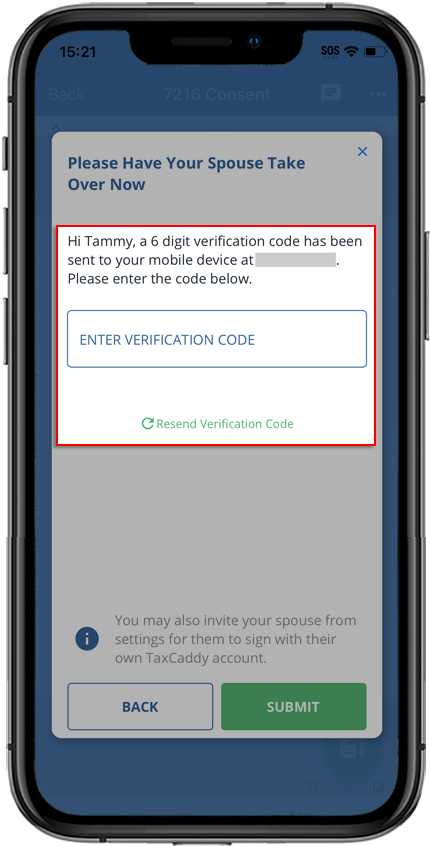
 If your spouse already has a TaxCaddy account or their spouse information was entered previously, your spouse will automatically receive a text verification code on their device when signing from your TaxCaddy account. This will only be required of your spouse once per session. Once this account is signed out, they’ll need to verify their mobile number again.
 If you selectedMy spouse will sign later, you'll need to enter your spouse's account information, letting you send your spouse an invite to join TaxCaddy. Once they join TaxCaddy, they can sign the document by signing in to their account. A notification will appear indicating that a TaxCaddy invitation was sent to your spouse at the email provided. Your spouse can then create their TaxCaddy account to fulfill their signature requests.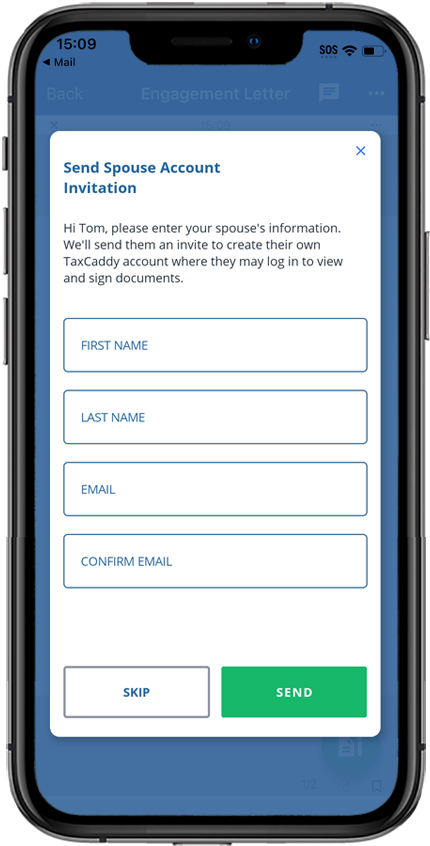
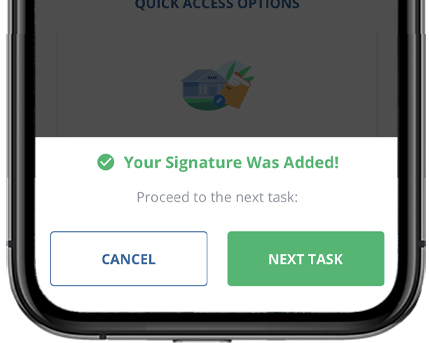
- After completing your signature request and selectingDonein theSignature Completedwindow, you may be prompted to go to the next pending signature task if one exists.
- SelectNEXT TASKto open your next signature task in theDocument Viewerto complete.
- SelectCANCELto remain on theOverviewscreen.
- Signed documents will move to theUploadedtab in theLetterscategory. Your tax professional will be notified that you have signed the document.
- Sign other documents that require ID verification in the same session to skip the knowledge-based authentication steps.noteAfter your spouse completes the ID verification process once, their ID verification is valid for the remainder of the session.
Android mobile app
Follow these steps to sign a document using the Android mobile phone app.
- Sign in to the TaxCaddy mobile app.
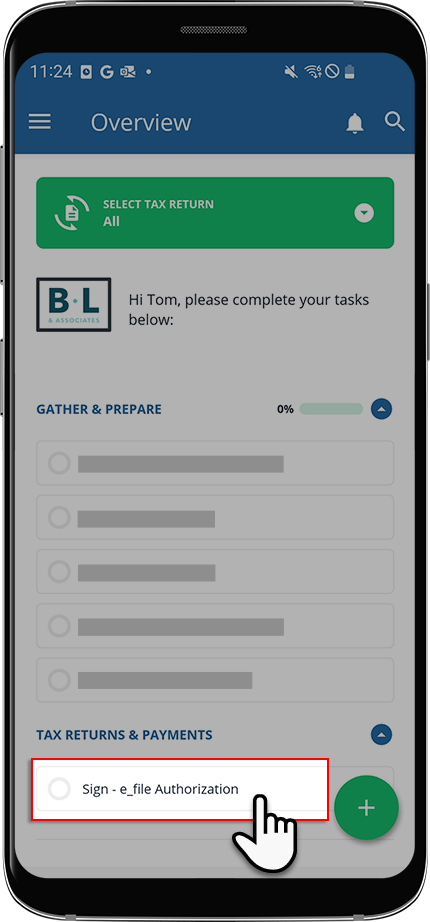
- Signature requests that your tax professional has uploaded to your account will appear on theOverviewscreen. Select theSignrequest you'd like to fulfill.noteYour progress in completing yourSigntasks will be denoted with theProgressicon. Once you've completed all your tasks, you will see theCompletedicon.
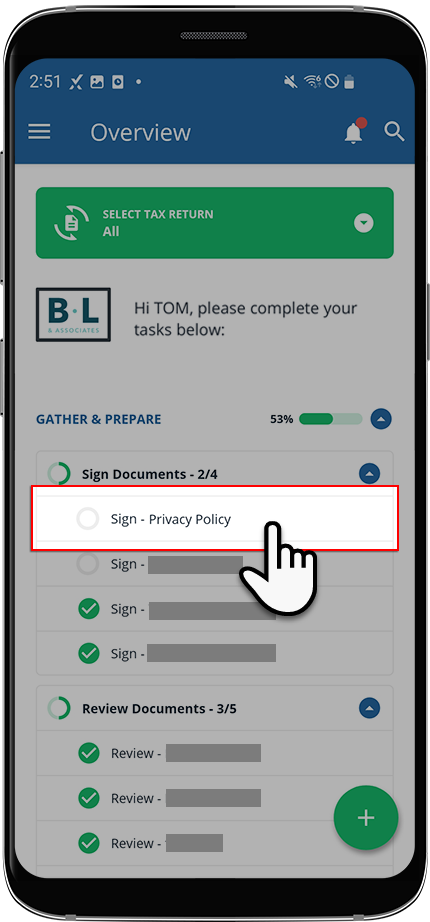 If your tax professional has enabled 1041 tax return profiles on your account, select theSELECT TAX RETURNdropdown to view your available tax return profiles.
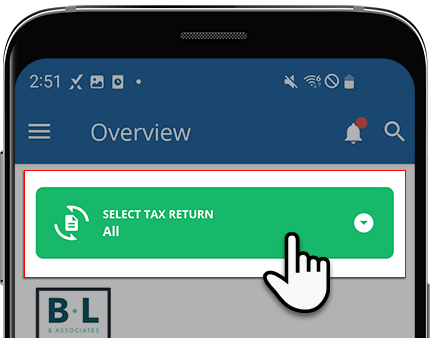 If the document uploaded by your tax professional is password-protected, you'll need to enter the password. Contact your tax professional if you don’t have the password.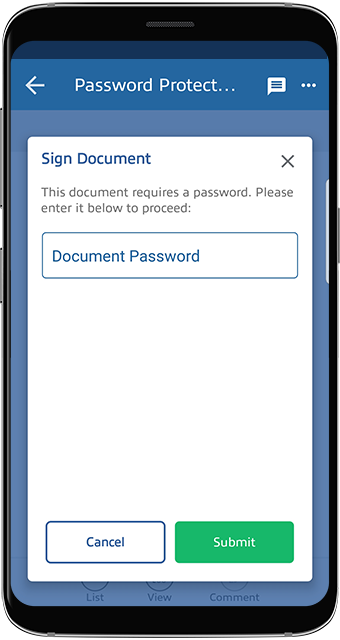
- The document opens in theDocument Viewer. If the document has fillable forms, select a field and enter data. As soon as you select out of the field, the document will automatically save your data.noteYou can message your tax professional regarding this document using the message panel.
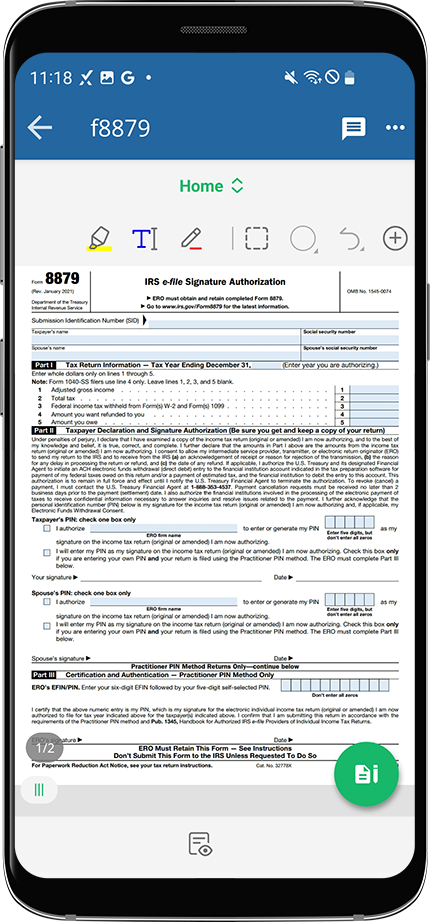 If you'd like to download this signature request document, select theMenuicon, thenDownload.noteYou can access the downloaded file from theMy Filesapp on your device.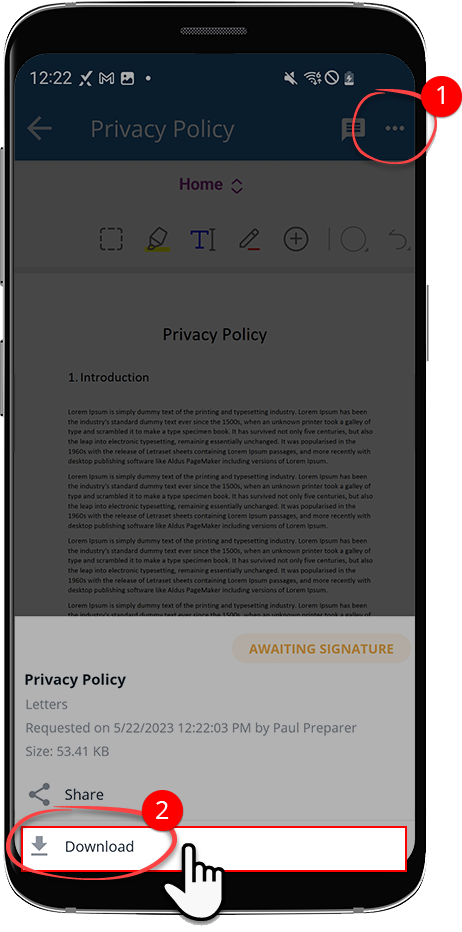
- Select theSignicon to open the signature menu.noteOnce you've fulfilled a signature request, you can no longer modify the contents of the signed document. Review the information before providing your signature.
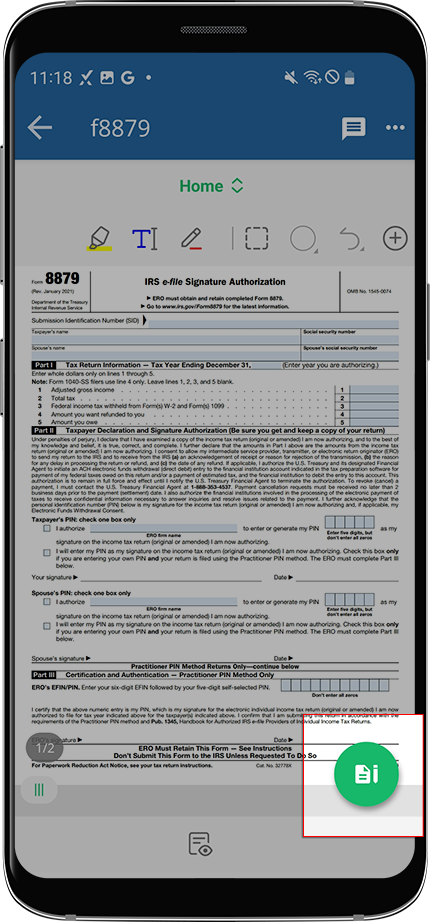
- To sign the document, selectStart Signature ProcessorSign & Accept.noteYou will seeStart Signature Process,Sign & Accept, or theLet My Spouse Sign.Start Signature Process: This button only appears under the following conditions:
- The document requires your spouse’s signature.
- You haven’t added a spouse as an additional user or selectedI don't have a spouse.
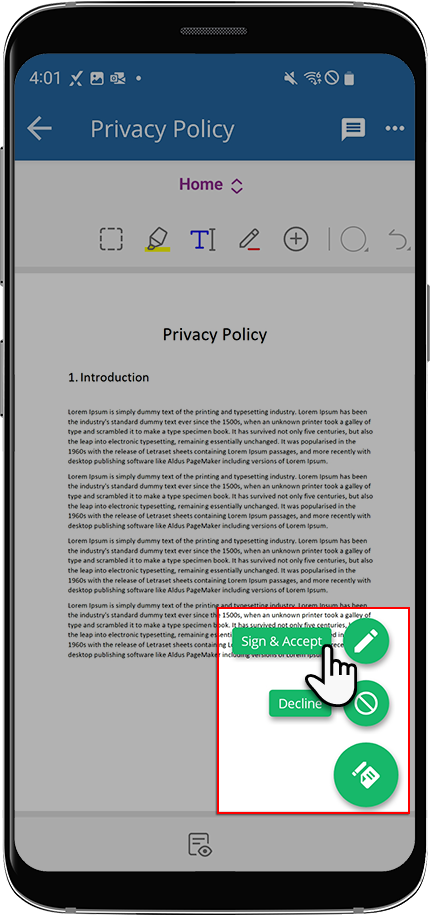
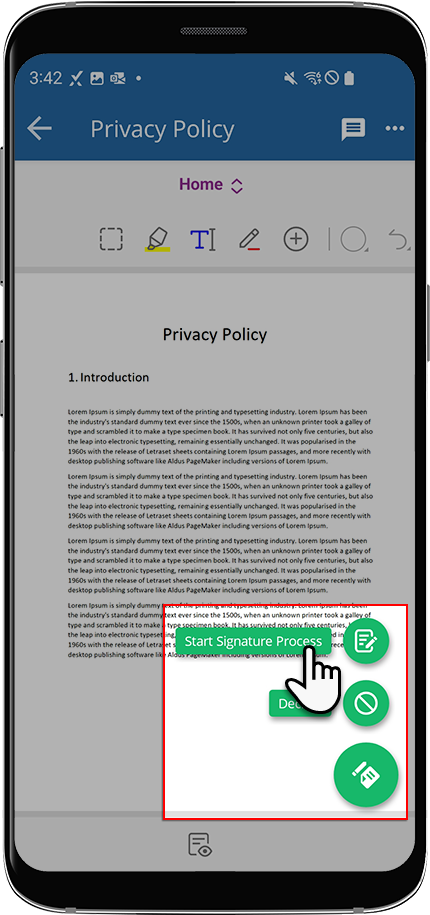 Sign & Accept: This button only appears under the following conditions:
- The document hasn’t been signed by you.
- TheStart Signature Processbutton is not visible.
 noteIf the document you are signing has incorrect information, you and your spouse can selectDeclineto remove the signature request. You can also use theMessagespanel to send your tax professional a question regarding the document.Let My Spouse SignYour tax professional has indicated that only your spouse is required to sign this document.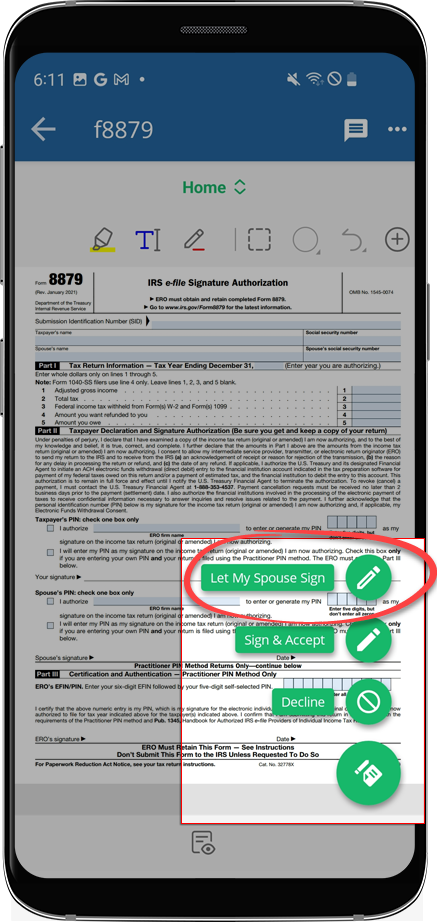
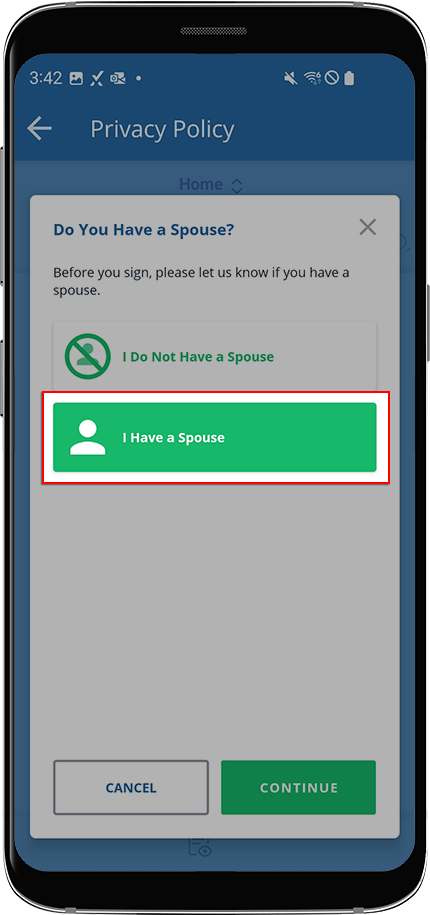
- If you see theStart Signature Processwindow, select 1 of 2 options:
- SelectI Do Not Have a Spouseif you are single.
- SelectI Have a Spouseif you are married.
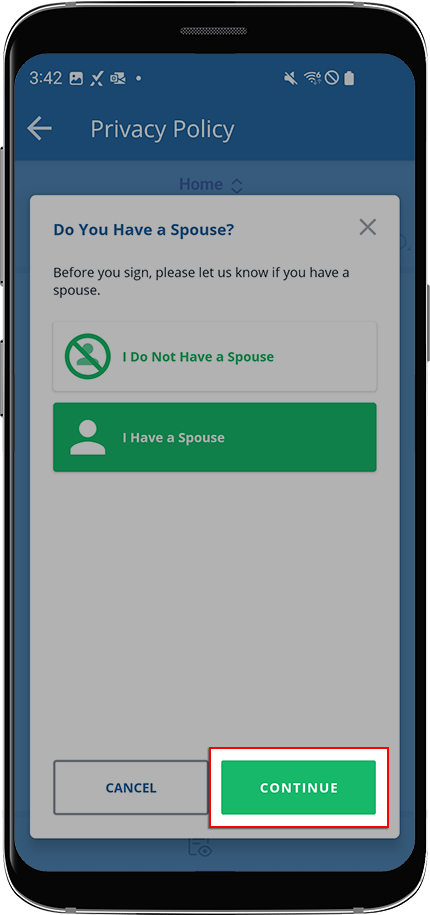
- SelectCONTINUE.
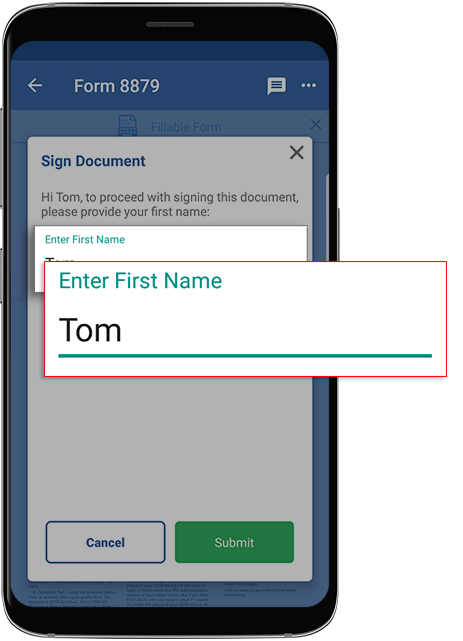
- Enter your first name as it appears on your profile page and selectSubmit.
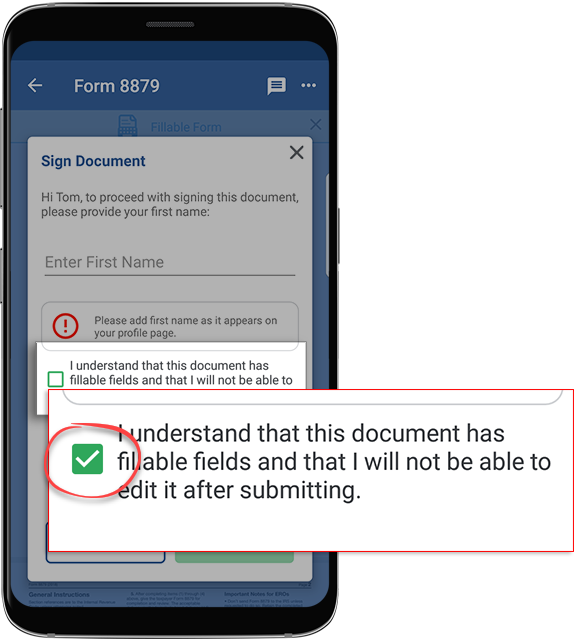
 If the document has fillable fields, mark the checkbox to confirm you have verified those fields. You'll no longer be able to edit them.
 SelectSubmitto sign the document. SelectCancelto close without saving.
 - Thewindow appears if you need to verify your identity at the time of signing the document. Enter the required information and selectKnowledge-Based AuthenticationSubmit.noteIf the document requires your spouse's signature, your spouse will be required to sign the document by verifying their identity using their own TaxCaddy account or the taxpayer's account. If either the taxpayer or spouse fails the identity verification, both will need to sign the document manually.
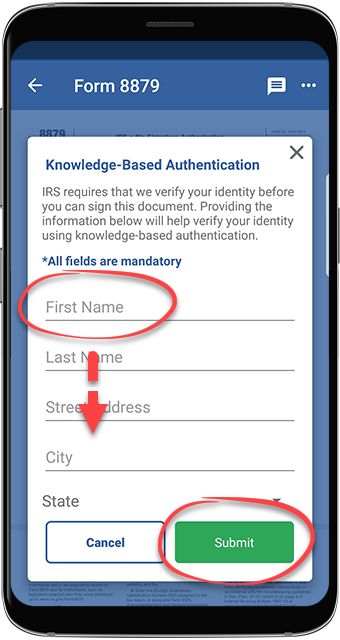 importantIf we can't locate an identity record associated with your information (in this case, you will see the following error message), you should download the document and sign it manually.If you or your tax professional have previously provided your personal information to TaxCaddy, your records will populate automatically with the information we have on file. Take a moment to review the information and make any corrections.
 - If aKnowledge-Based Authenticationquestion appears next, select the correct answer thenNext. Repeat this step until you have answered all 4 knowledge-based authentication questions.
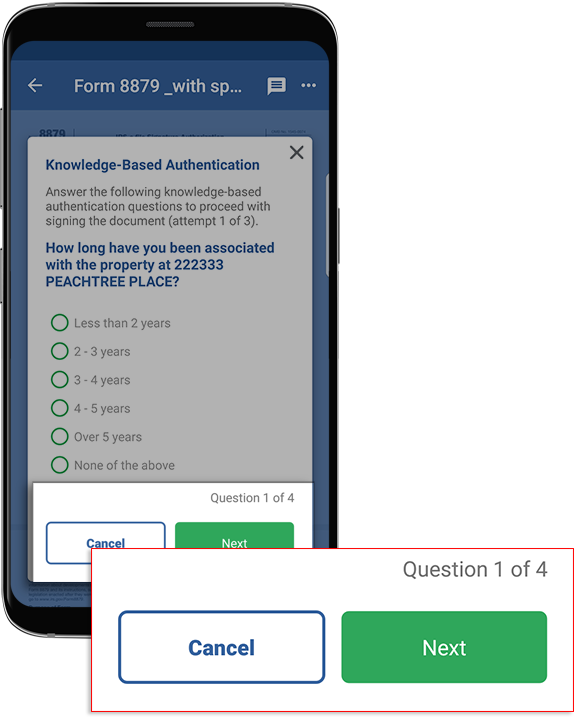
- You may skip this step if you have signed the document successfully. You have 3 attempts to answer a set of 4 questions correctly, after which the document moves to theUploaded Documentstab and the status updates toManual Signature Required.
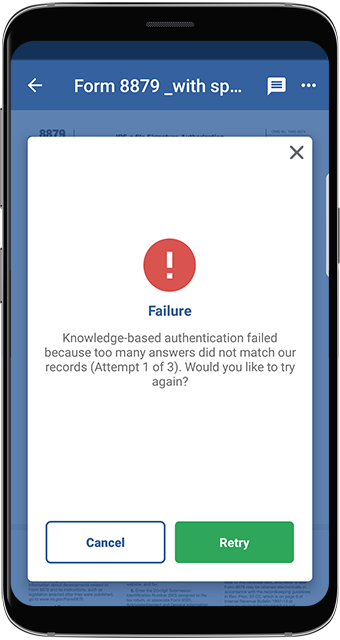 To resolve this, you can download the document then sign it manually. After signing the document, upload it by taking a photo or uploading the file.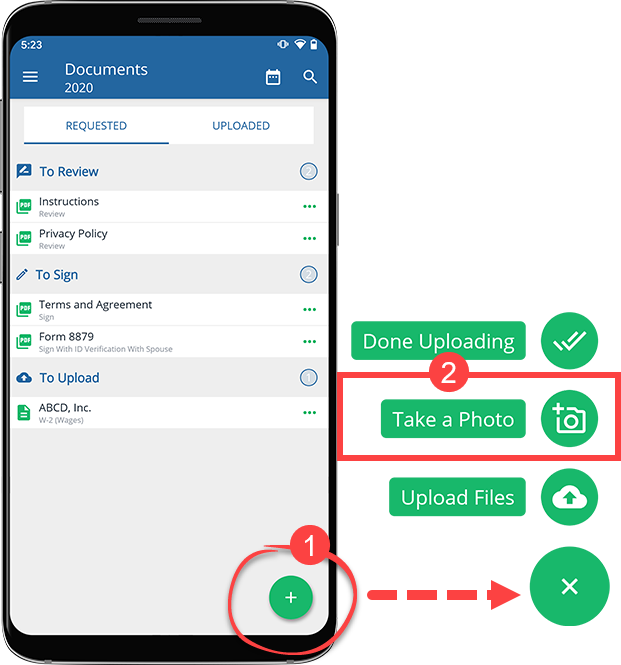
- Once TaxCaddy confirms you signed the document, selectDone.
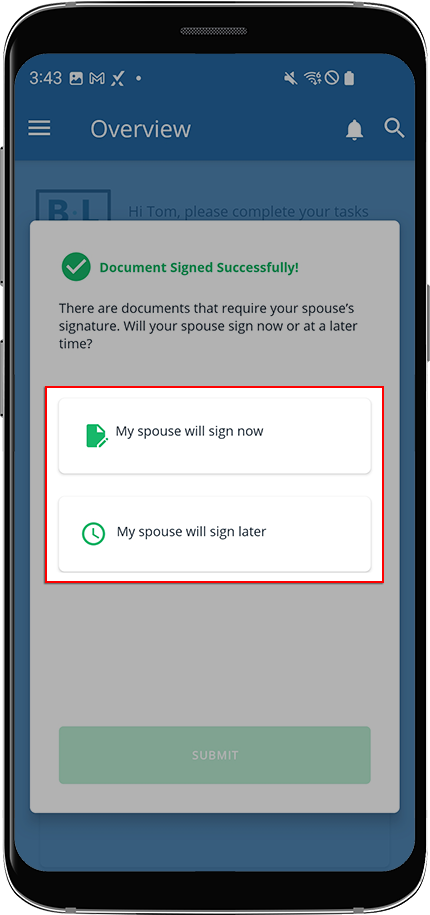
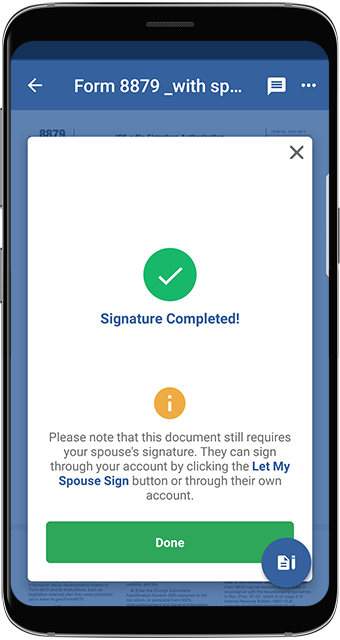 If you've finished completing the signature requests and there are still pending spousal signature requests, theDocument Signed Successfullywindow will appear with options for completing them.noteTaxCaddy will finish collecting the taxpayer's signatures before prompting your spouse to complete their signature requests.If there are signature requests requiring your spouse's signature, your spouse can sign the document using your current sign in session, or sign using their TaxCaddy account.
- My spouse will sign later- This option lets you send your spouse an invite to join TaxCaddy. Once they join TaxCaddy, they can sign the document after logging into their account on their own device.
- My spouse will sign now- This option lets your spouse sign a document in this session from your device without creating an account.
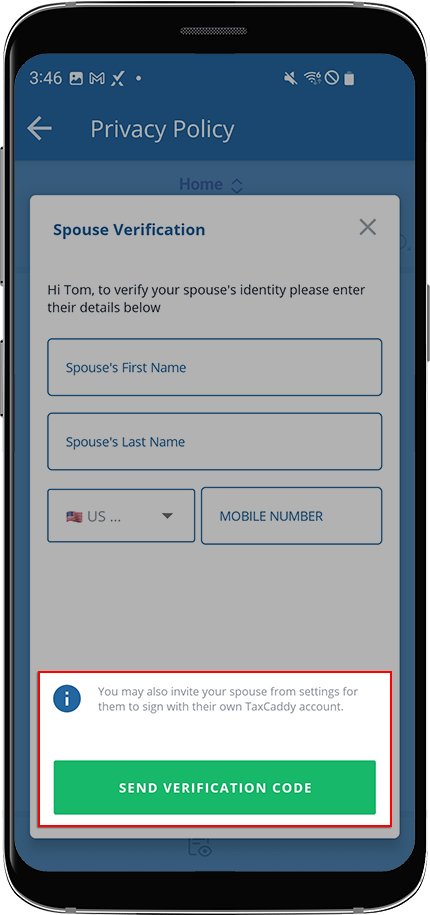
 If you selectMy spouse will sign now, you will need to enter your spouse's verification details, then selectSend Verification Code. Your spouse's phone number must be different than your phone number.noteOnly enter your spouse's details if your spouse doesn’t have a TaxCaddy account and this is your first time entering your spouse's information. If your spouse already has a TaxCaddy account, make sure they're connected to you as a spouse and not as an additional user.
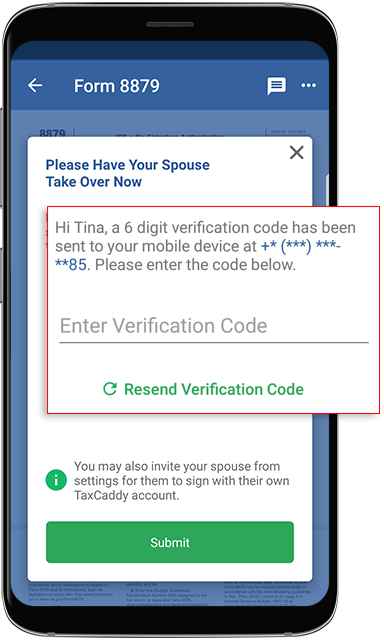
 If your spouse already has a TaxCaddy account, or their spouse information has already been entered previously, your spouse will automatically receive a text verification code on their device when signing from your TaxCaddy account. This will only be required of your spouse once per session. Once they sign out of the account, they’ll need to verify their mobile number once again.
 If you selectMy spouse will sign later, you'll need to enter your spouse's account information, letting you send your spouse an invite to join TaxCaddy. Once they join TaxCaddy they can sign the document by signing into their account.
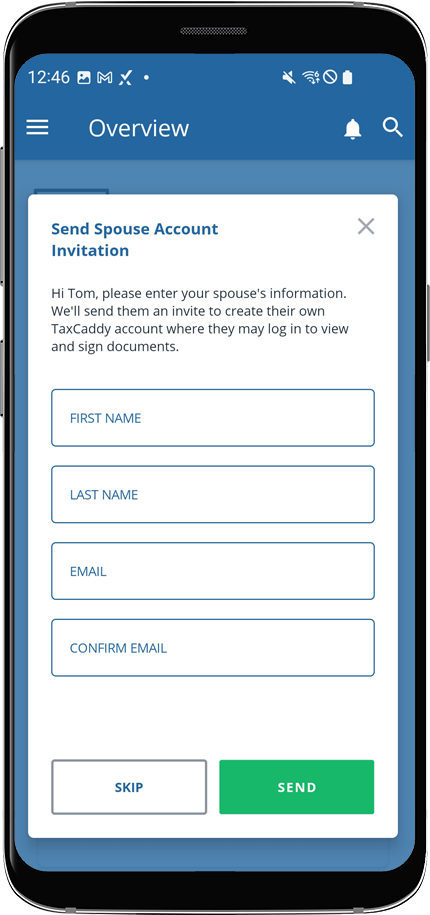 A notification will appear indicating that a TaxCaddy invitation has been sent to your spouse at the email provided. Your spouse can then create their TaxCaddy account to begin fulfilling their signature requests.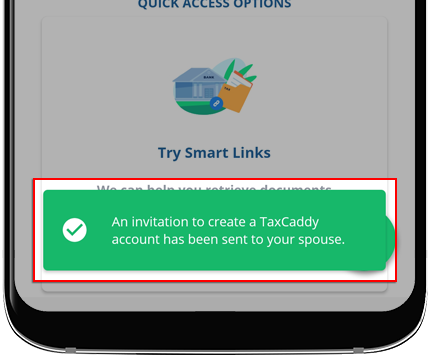
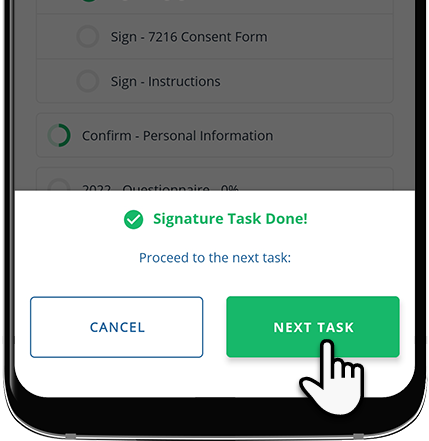
- Once you've completed your signature request and selectedDonein theSignature Completedwindow, you may be prompted to go to the next pending signature task if one exists.
- SelectNEXT TASKto open your next signature task in theDocument Viewerto complete.
- SelectCANCELto remain on theOverviewscreen.
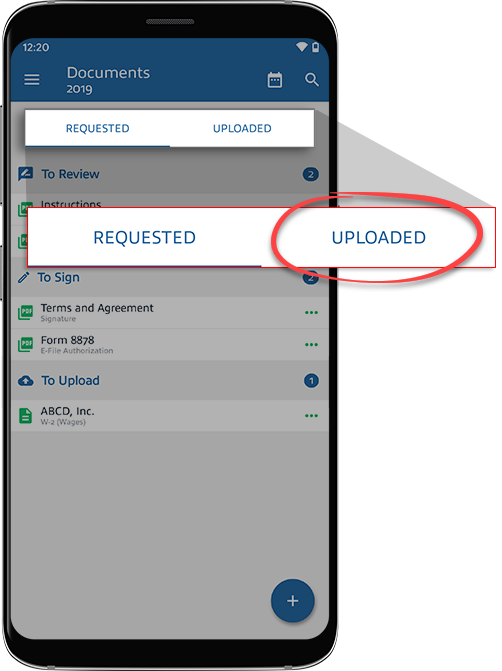
- The signed document moves to theUploadedtab in theLetterscategory. Your tax professional will be notified that you have signed the document.
- You can sign other documents that require ID verification in the same sign in session to skip the knowledge-based authentication steps.noteWhen a spouse completes the ID verification process once, their ID verification will continue to be valid for the remainder of the session.
Additional Notes:
- Living Outside the U.S.
- Try using a former U.S. address. When TaxCaddy searches for aKnowledge-Based Authentication(KBA) record, a U.S. credit history is required to find a match. Using a former U.S. address can work in some instances. If none is available, use your current residence and indicate "District of Columbia" for the state.
- Unable to verify your identity on theKnowledge-Based Authenticationstep
- Some individuals may not have a sufficient U.S. credit history record on file and will need to sign manually. The easiest way to do this is to download and print the document. Sign the printed copy and scan the document into TaxCaddy using the TaxCaddy mobile app.
- The IRS requires e-signed records to be tamper-proof once they’ve been signed and reviewed. To ensure a document is legally binding, TaxCaddy will secure the document in read-only mode. This is a cautionary measure to ensure that digitally signed/reviewed documents can't be tampered with or additional pages are not attached to the signed/reviewed document at a later .These signed/reviewed documents can still be viewed in read-only mode.
Related Content
-
Sign documents as a spouse
Format: Article

