
Review documents (mark reviewed)
Show all hidden content
When your tax professional needs you to review a document, their request appears in your requested items under
To Review
.TaxCaddy.com on PC, Mac, or tablet
Follow these steps to review a document using TaxCaddy.com on your PC, Mac, or tablet.
- Sign in to TaxCaddy.com.
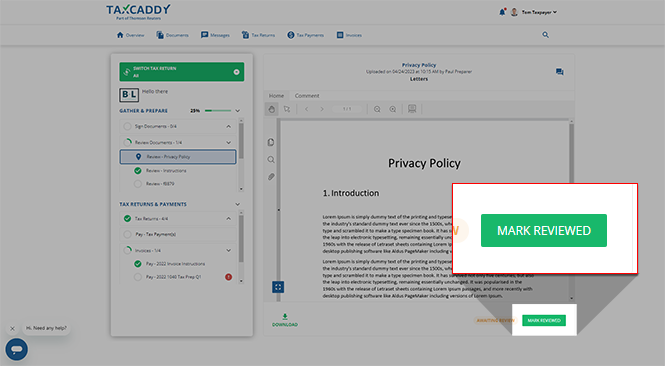
- On theOverviewscreen, you will see aTask Liston the left, with yourReviewrequests listed underReview.noteYour progress in completing yourReviewtasks will be denoted with theProgressicon. Once you've completed all your tasks, you will see theCompletedicon.
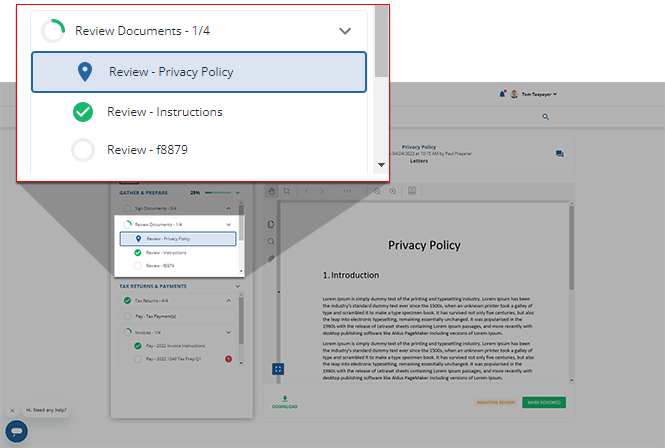 noteThePinicon appears next to the request you are currently viewing.
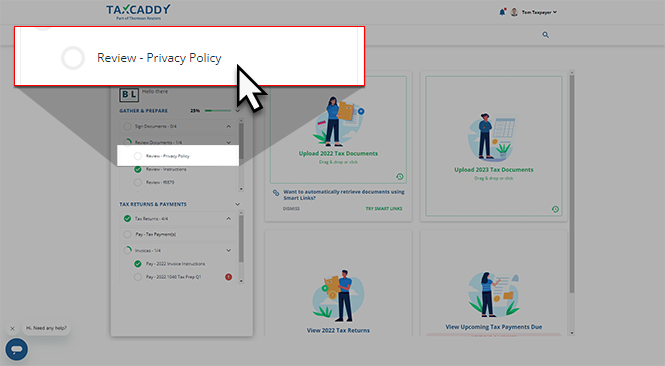
 - Select a tile to view theReviewrequest.
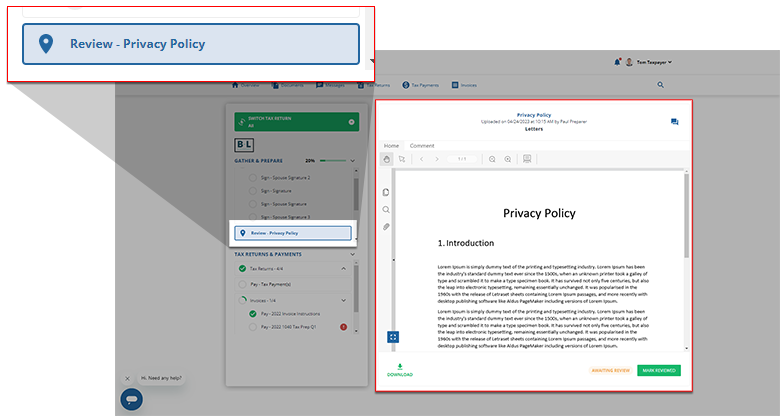
- YourReviewrequest will appear in theOverviewscreen's document viewer.noteIf the document has fillable fields, select in a field and type to enter data. As soon as you select out of the field, the document will automatically save your data.
 If the document uploaded by your tax professional is password-protected then you will be requested to enter the password. Contact your tax professional if you don’t have the password.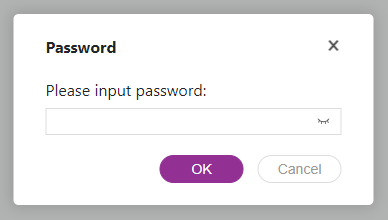
- If you are satisfied with the document, selectMARK REVIEWED.noteYou can message your tax professional regarding this document using theMessageicon.
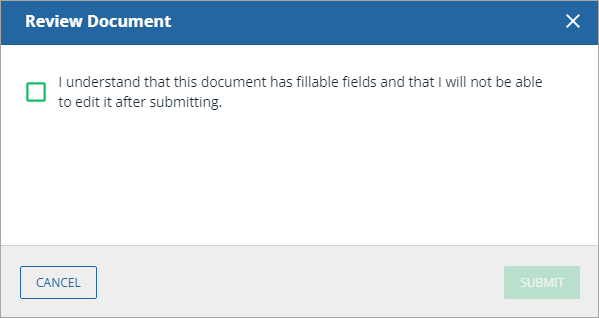
- A window will appear if the reviewed document has fillable fields. To confirm you have reviewed the fillable fields and will no longer need to edit them, select the checkbox forI understand that this document has fillable fields and that I will not be able to edit it after submitting.
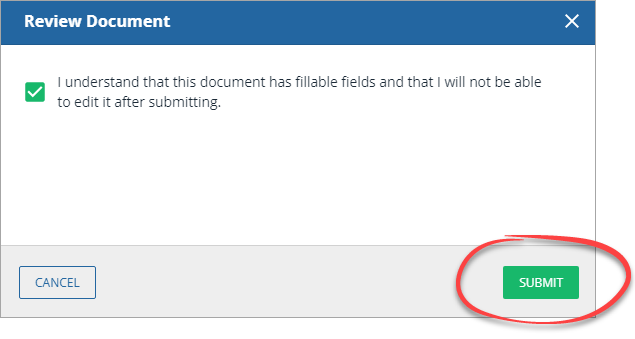
- SelectSUBMITto mark the document as reviewed, or selectCANCELto close without saving any changes.noteOnce you've fulfilled a review request, you will no longer be able to modify the contents of the reviewed document. Verify the information before completing your review.
- You will see a confirmation message once the document has been reviewed. The reviewed document is moved toUploaded Documentstab.A
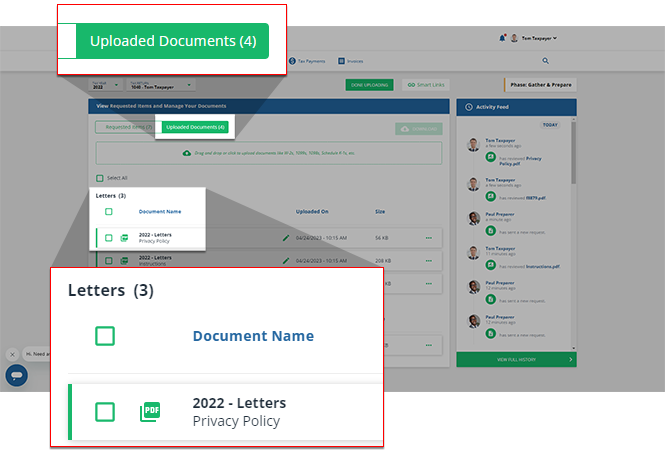 Completedicon will appear next to the fulfilledReviewtask in theTask Liston theOverviewscreen.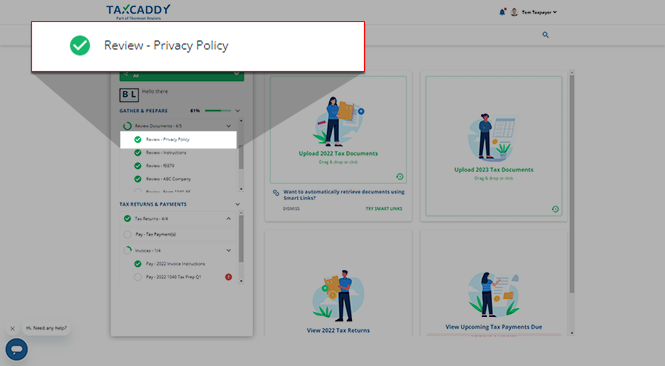
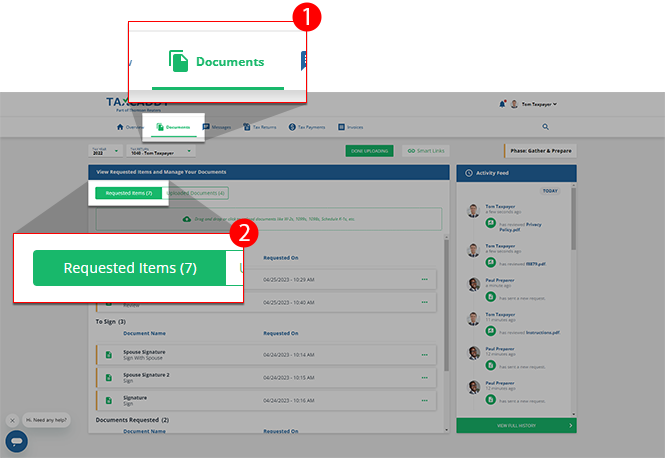
- Alternatively, you can selectDocumentsto switch to theDocumentstab.Open yourRequested Itemsto view a list of items requested by your tax professional.
iOS mobile app
Follow these steps to review a document using the iPhone mobile phone app.
- Sign in to the TaxCaddy mobile app.
- Reviewrequests that your tax professional has uploaded to your account will appear on theOverviewscreen. Tap theReviewrequest you'd like to fulfill to view it.
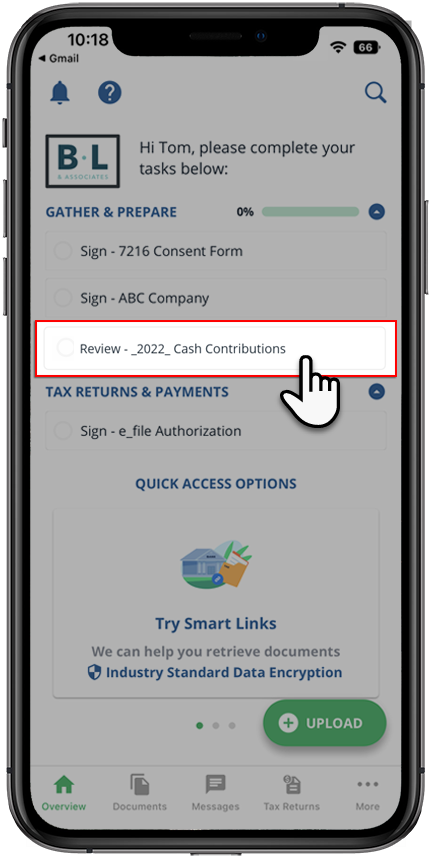
- The document opens in the viewer.If the document has fillable forms, tap on a field, then enter the data. As soon as you select out of the field, the document will automatically save your data.
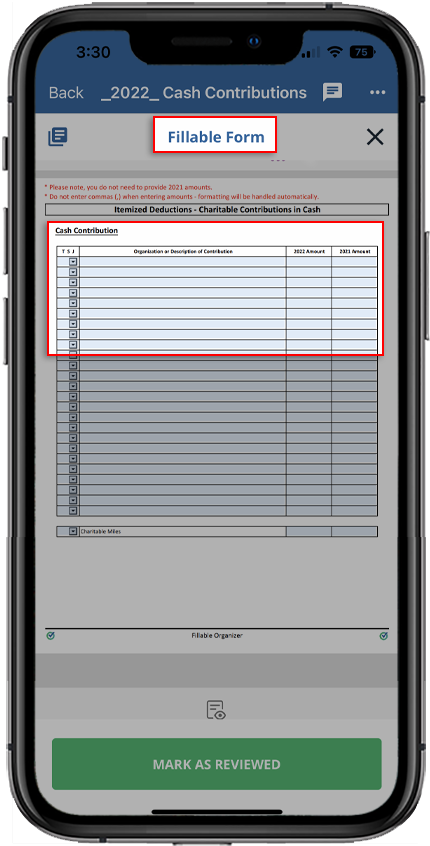
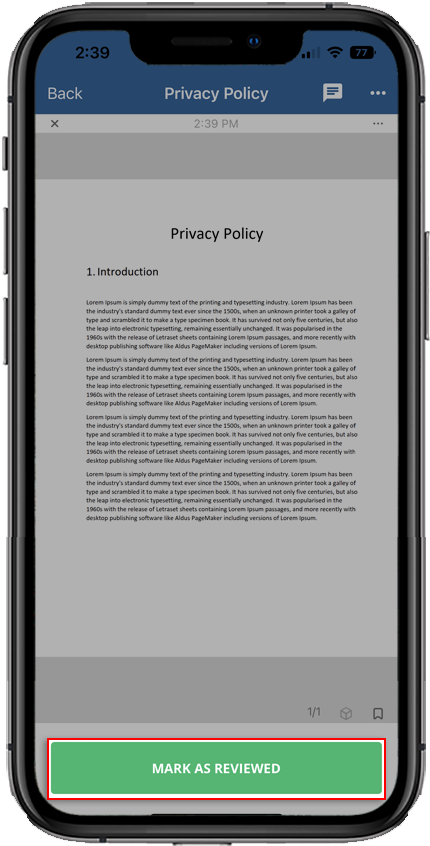
- Tap theMARK AS REVIEWEDto mark the document as reviewed. Additionally, your tax professional is notified that you have reviewed the document.
 A window will appear if the reviewed document has fillable fields. To confirm you have reviewed all fillable fields and will no longer need to edit them, tapReview.noteOnce you've fulfilled a review request, you will no longer be able to modify the contents of the reviewed document. Verify the information before completing your review.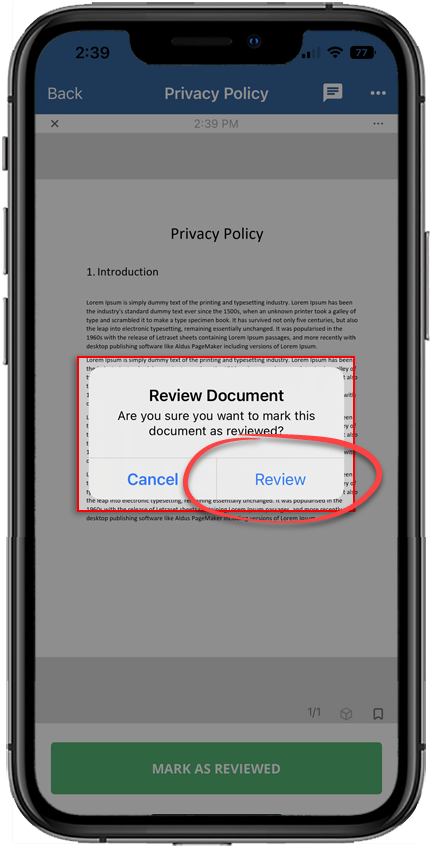
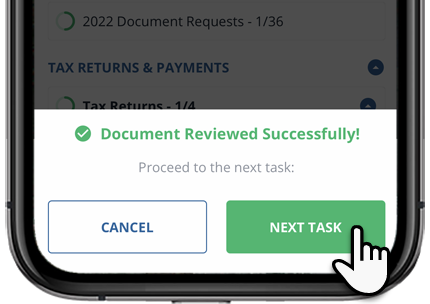
- Once you've completed your review request, you will be returned to theOverviewscreen where you may be prompted to go to the next pending review task (if one exists).
- You can tapNEXT TASKto open your next review task in theDocument Viewerto complete.
- You can tapCANCELto remain on theOverviewscreen.
Android mobile app
Follow these steps to review a document using the Android mobile phone app.
- Sign in to the TaxCaddy mobile app.
- Reviewrequests that your tax professional has uploaded to your account will appear on theOverviewscreen. Tap theReviewrequest you'd like to fulfill to view it.
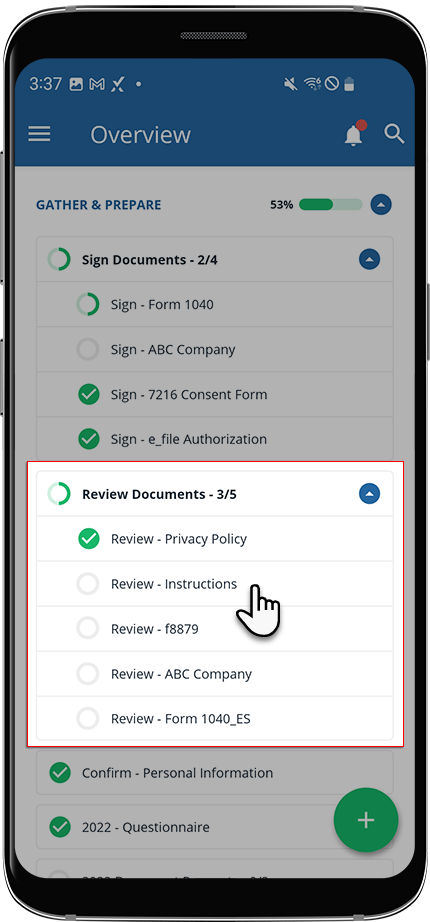
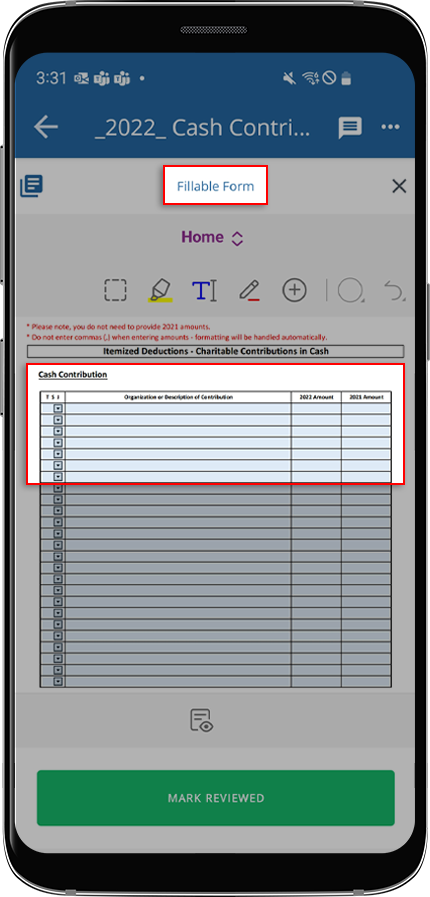
- The document opens in the viewer.If the document has fillable forms, tap on a field, then enter the data. As soon as you tap out of the field, the document will automatically save your data.
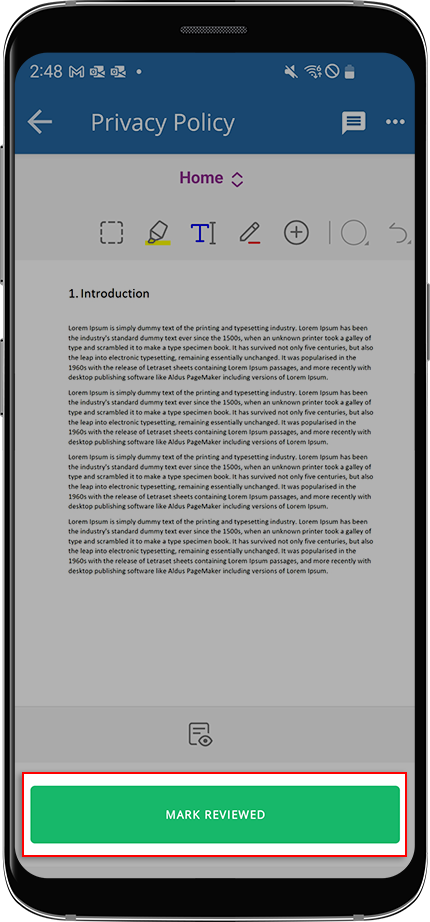
- TapMARK AS REVIEWEDto mark it as reviewed. When you mark a document as reviewed, your tax professional is notified that you have reviewed the document.
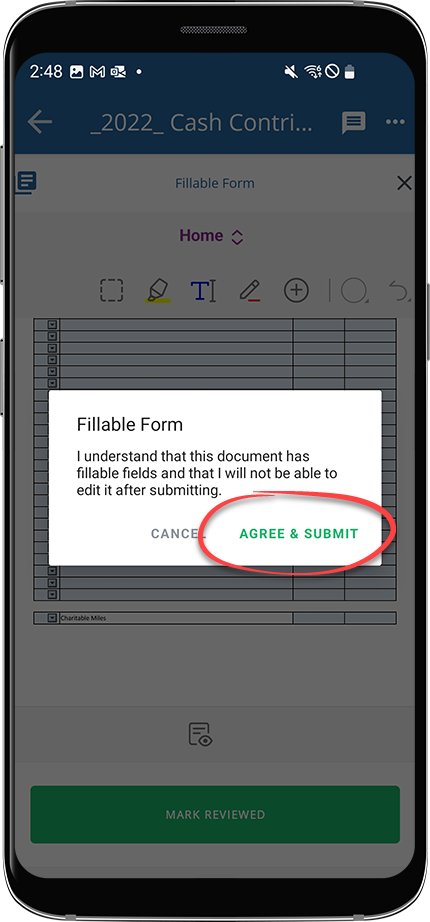
- A window will appear if the reviewed document has fillable fields. To confirm you have reviewed all fillable fields and will no longer need to edit them, tapAGREE & SUBMIT.noteOnce you've fulfilled a review request, you will no longer be able to modify the contents of the reviewed document. Verify the information before completing your review.
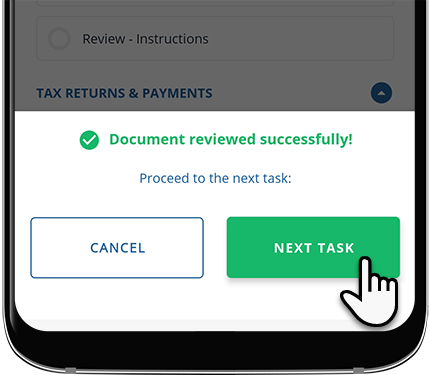
- Once you've completed your review request, you will be returned to theOverviewscreen where you may be prompted to go to the next pending review task (if one exists).
- You can tapNEXT TASKto open your next review task in theDocument Viewerto complete.
- You can tapCANCELto remain on theOverviewscreen.
Additional Notes:
- The IRS requires e-signed records to be tamper-proof once they’ve been signed and reviewed. To ensure a document is legally binding, TaxCaddy will secure the document in read-only mode. This is a cautionary measure to ensure that digitally signed/reviewed documents can't be tampered with or additional pages are not attached to the signed/reviewed document at. These signed/reviewed documents can still be viewed in read-only mode.
Related Content
-
View requested items
Format: Article

