
CoCounsel Reports
The CoCounsel Reports provide a centralised overview of user interactions and system activity within the CoCounsel platform. These reports enable administrators to monitor how users interact with AI tools and how documents are processed throughout the system.
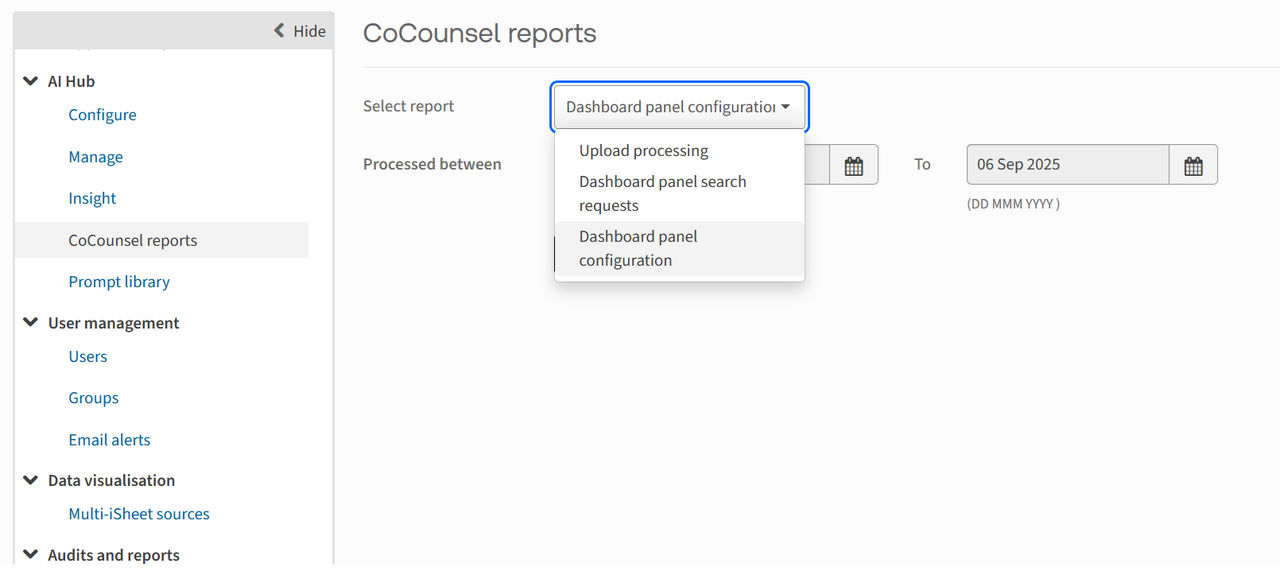
In the CoCounsel Reports section, users can access three primary types of reports:
- Upload processing
- Dashboard panel search request and;
- Dashboard panel configuration.
To access these reports, within the site, navigate to
Admin
> AI Hub
> CoCounsel Reports
.
Choose the appropriate time range and click '
Run Report
' to generate the report.Upload processing
The
Upload Processing
report provides a summary of all document uploads to the CoCounsel platform during a selected time period.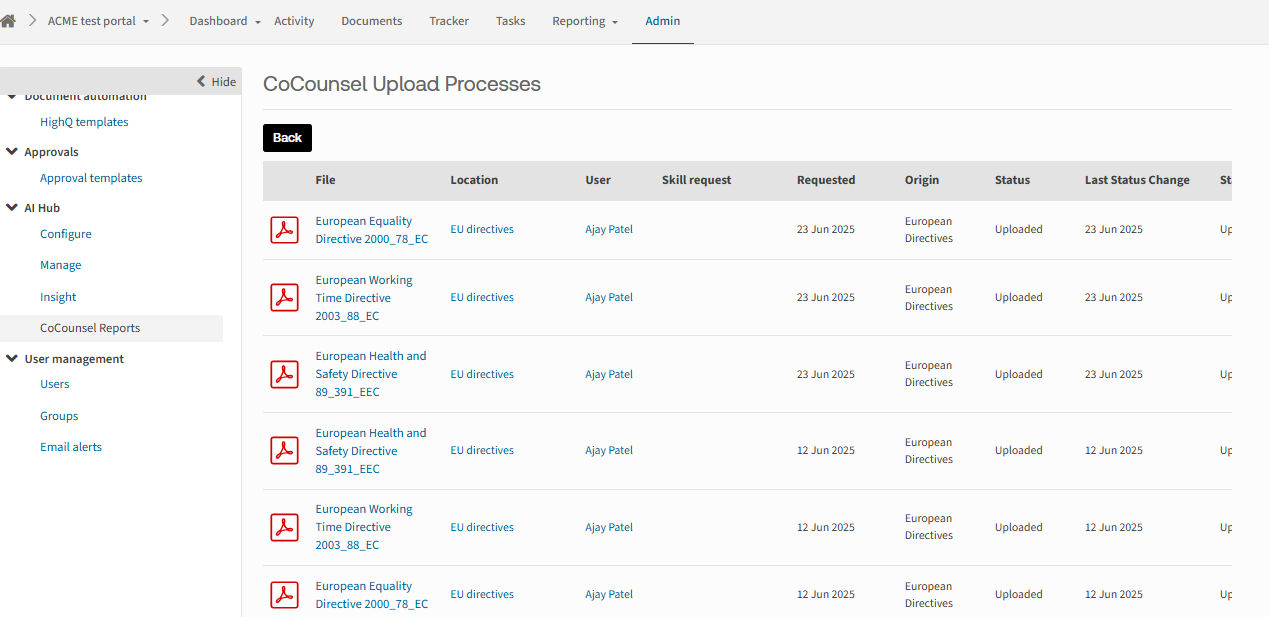
- File- The name of the uploaded document.
- Location- The folder or category where the document is stored within the system.
- User- The name of the person who uploaded the document.
- Skill Request- This refers to the specific CoCounsel Skill requested for the document, such as Document review, Search a Database or Summarisation.
- Requested- The date on which the document was uploaded, or the skill was requested.
- Origin- The source from which the document was uploaded to the system.
- Status Message- The current state of the document in the upload pipeline, which can be for example 'Uploaded' or 'Processing.
- Last Status Change- The most recent date when the document’s status was updated.
Dashboard panel search requests
The
Dashboard panel search request
report summarises how users interacted with the Self-service Q&A powered by CoCounsel panel during a selected period.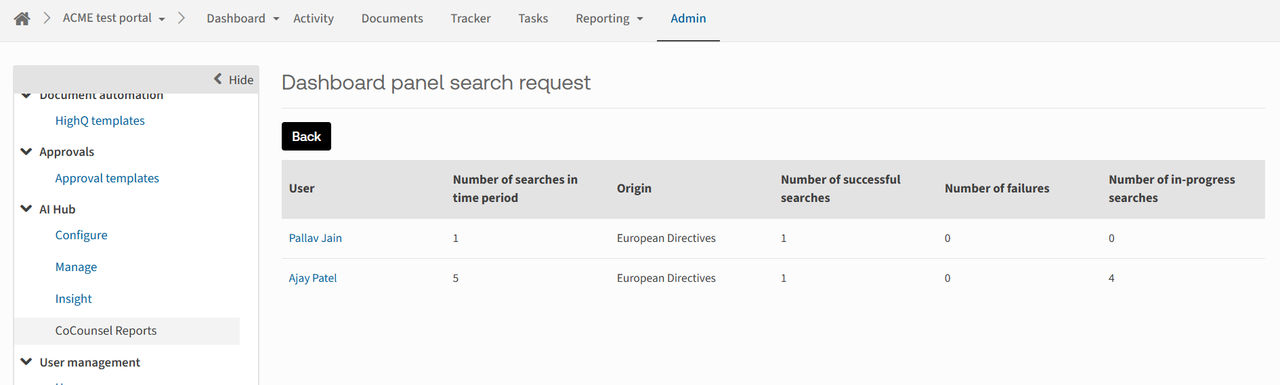
- User- The name of the individual user performing the searches.
- Number of searches in time period- The total number of search queries submitted by the user within the selected time frame.
- Origin- The dashboard the CoCounsel Q&A has been configured on.
- Number of successful searches- The count of searches that returned relevant results from the Q&A panel.
- Number of failures searches- The count of searches that did not return results, typically due to queries falling outside the scope of the selected database.
- Number of in-progress searches- The number of searches that are either still being processed or were archived before completion.
Dashboard panel configuration
The
Dashboard panel configuration
report logs user actions such as updates, deletions, and creations related to the site, folder, and database information within the Self-service Q&A powered by CoCounsel panel platform.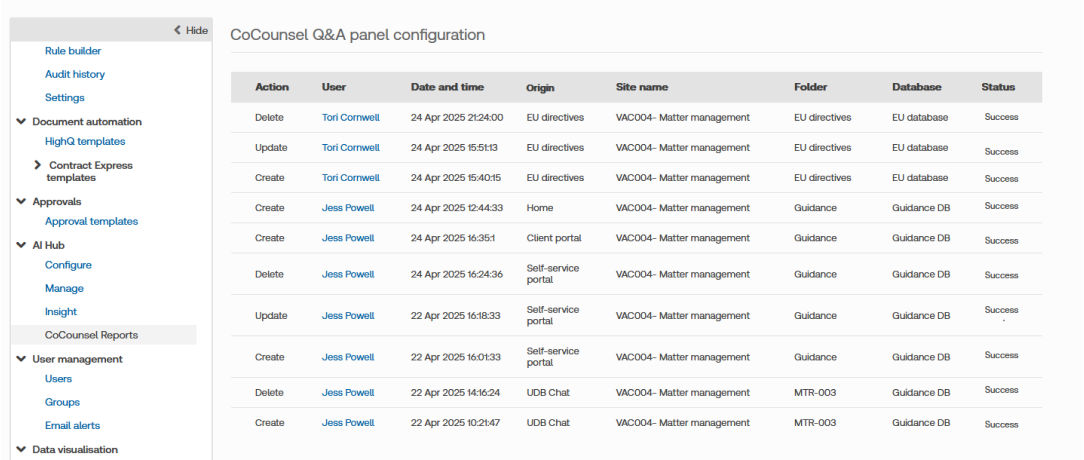
- Action- Indicates the type of action e.g. whether the panel was created, updated, or deleted.
- User- The HighQ site admin who performed the configuration.
- Date and time- When the action(created/updated/deleted) was carried out.
- Origin- The name of the custom page where the panel was configured.
- Site name- The admin selected site where the documents are to be uploaded from.
- Folder- The folder linked to the panel setup.
- Database- This is the CoCounsel database added to the panel. If it was created directly from the panel, “(new)” is added to its name to show it is newly created.
- Status- Indicates whether the action was successful or failed.
Related Content
-
Self-service Q&A powered by CoCounsel in HighQ
Format: Article
-
Custom User Provisioning for Self-service Q&A powered by CoCounsel in HighQ
Format:
Article
-
CoCounsel integration - Introduction and Overview
Format:
Article