
About Build Document
Build Document lets you generate documents from Contract Express or Practical Law templates via an online questionnaire, then use all Drafting Assistant tools within the resulting documents.
The Build Document tool lets you build documents from templates that are created by users in your organization using Thomson Reuters Contract Express or those created by Practical Law. After a document or collection of documents are created using an online questionnaire, all Drafting Assistant tools and features are available to use within the document.
To access templates created by your organization, a subscription to Contract Express is needed. Practical Law Automated Documents are available to all Practical Law subscribers.
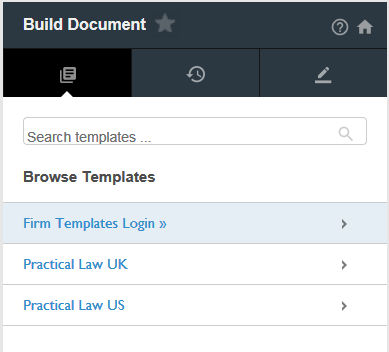
The Build Document tool consists of three tabs:
- Use theBrowsetab to search for or go to templates created for your organization.
- Use theRecentstab to view templates that you have recently accessed.
- Use theMy Projectsto view the status of and access your recent projects.
note
Before you can begin using the Build Document tool, ensure that the link to your Contract Express subscription is configured. Additional steps may also be needed to set up access to Practical Law Automated Documents.
Related Content
-
Configure Access to Practical Law Automated Documents
Format: Article
-
Configure Contract Express integration
Format:
Article
-
Use Build Document
Format:
Article

