
About preseason processing
Preseason processing helps get your returns ready for the upcoming tax season.
For the 2025 tax year, the Preseason screens have been updated. Select
Returns Processing
, then Preseason Processing
. Start with the
Getting Started On Preseason
. This will give you information on the overall process. You can then select each of the other options and decide if you want to select
Preseason At Thomson Reuters
or Preseason In Your Office
.
note
Preseason processing begins in late October each year.
Preseason performed by Thomson Reuters
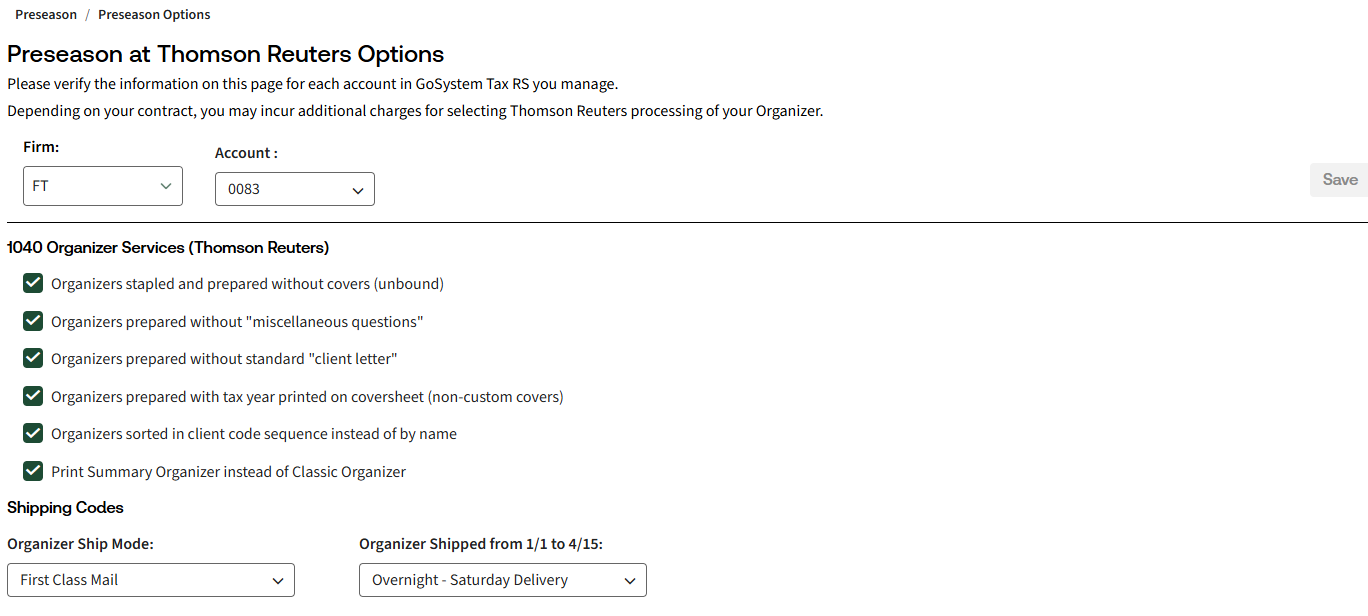
- SelectPreseason Optionsif you're licensed for 1040 Organizer print.
- Complete theClient Information Form (CIF), enter your information and selectReady for Preseason.importantThis form must be updated and signed each year.
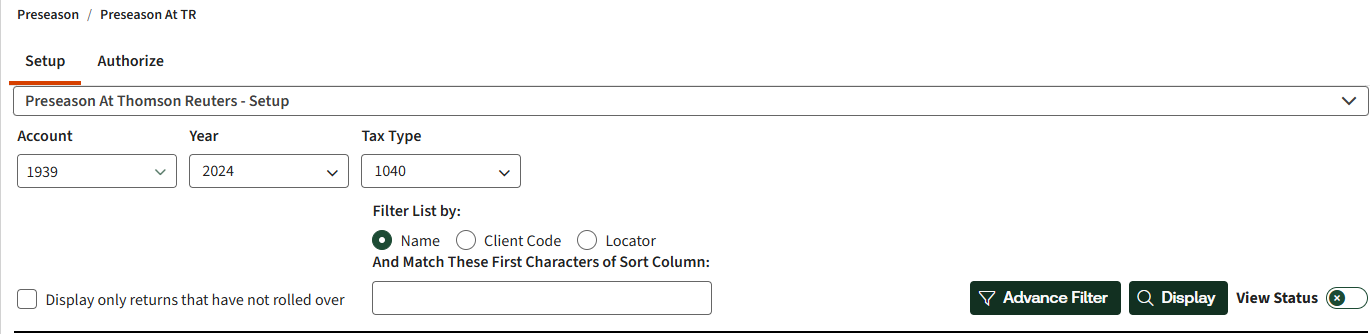
- SelectPreseason At Thomson Reutersto complete setup and authorize.
- Setup: Select returns to exclude from rollover and Organizer print. If you're not suppressing anything, move on to the next step.
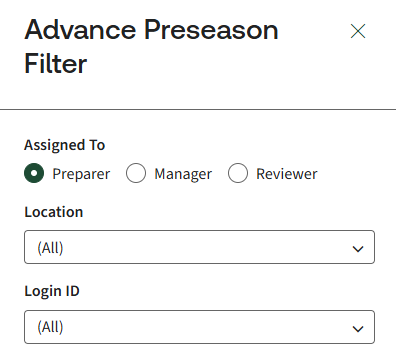
- You can also add Advance Preseason Filters to select returns assigned to preparer, manager, or reviewer or certain locations or by login id.
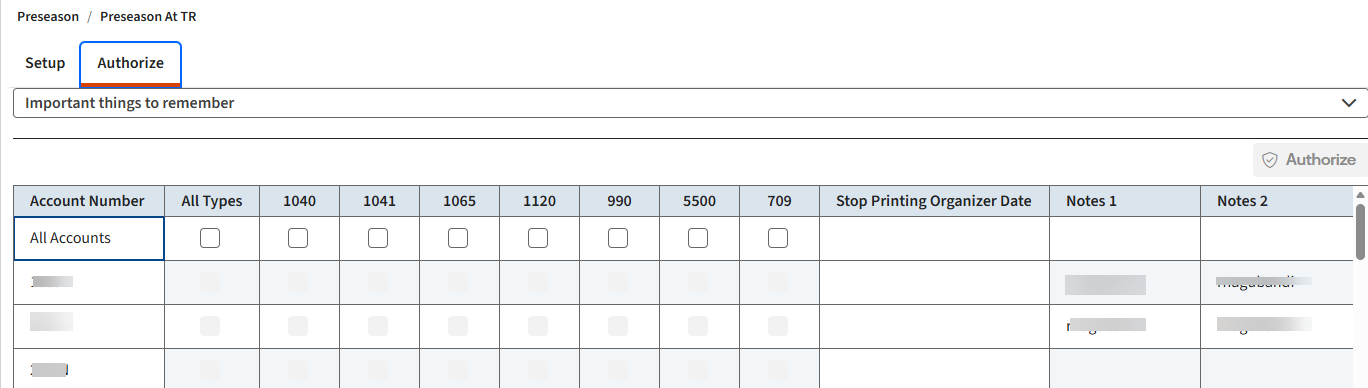
- Authorize:Select accounts and return types that are ready for preseason processing. Once you authorize an account/return type, Thomson Reuters begins rolling over returns and printing Organizers.
- Monitor the progress of your returns on theBatch Statuspage.
Preseason performed by your office
- SelectReturns Processing, thenPreseason Processing, thenPreseason In Your Office.
- Select from the following:
- Rollover
- Short Year Rollover
- Organizers
- Set tax defaults for each account withinAdmin,Tax Defaults.
Related Content
-
Assign 'rollover without delete rights' to a user
Format: Article
-
Locators that didn't rollover
Format:
Article
-
Rollover a prior year return for the 1st time
Format:
Article

