
FTA: HS Correlation
The
HS Correlation
screen can be used to confirm correlations between associated HS Numbers. It can be accessed by selecting the HS Correlation
option from the BOM
section of the FTA menu.
There are three tabs under the
HS Correlation
menu item that facilitate HS Correlation:- HS Correlation
- Pending HS Collisions
- HS Collision History
Each of these tabs is explained in more detail in the sub-sections below. Each tab also contains instructions, which are also explained in the sub-sections below. These can be accessed by clicking the
Instructions
button on the top right corner of the screen.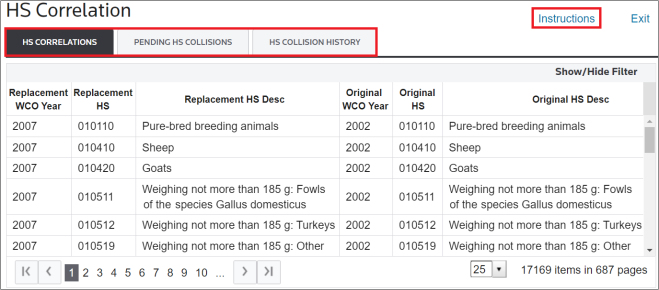
Related Content
-
Free Trade Agreement (FTA) Management
Format: Article
-
FTA: HS Correlation - Overview
Format:
Article
-
FTA: HS Correlation - Pending HS Collisions
Format:
Article
-
FTA: HS Correlation - HS Collision History
Format:
Article