
Customize the Invite and Reminder templates
TaxCaddy comes with client invitation and invitation reminder templates that are ready to use.
Invite
and Reminder
templates are sent to your clients when you send them an invite to join TaxCaddy. You can customize these Invite
and Reminder
templates.Follow these steps to customize these templates.
- Sign in to TaxCaddy.
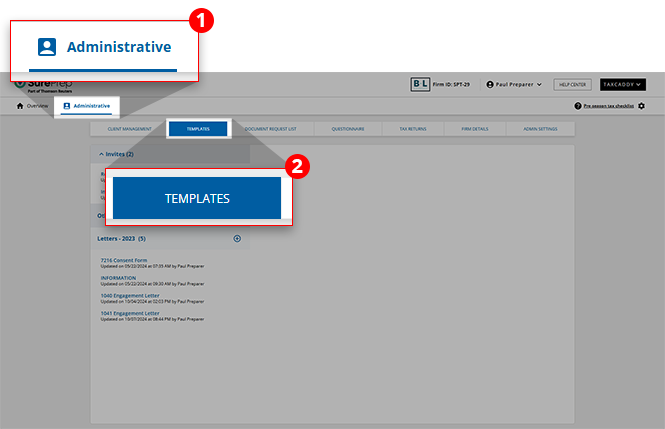
- SelectAdministrative, then selectTemplates.
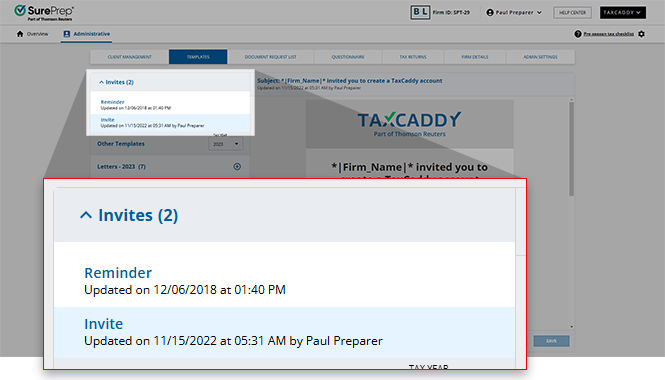
- TheInvitetemplate is selected by default and opens in the editor. If this is not the template you wished to edit, you can find yourInviteandRemindertemplates in theInvitespanel. Select the template you want to edit.
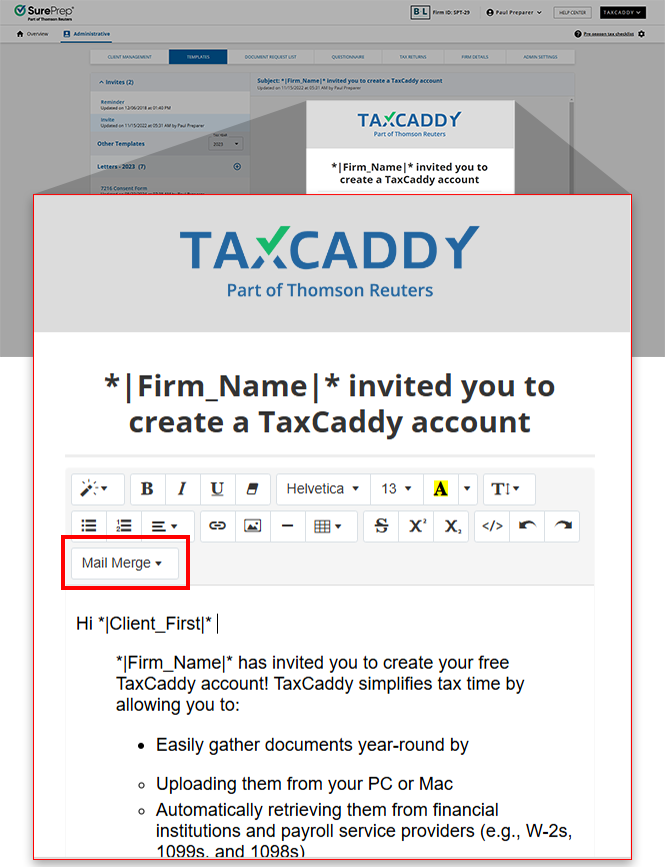
- With the correct template open, use the built-in editor to edit the template (that is, text styles, alignment). To useMail Merge, place the cursor where you want to include a mail merge field, selectMail Merge, then select a merge field. You can also edit theRemindertemplate the same way by first selectingReminder, then following the same steps.note
- To preview the template, including mail merge data, select thePreview Templatebutton. Note that preview mode displays sample data and doesn’t use data from your clients.
- Sending an invite letter formatted from Microsoft Word may not display properly. You can copy paste plain text, then format the letter using TaxCaddy's built-in template features.
 noteUploading an image from your local device is not supported forInviteandRemindertemplates.
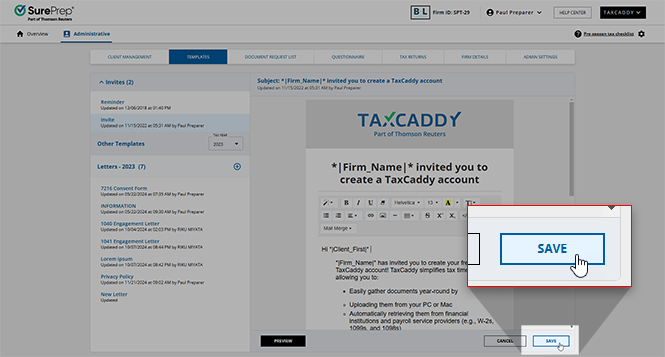
 - When you're done editing theInvitetemplate, select theSavebutton.
What's next?
Now that you have customized your firm's templates, you can send out the invites and reminders to your taxpayer clients as needed.
Related Content
-
Template toolbar
Format: Article
-
Upload files as letter templates
Format:
Article,
4 min read
-
Create letters templates from scratch
Format:
Article,
6 min read
-
Renaming letter templates
Format:
Article,
2 min read
-
Template toolbar
Format:
Article
-
Send the invite and reminder templates to clients
Format:
Article,
6 min read

