
Downloading an invoice
Follow these steps to edit an invoice:
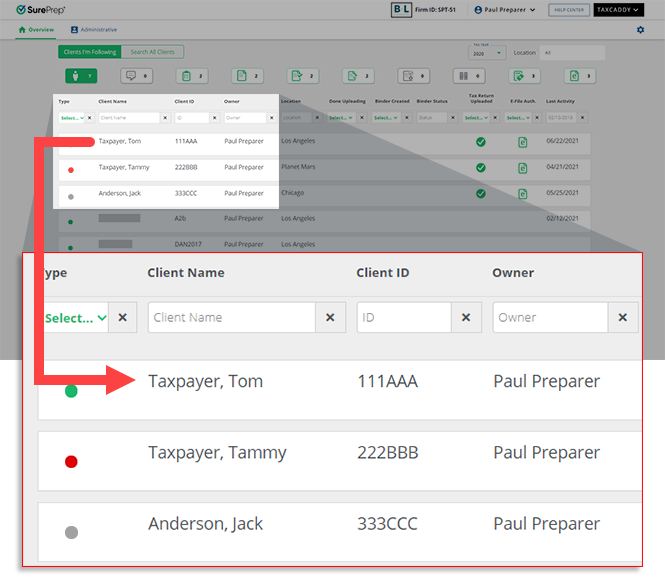
- On theOverviewscreen, select a client tile to view the client profile. You can also search for a client then select the client tile from the search result.
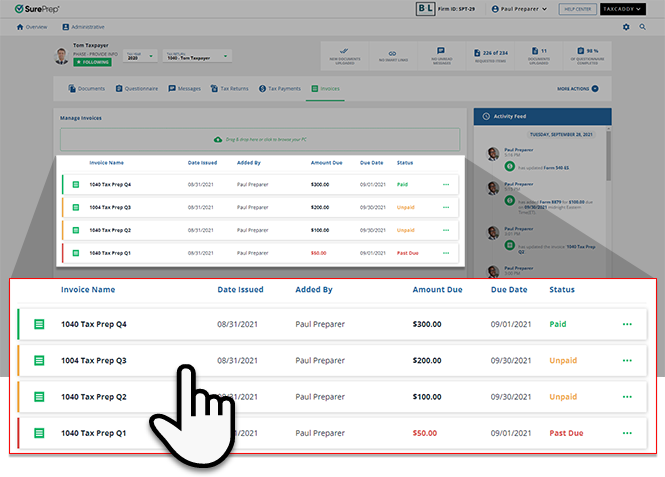
- Select theInvoicestab.

- Select the tax year.

- A list of your client's invoices will appear here. Select theMenu
 icon.
icon. 
- When the options appear, selectDownload.
 noteDownloads initiated from the document menu automatically include annotations placed on the document by you and/or your client.
 - Alternatively, you can also download from the Document Viewer panel. Select on an invoice to view the PDF file.
- On the Document Viewer panel, selectDOWNLOADon the bottom left.

Related Content
-
Adding an invoice
Format: Article,
6 min read
Article,
6 min read
-
Adding an invoice
Format:
Article,
6 min read
-
Editing an invoice
Format:
Article,
3 min read

