
Delete documents
Unfulfilled
Signature
requests, Review
requests, and documents in Uploaded Documents
can be deleted using the procedure described in this article. Completed Upload
requests are moved to the Uploaded Documents
tab (under the category the request was uploaded to) and must be deleted from there.Follow these steps to delete documents from client profiles:
- Sign in to TaxCaddy, on theOverviewscreen select a client tile to view the client profile.
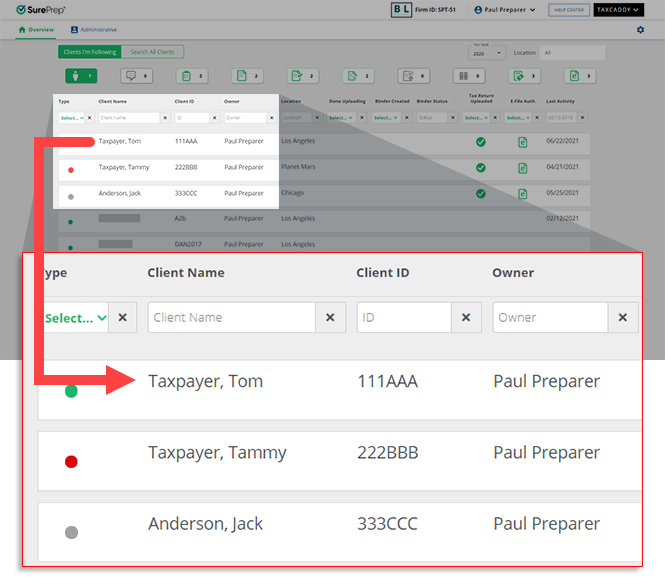
- SelectDocuments, then selectRequested ItemsorUploaded Tax Documents.noteYou can't delete documents fromRequested Itemsafter the document has already been signed or reviewed. CompletedRequested Itemsare moved to theUploaded Documentstab (under the category the request was uploaded to) and can be deleted from there. If a document requires the signatures of both taxpayer and spouse and only one has signed it, both must sign it before it can be deleted. Alternatively, a taxpayer or spouse can remove the document from their document request list by viewing the requested document in the Document Viewer panel in TaxCaddy and selectDeclineinstead ofSign & Accept.

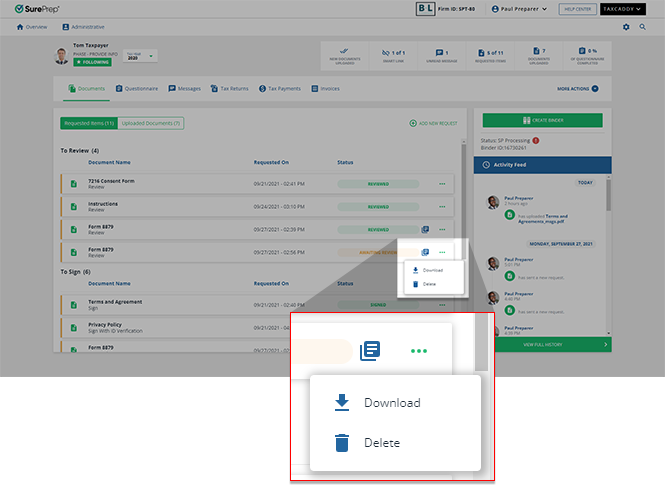
- Select theMenu
 icon of a pending SignorReviewtask, then selectDelete.
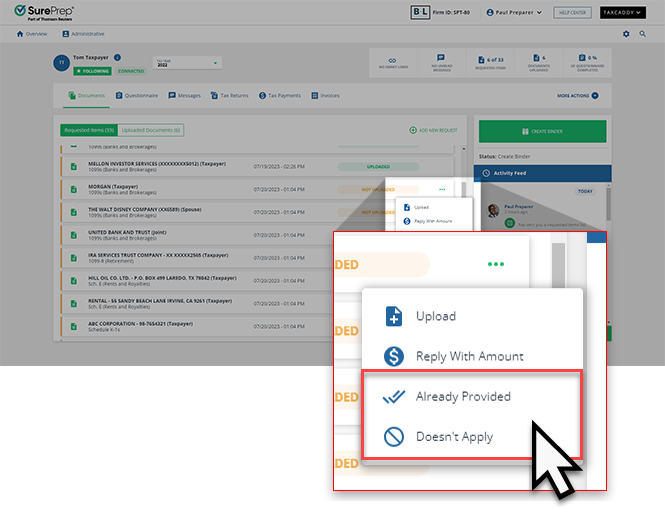
 You or your client can indicate that a pendingUploadrequestDoesn't Applywhen the requested documents can't be uploaded.
 You can also delete an uploaded document from theDocument Viewerpanel. SelectDELETEto delete an uploaded document.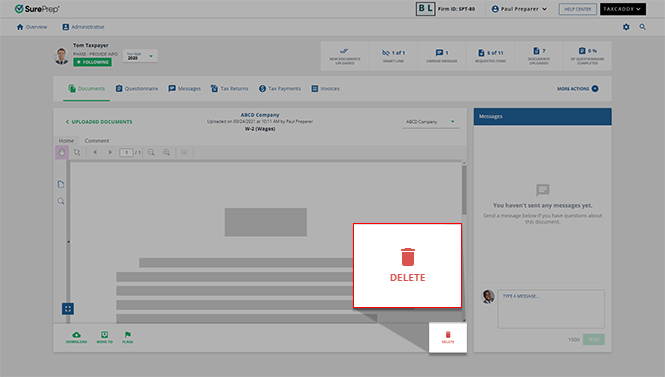
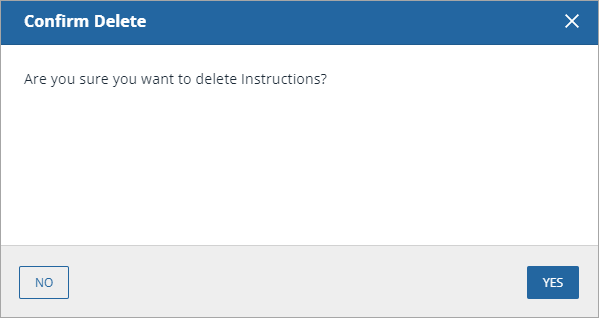
- TheConfirm Deletewindow will appear. SelectYESto delete the file. This change will also be reflected in the client profile.
Remove unwanted document requests
If you want to remove a
Document Upload Request
from a client's Requested Items
section altogether, then their DRL can be reset in Client Management
.
After it has been reset, the client's DRL can then be created and edited using the
Edit DRL
feature to update the list of documents you'd like to request from your client. Once this newly edited DRL has been tailored to meet your client's needs, it can now be sent.note
Once a client's updated DRL has been resent to them after being edited, any completed document requests will remain with the
UPLOADED
status in their Requested Items
tab.
Related Content
-
Indicate a requested item doesn't apply, was already provided, or was prepared by your firm
Format: Article
-
Undo an action (delete, doesn't apply, already provided)
Format:
Article
-
Upload files to client's Uploaded Documents
Format:
Article
-
Document Viewer (PDF Viewer)
Format:
Article
-
Rename documents
Format:
Article
-
Switch between tax documents
Format:
Article

