
Renaming letter templates
Follow these steps to rename a letter template that was created using the
Create your own
option.note
Templates that were created from uploaded documents can't be renamed.
- Sign in to TaxCaddy.
- SelectAdministrative, then selectTemplates.

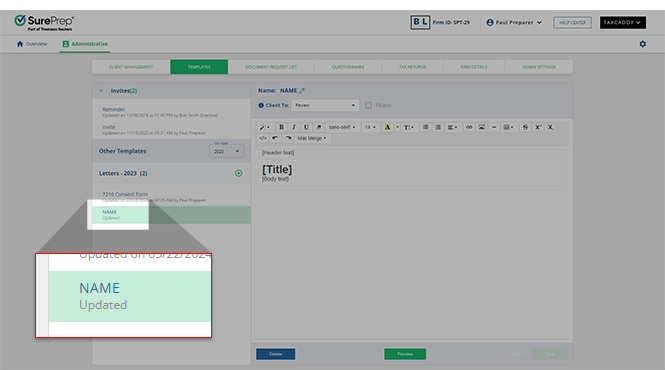
- Select the template you'd like to rename.
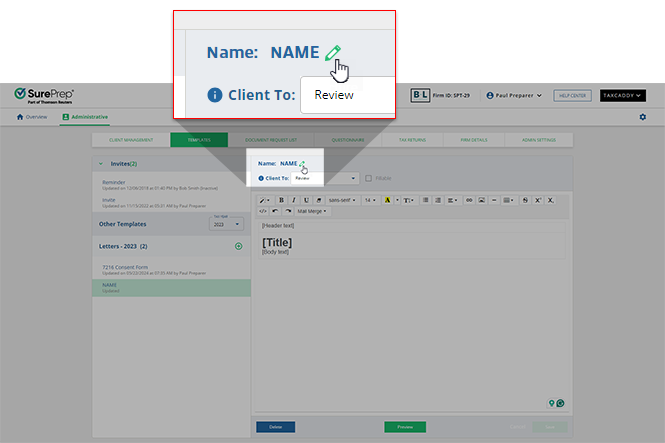
- Select theEdit
 icon next to the name.
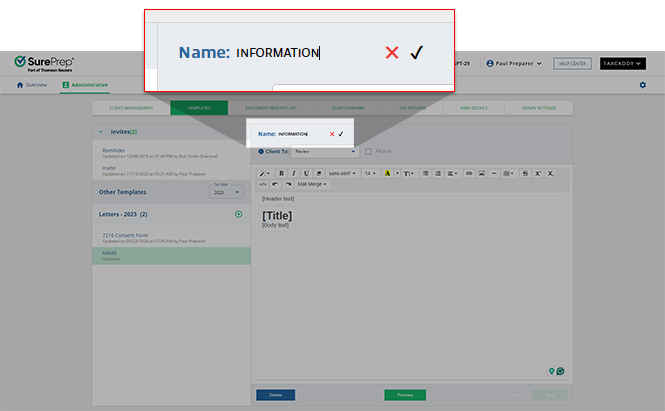
- Type the template's new name then select theSave
 icon.
icon.
Related Content
-
Customize the Invite and Reminder templates
Format: Article,
2 min read
Article,
2 min read
-
Create letters templates from scratch
Format:
Article,
6 min read
-
Upload files as letter templates
Format:
Article,
4 min read

