
Delete annotations
The Document Viewer panel lets you delete selected annotations.
Follow these steps to delete annotations:
You can use either the  or
or  tools to select annotations.
Hand
or Select text & annotations
tools to select annotations.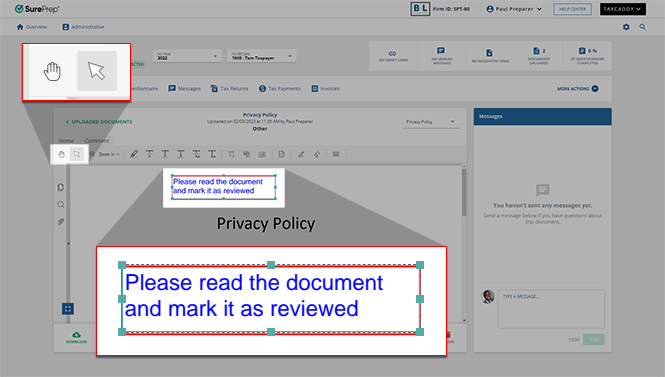
Press the
Delete
key on your keyboard to delete all selected annotations.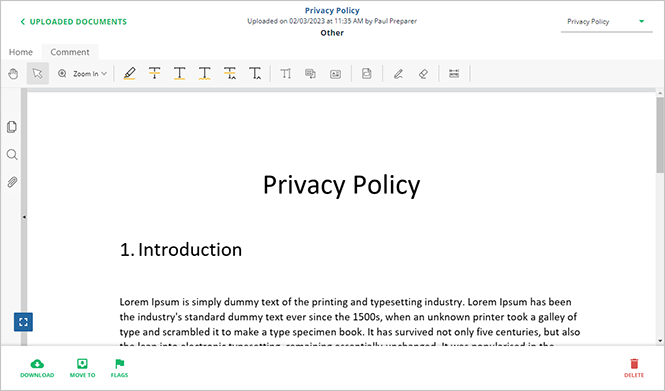
Alternatively, you can right-click an annotation and select
Delete
from the shortcut menu.
If you erroneously deleted an annotation, press
Ctrl
+ Z
to restore a previously deleted annotation. However, this functionality will no longer be available once you go to another page. Deleted annotations will remain deleted.Related Content
-
Document Viewer (PDF Viewer)
Format: Article
-
Textbox annotations
Format:
Article
-
Document Viewer (PDF Viewer)
Format:
Article
-
Rename documents
Format:
Article
-
Switch between tax documents
Format:
Article
-
Text annotations
Format:
Article
-
Document Viewer (PDF Viewer)
Format:
Article
-
Rename documents
Format:
Article
-
Switch between tax documents
Format:
Article
-
Shapes annotations
Format:
Article
-
Document Viewer (PDF Viewer)
Format:
Article
-
Rename documents
Format:
Article
-
Switch between tax documents
Format:
Article
-
Change annotation style
Format:
Article
-
Document Viewer (PDF Viewer)
Format:
Article
-
Rename documents
Format:
Article
-
Switch between tax documents
Format:
Article

