
March’s CoCounsel Legal releases bring powerful new capabilities that transform how legal professionals draft agreements, manage their expertise, and review complex document sets. The key enhancements reflect the principles driving our roadmap: Agentic AI grounded in deep legal expertise, capabilities rooted in your own knowledge and workflows, and built to elevate the way modern legal teams operate.
Rooted in Your Knowledge
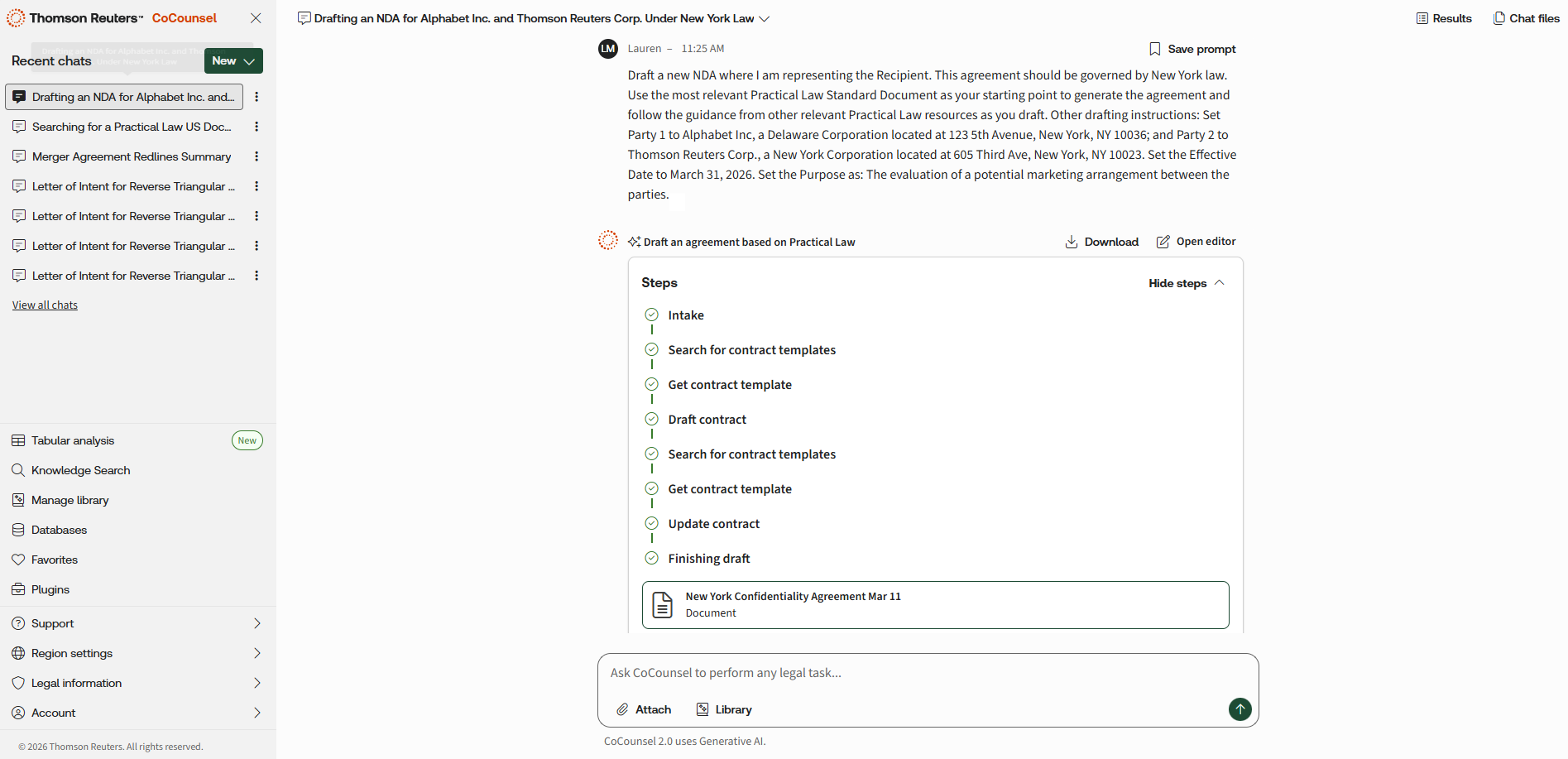
Draft an Agreement Based on Your Precedent & Practical Law Content
Draft agreements faster without starting from scratch as CoCounsel’s drafting agent enables U.S. users to generate a comprehensive first draft in minutes using a trusted precedent or a Practical Law Standard Document. Simply upload source material, add key details and requirements, and CoCounsel analyzes the template, applies its structure and style, and produces a tailored multi‑page draft aligned to the instructions provided. The result is a quicker path from blank page to a client-ready draft in a streamlined workflow with less manual assembly allowing users to spend more time reviewing, negotiating, and advising. Review and then export to Microsoft Word when ready.
My Clauses
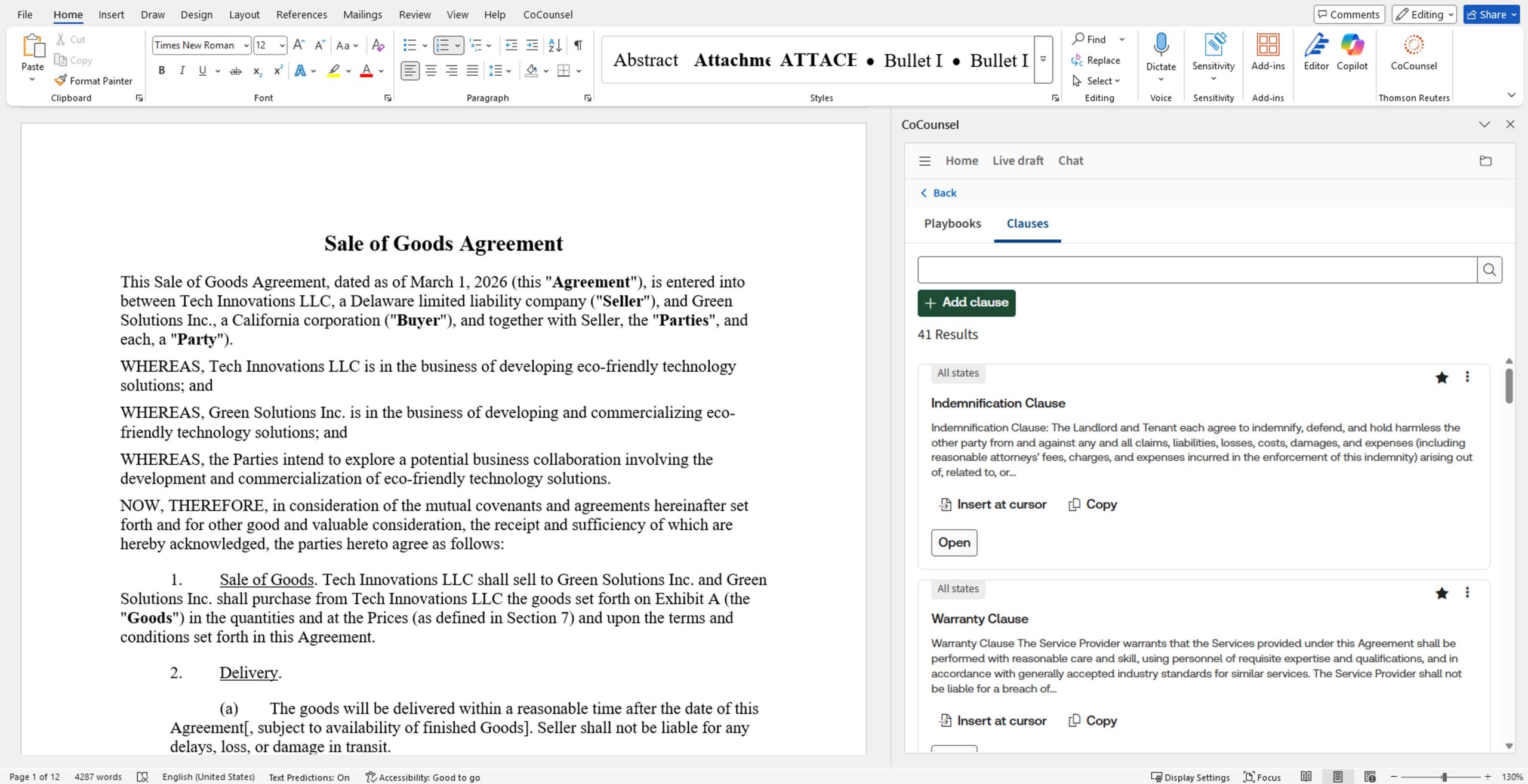
Using the new My Clauses in CoCounsel (U.S.), transactional lawyers can build a personal, searchable library of preferred contract provisions saved from playbooks, draft and modify outputs, or added manually so the right language is always within reach. Find what is needed in seconds, tailor it to the specific matter, and reuse it instantly across new agreements. That means less time hunting through old files, fewer drafting interruptions, more consistency across matters, and faster turnaround from first draft to final.
Built for How You Work
Draft Editor
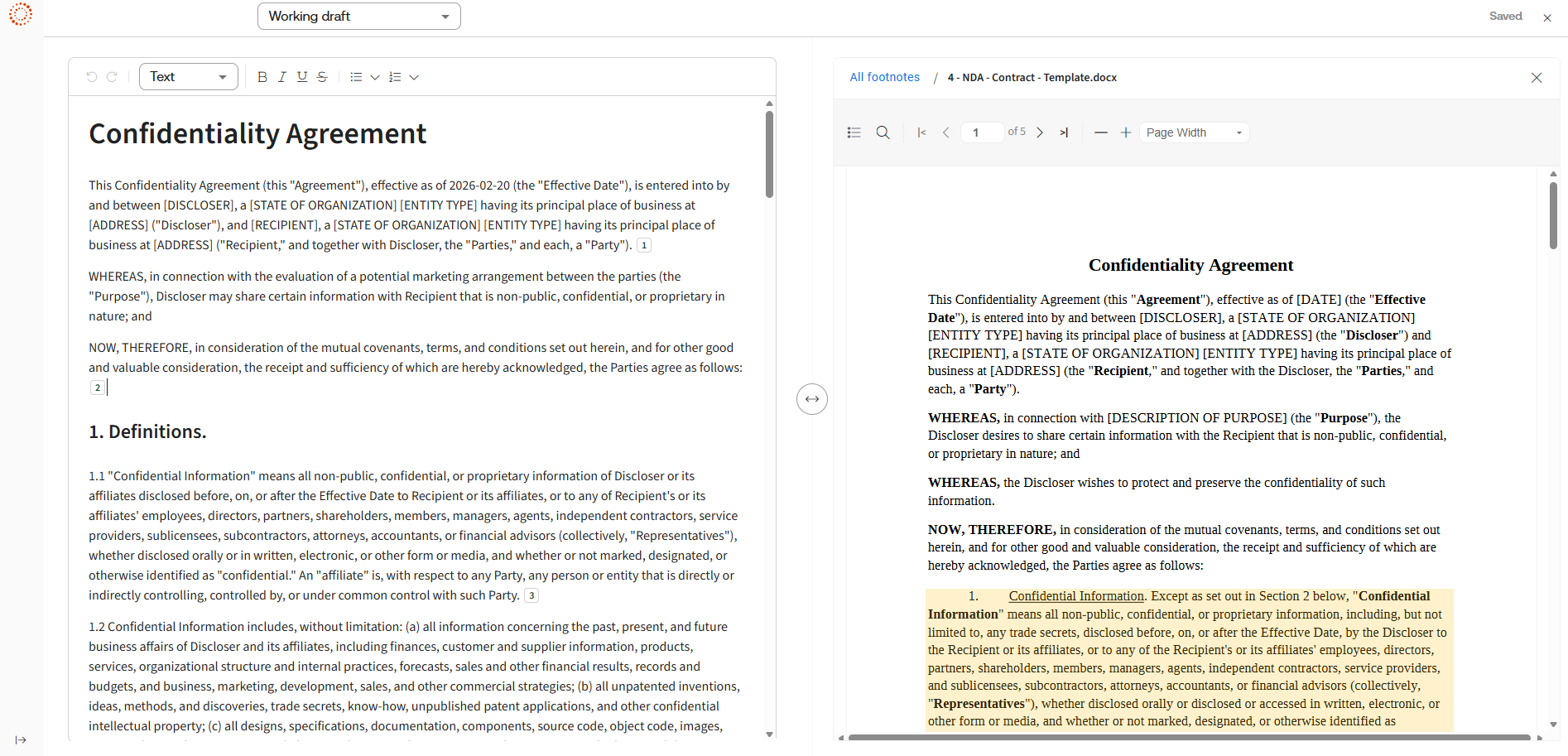
Draft Editor is an integrated editing environment available in the U.S., UK, Canada, and Australia that lets users refine AI-generated outputs directly in their browser – no need to export to Word or switch applications. Available across key skills including Review Documents, Draft, Summarize, and Timeline, simply click ‘open editor’ to start refining work. By enabling in-place editing, it keeps users focused on their work instead of managing workflow. The result: faster turnaround times, fewer interruptions, and a seamless path from AI assistance to polished work product.
Region Settings
Now available in the U.S., UK, Canada and Australia, lawyers can access a flexible, jurisdiction selection feature built directly into CoCounsel for Microsoft Word that enables seamless switching between region content and localization – regardless of regional subscription. Users also can access corresponding Westlaw and Practical Law content from existing subscriptions without purchasing separate regional entitlements or managing multiple logins. Additionally, an improved capability to switch between jurisdictions eliminates geographical limitations in the drafting workflow.
Citations Format Update
CoCounsel now delivers citations as endnotes (with hyperlinks) instead of footnotes in the U.S., UK, Canada and Australia – so your finished Word document reads cleanly from start to finish – a key preference often heard from customers. When exporting the output of any CoCounsel skill or workflow, citations appear at the end of the document, and each in-text citation links to the supporting source and back again. This creates less scrolling and fewer distractions while the work is reviewed, shared, and finalized, especially on longer drafts and research-heavy documents. The in-app experience stays the same; this update improves the readability of exported documents while keeping sources easy to verify.
Tabular Analysis
Tabular analysis is now available in Canadian French. Users can review up to 10,000 documents and 100 questions, viewing the results in a dynamic, filterable table format. This flexible capability enables users to add or remove files or questions mid-review, analyze results in a three-pane viewer, and run multiple tables simultaneously. The powerful solution significantly reduces document review time while enabling easy verification with clickable footnotes. This allows legal professionals to concentrate more on strategic, high-value tasks, and enhancing productivity while reducing valuable resource needs.
Explore These New CoCounsel Legal Features Today
Sign in to CoCounsel Legal today to enhance the speed and effectiveness of your drafting, document analysis, and review workflows. Or explore training options at the CoCounsel Legal Product Training site.
To keep up to date on CoCounsel Legal new enhancements, sign up for the CoCounsel Community today.
* certain capabilities or integrations may require a subscription to other products