
Document Viewer (PDF Viewer)
The Document Viewer panel lets you view, annotate, review, and sign documents uploaded by you and your tax professional.
Header
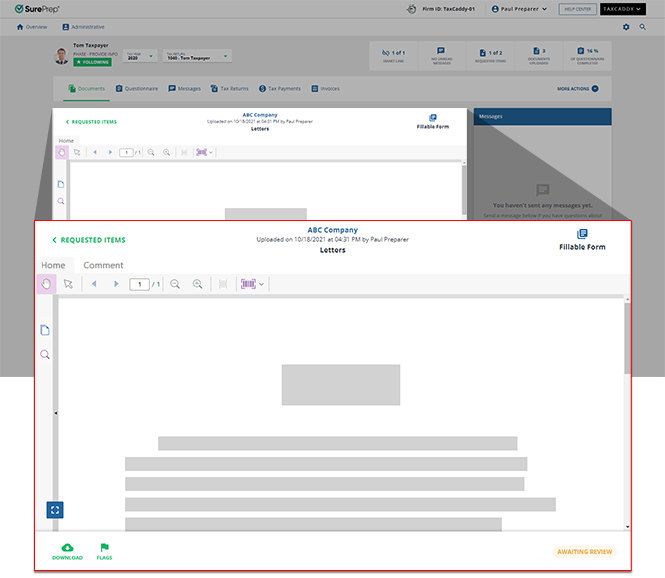
The header shows the document name, uploaded date, and the document uploader. You can select the link to go back to the previous page. The Fillable Form icon indicates that the current document has fillable form fields that can be filled out.
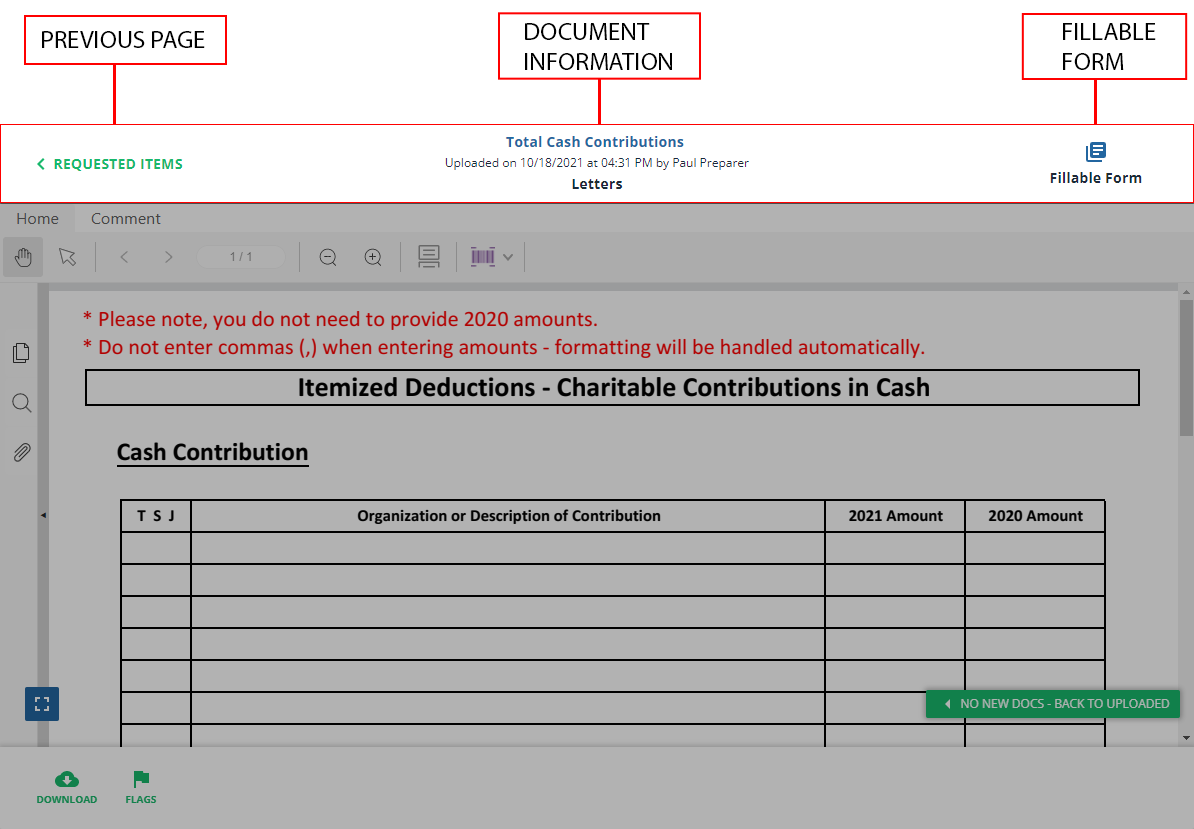
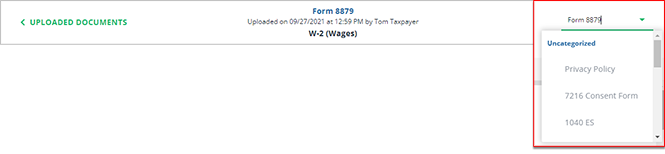
When viewing certain documents (uploaded documents, invoices, tax returns) you can use the dropdown menu to switch between different documents without going back to the previous screen.
Side panel
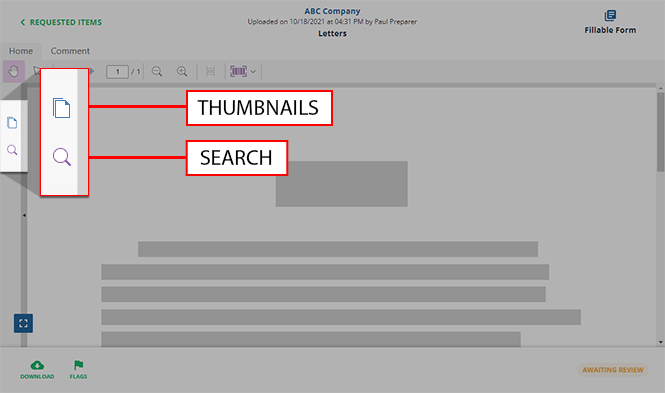
The side panel helps you view a multi-page document by viewing bookmarks, thumbnails, and annotations placed on the document. You can also use the search feature to find keywords or phrases.
Footer
The footer lets you download documents and perform actions on the document (Sign, Review, Pay). You can also view the current document status next to the
Download
button.
You may see the following icons on the footer:
Icons | Descriptions |
|---|---|
 | Downloads the document. |
 | Moves the document to another category. |
 | Deletes the document. |
 | Marks invoice or tax payment voucher as paid. |
 | Mark the invoice as refunded. |
 | Indicates document has already been added to the binder. |
 | Indicates document should be included in SPbinder. |
 | Indicates document should be excluded from SPbinder. |
The Document Viewer panel's footer varies based on the document's status and purpose.
Review document
Before:

After:

Sign document
Before:

After:

Invoice
Before:

After:

Credit
TaxCaddy PDF Reader Powered by Foxit. Copyright (C) 2003-2021 by Foxit Software Incorporated.
Related Content
-
Rename documents
Format: Article
-
Select and zoom
Format:
Article
-
View documents in fullscreen mode
Format:
Article
-
View thumbnails
Format:
Article
-
Search for text in a document
Format:
Article
-
Switch between tax documents
Format:
Article
-
Textbox annotations
Format:
Article
-
Text annotations
Format:
Article
-
Shapes annotations
Format:
Article
-
Change annotation style
Format:
Article
-
Delete annotations
Format:
Article
-
Add SurePrep barcode from TaxCaddy
Format:
Article
-
Text annotations
Format:
Article
-
Shapes annotations
Format:
Article
-
Change annotation style
Format:
Article
-
Delete annotations
Format:
Article
-
Shapes annotations
Format:
Article
-
Change annotation style
Format:
Article
-
Delete annotations
Format:
Article
-
Change annotation style
Format:
Article
-
Delete annotations
Format:
Article
-
Delete annotations
Format:
Article
-
Mark documents as Viewed and Unviewed
Format:
Article
-
Manage Done Uploading status for the client
Format:
Article
-
Document validation check
Format:
Article
-
Document flags
Format:
Article
-
Delete documents
Format:
Article
-
Move documents to another category or tax year
Format:
Article
-
Download multiple documents at once
Format:
Article

